




Choosing the right payment gateway is an essential step for any business. It influences how you accept payments, how easy it is for customers to complete their purchases, and how much you’ll be paying in fees. With so many options available, two of the most popular choices are Stripe vs PayPal.
Stripe is often favored by businesses that need flexibility and control over their payment system. It provides a range of developer tools, allowing businesses to customize their payment experience and integrate it seamlessly with their website or app.
On the other hand, PayPal offers a simpler, more straightforward payment solution. Known for its ease of use, PayPal is trusted by millions of users worldwide and is often the first choice for smaller businesses or those just starting out. It provides an easy setup with less technical effort,.
In this comparison, we’ll break down the key differences between Stripe vs PayPal across several important factors: pricing, ease of use, global reach, security, and more.
By the end of this guide, you’ll have a clear understanding of which payment gateway might be the best fit for your business, whether you’re looking for a simple setup or a customizable payment system.
Overview of Stripe vs PayPal
Before we get into the differences, let’s learn a bit about Stripe vs PayPal-
Stripe
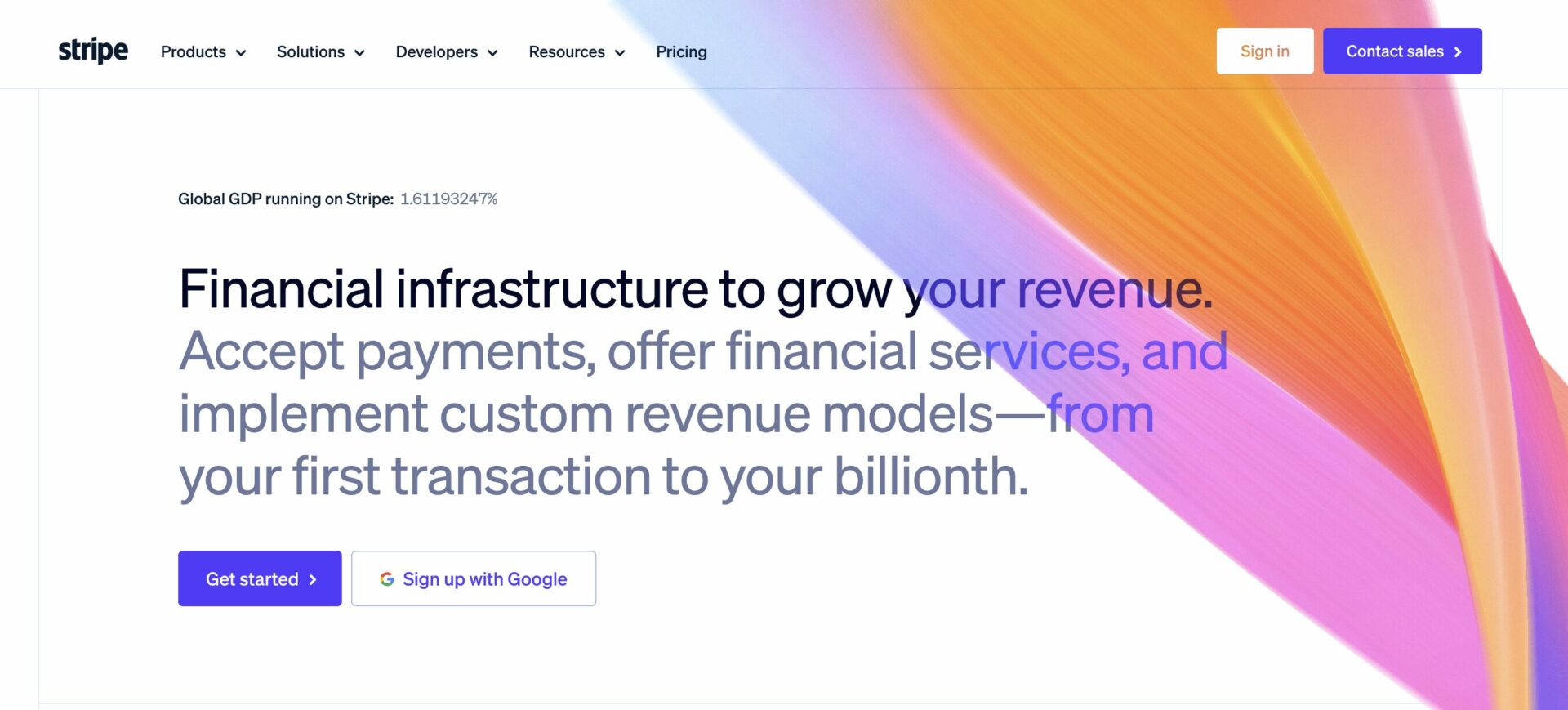
Stripe is a powerful payment processing platform built for businesses that require a high degree of customization. Its robust APIs make it the preferred choice for eCommerce stores, SaaS companies, and marketplaces.
Key Features:
- Supports credit/debit cards, digital wallets (Apple Pay, Google Pay), and localized payment methods.
- Available in 47 countries and supports 135+ currencies.
- Ideal for businesses with complex payment needs or international expansion.
- Offers advanced fraud detection tools (Stripe Radar).
- Provides a fully customizable checkout experience through APIs.
- Supports subscription billing, marketplace payouts, and advanced automation.
- Offers advanced API documentation and SDKs for seamless developer integration.
- Provides real-time reporting and detailed financial analytics.
- Enables direct bank payments and ACH transfers for U.S.-based businesses.
Read: How to Integrate Stripe with Dokan
PayPal

PayPal is one of the most recognizable names in digital payments, popular among small businesses, freelancers, and online merchants who value ease of use and trust.
Key Features:
- Accepts payments via PayPal balance, linked bank accounts, credit/debit cards, and Venmo (U.S. only).
- Operates in 200+ countries and supports 25+ currencies.
- Includes buyer and seller protection policies.
- Simple setup with plug-and-play integration for Shopify, WooCommerce, eBay, and more.
- Strong consumer trust and brand recognition.
- Offers PayPal One Touch for seamless checkout.
- Provides an easy invoicing system for freelancers and small businesses.
- Allows customers to make purchases using PayPal Credit.
- Offers PayPal Pay Later and BNPL (Buy Now, Pay Later) solutions.
Read: How to Integrate PayPal with Dokan
What’s Similar Between Stripe vs PayPal?
Despite their differences, Stripe and PayPal share several key similarities:
- Core Payment Processing: Both allow businesses to accept online payments via credit/debit cards and digital wallets.
- PCI Compliance: Both platforms meet industry security standards and handle PCI compliance for merchants.
- Subscription Billing: Both support recurring payments and subscription-based billing models.
- Fraud Protection: Stripe Radar and PayPal’s fraud prevention tools help businesses reduce chargebacks and unauthorized transactions.
- Multi-Currency Support: Both platforms allow businesses to accept payments in multiple currencies for international sales.
- Mobile Optimization: Both offer mobile-friendly payment solutions, including one-click checkout and in-app payment processing.
- Integrations: Stripe and PayPal work with popular eCommerce platforms like WooCommerce, Shopify, and Magento.
Key Comparison Factors of Stripe vs PayPal
So, we are at the business end of the article. We are going to talk about the differences of Stripe vs PayPal and let you decide which way to go-
Pricing and Fees
When it comes to pricing and fees, both Stripe and PayPal have similar base rates, charging 2.9% + $0.30 per U.S. transaction. However, the differences arise when considering additional fees.
Stripe charges an extra 1% for international cards, while PayPal tends to have higher fees for cross-border transactions and currency conversion. This makes Stripe a more cost-effective option for businesses dealing with a significant volume of international transactions. On the other hand, PayPal offers a special rate of 5% + $0.05 for transactions under $10, which can be highly beneficial for businesses that frequently process micropayments.
In terms of chargebacks, PayPal charges a $20 fee, whereas Stripe has a lower $15 fee, though Stripe’s chargeback fee is non-refundable. This could be a key factor for businesses that experience chargebacks.
As a result, for businesses managing many international payments, Stripe is typically the more cost-effective choice due to its lower international fees. However, PayPal may be the better option for businesses handling micropayments or those that need faster payouts, especially considering its special micropayment rate and the ability to process payments quicker.
| Service | PayPal | Stripe |
|---|---|---|
| Transaction Fees | 3.49% + 49¢ | 2.9% + 30¢ |
| Charge Cards from Your Website | $30/month (for payment gateway integration) | Free |
| Chargeback Fee | $20 | $15 (non-refundable) |
| American Express Fees | 3.5% | Same flat rate |
| Micropayments (transactions < $10) | 5% + 5¢ | Same flat rate |
| Refund Fees | Fixed fee is only returned | Fees not returned |
| International Card Fees | 1% | Free |
| Authorize Card Fee | 30¢ | Free |
| Recurring Billing | $10/month (Optional tool: $30/month) | Free |
| Fraud Protection | Basic is free; Advanced $10/month | Free (advanced fraud protection included) |
Key Differences:
- Transaction Fees: PayPal charges a slightly higher transaction fee (3.49% + 49¢ vs. 2.9% + 30¢ for Stripe).
- Micropayments: PayPal offers a specific micropayment rate for transactions under $10, while Stripe has the same flat rate for all transactions.
- Recurring Billing: PayPal charges a fee for recurring billing tools, whereas Stripe includes this feature for free.
- Fraud Protection: PayPal offers basic fraud protection for free, with an additional charge for advanced fraud prevention. Stripe includes advanced fraud protection for free.
- International Cards: PayPal charges an additional 1% fee for international cards, while Stripe offers this feature without extra charges.
- Refund Fees: With PayPal, the fixed transaction fee is not refunded when a payment is refunded. Stripe does not return fees for refunds either.
Ease of Use and Setup
PayPal is well-known for its simple, plug-and-play setup, making it easy for merchants to start accepting payments quickly. This ease of use is especially beneficial for small businesses or individuals who need a solution without technical expertise.
On the other hand, Stripe requires developer integration and is more suitable for businesses that want a fully customized payment experience. While Stripe provides excellent API documentation for developers, it demands a bit more effort to set up compared to PayPal’s hassle-free, beginner-friendly integration.
Therefore, PayPal is the best option for those seeking quick setup, while Stripe is ideal for businesses that need extensive customization. In short, PayPal is more straightforward and quick to integrate, while Stripe excels in offering deep customization, especially for businesses with advanced requirements.
PayPal:
Stripe:
Summary:
- PayPal excels in quick setup and ease of use.
- Stripe is more complex but ideal for businesses needing customization.
Payment Methods and Global Reach
When comparing payment methods and global reach, Stripe supports a broader range of payment options, including ACH transfers and direct bank debits, making it more flexible, particularly for businesses operating in the U.S. and internationally.

PayPal, while supporting transactions in over 200 countries, offers fewer currencies than Stripe and focuses on easier consumer-facing solutions. PayPal also includes Venmo for U.S.-based businesses, which can be advantageous for targeting younger demographics. Stripe offers more robust API support for integrating local payment methods, providing better flexibility for international businesses.
Additionally, PayPal offers instant payouts to its PayPal balance, while Stripe generally takes up to two business days to transfer funds to a bank account.
Overall, while PayPal has a wider reach in terms of consumer-facing services, Stripe offers better solutions for businesses looking for flexibility in payment options and international scalability.
Stripe:
PayPal:
Summary:
- Stripe is better for businesses seeking flexibility and international scalability.
- PayPal offers a wider consumer-facing reach, particularly with tools like Venmo.
Security and Fraud Prevention
Both Stripe and PayPal are PCI-compliant, using strong encryption to protect sensitive data. However, when it comes to fraud prevention, Stripe has a more advanced system. Stripe Radar, powered by AI, offers sophisticated fraud detection tools, providing businesses with greater control over managing chargebacks and fraud.
In comparison, PayPal’s fraud prevention system favors buyers more often than merchants and may not be as customizable. While PayPal’s buyer protection policies can build consumer trust, it can be challenging for businesses who face disputes or chargebacks.
Stripe, on the other hand, offers merchants more tools and flexibility in managing these risks, including detailed insights and manual controls to help businesses respond to and prevent fraudulent activities. In short, Stripe offers stronger, more customizable security features for businesses that need fine-tuned control over fraud management.
Stripe:
- Stripe Radar uses AI for advanced fraud prevention.
- Provides more control over chargebacks and fraud, with customizable tools.
PayPal:
- Buyer protection policies often favor consumers over merchants.
- Less customizable fraud management tools compared to Stripe.
Summary:
- Stripe offers stronger, more customizable fraud prevention for businesses.
- PayPal is better for businesses focused on consumer trust but may be less favorable for merchants dealing with disputes.
Features and Customization
In terms of features and customization, Stripe stands out due to its extensive API, which allows businesses to fully customize their checkout experience. This level of flexibility makes Stripe the best choice for companies that require a unique payment flow or those that want to create an entirely branded experience.
PayPal, while providing simpler integration, offers fewer customization options. However, it compensates by providing straightforward, out-of-the-box solutions, making it easy for merchants to start processing payments with minimal effort. Stripe also supports complex features such as multi-party payments, ideal for marketplaces, and provides advanced reporting tools.
In contrast, PayPal offers basic reporting and invoicing features, making it more suitable for small businesses and freelancers who don’t need complex financial analytics. While PayPal is a great fit for users who value simplicity, Stripe excels when it comes to building scalable, high-performance payment solutions with an array of tools to meet specific business needs.
Stripe:
- Offers extensive API integration, enabling full customization of the payment process.
- Includes complex features like multi-party payments, advanced reporting, and subscription management.
- Ideal for businesses needing a scalable payment solution.
PayPal:
- Simplified integration, but offers fewer customization options.
- Provides basic reporting and invoicing, making it ideal for smaller businesses or freelancers.
- Excellent for those who want quick setup without the need for extensive customization.
Summary:
- Stripe shines in customization and scalability, ideal for businesses with advanced needs.
- PayPal is better for simplicity and quick deployment for small businesses.
API and Developer Flexibility
One of the most significant differences between Stripe and PayPal is their API offerings. Stripe’s API is highly regarded in the industry for its depth, flexibility, and comprehensive documentation, making it the preferred choice for businesses and developers looking to create customized, scalable solutions.
The Stripe API allows for seamless integrations with various platforms and provides access to a broad range of features such as subscription management, advanced fraud prevention, and multi-party payments, which are essential for businesses with complex requirements or large-scale marketplaces. Developers can use Stripe’s extensive SDKs and developer tools to create a fully branded checkout experience and integrate payment solutions into their systems with high precision.
On the other hand, PayPal’s API is more limited in terms of customization. While it offers basic integration options for small businesses, PayPal’s API does not provide the same level of granular control over the payment experience as Stripe does.
The setup for PayPal is relatively straightforward, but its API is less flexible for businesses looking to build fully custom solutions or integrate advanced features. PayPal’s API is better suited for businesses that need quick and easy payment solutions but may fall short for those who need advanced, developer-driven features.
Stripe:
- Highly flexible API with comprehensive documentation and SDKs.
- Allows for seamless integration of complex features like multi-party payments and advanced fraud management.
- Preferred by developers for its depth and control.
PayPal:
- Basic API with limited customization compared to Stripe.
- Suitable for businesses that need simple integrations, but lacks advanced developer tools.
Summary:
- Stripe offers the most flexible and feature-rich API for developers.
- PayPal is suitable for quick, simple integrations, but not ideal for complex setups.
FAQ(s)
Q: Which is better for small businesses, Stripe or PayPal?
PayPal is generally better for small businesses due to its easy setup, simplicity, and lower upfront costs. It’s ideal for businesses that need to start accepting payments quickly.
Q: Can I use both Stripe and PayPal on my website?
Yes, you can integrate both Stripe and PayPal on your website, offering customers multiple payment options.
Q: Does Stripe support international payments?
Yes, Stripe supports payments in 135+ currencies, making it a strong choice for international businesses.
Q: Is PayPal secure for online payments?
Yes, PayPal uses industry-standard encryption, fraud protection, and buyer/seller protection policies.
Q: Can I customize the checkout experience with PayPal?
While PayPal offers limited customization compared to Stripe, it does provide some features like PayPal One Touch for a faster checkout process.
Q: What fees should I expect with Stripe?
Stripe charges 2.9% + $0.30 per transaction, with additional fees for international transactions and chargebacks.
Q: Does Stripe offer invoicing?
Stripe does offer invoicing features, but they are more complex and customizable than PayPal’s simpler invoicing system.
Summary Table
| Feature | Stripe | PayPal |
|---|---|---|
| Transaction Fees | 2.9% + $0.30, additional 1% for international cards | 2.9% + $0.30, higher cross-border fees |
| Global Reach | 47 countries, 135+ currencies | 200+ countries, 25+ currencies |
| Payment Methods | Cards, digital wallets, ACH transfers, bank debits | PayPal balance, bank accounts, Venmo (US), cards |
| Ease of Setup | Requires developer integration | Simple plug-and-play setup |
| Fraud Protection | Stripe Radar, customizable security | Buyer protection, consumer-friendly |
| Customization | Full API access for checkout flow | Limited customization |
| Reporting | Advanced analytics and reporting | Basic reporting |
| Payouts | 2-day transfers to bank accounts | Instant payouts to PayPal balance |
Final Thoughts
Both Stripe and PayPal are industry-leading payment gateways, but the best option depends on your specific business needs.
Stripe is ideal for businesses that require high customization, scalability, and advanced features. It’s perfect for developers who want to create a tailored checkout experience and businesses that deal with international payments or subscription-based models. Its robust API and advanced reporting tools make it a top choice for eCommerce stores, SaaS platforms, and marketplaces.
PayPal, on the other hand, is a simpler, more user-friendly solution. It’s perfect for small businesses, freelancers, and those who need quick integration with minimal technical effort. PayPal’s wide consumer trust and brand recognition make it a reliable choice for businesses that prioritize ease of use, fast setup, and straightforward payment processing.
Ultimately, Stripe offers more flexibility and features for growing businesses with complex needs, while PayPal provides ease and reliability for those looking for a hassle-free payment solution. For many companies, using both platforms can maximize payment options and cater to a broader audience.
Choose based on your goals, resources, and the level of customization you need.
Which payment gateway do you use for your business? Share your experience in the comments below!
Subscribe to
Dokan blog
We send weekly newsletters, no spam for sure!





Leave a Reply