



Think about how your vendors actually work.
They are restocking shelves, packing orders, meeting suppliers, or standing in a shop. What they are usually not doing is sitting at a desk with your vendor dashboard open, waiting for something to happen.
So a customer asks a question at 2 pm and gets an answer at 9 pm. A return request sits untouched for a day. A product goes out of stock and stays listed because nobody was at a computer to change it. None of these are your vendors being careless. They are the predictable result of tying store management to a desktop.
The Dokan Vendor App removes that constraint. It gives your marketplace vendors a fully branded mobile app where they can run their store from their phone, with the same tools they already use in the web dashboard.
Here is what it does, why it matters for your marketplace, and how to get it live.
Quick takeaway. Mobile commerce now accounts for roughly 59% of global ecommerce sales, with worldwide mobile ecommerce reaching $2.51 trillion in 2025. Your customers already shop from their phones. Your vendors should be able to sell from theirs.
Understand Why Vendors Need Mobile Access
Before the features, it is worth being clear about the problem this solves, because it is easy to dismiss a vendor app as a convenience.
Your Vendors Are Not Sitting at a Desk
Most marketplace vendors are small businesses. One person, maybe a few. They do not have an operations team watching a dashboard. They are doing the work, and store admin happens in the gaps, on a bus, between customers, late in the evening.
When the only way to manage a store is a desktop login, all of that admin gets pushed to the end of the day. Questions pile up. Requests wait. The store runs on a delay that nobody chose.
Slow Responses Cost Everyone Sales
Here is why this is your problem as the marketplace owner, not just theirs. A customer who asks a product question and waits a day often buys somewhere else. A return request that sits for three days turns into a complaint about your marketplace, not about that one vendor.
Your vendors’ responsiveness is your marketplace’s reputation. Anything that helps them answer faster protects the brand you are building.
The data on mobile-enabled sellers points the same way. Among sellers who adopted mobile commerce tools, 53% reported a better ability to manage customer relationships, 53% reported time savings through automation, and 48% cited increased customer satisfaction.
Meet the Dokan Vendor App
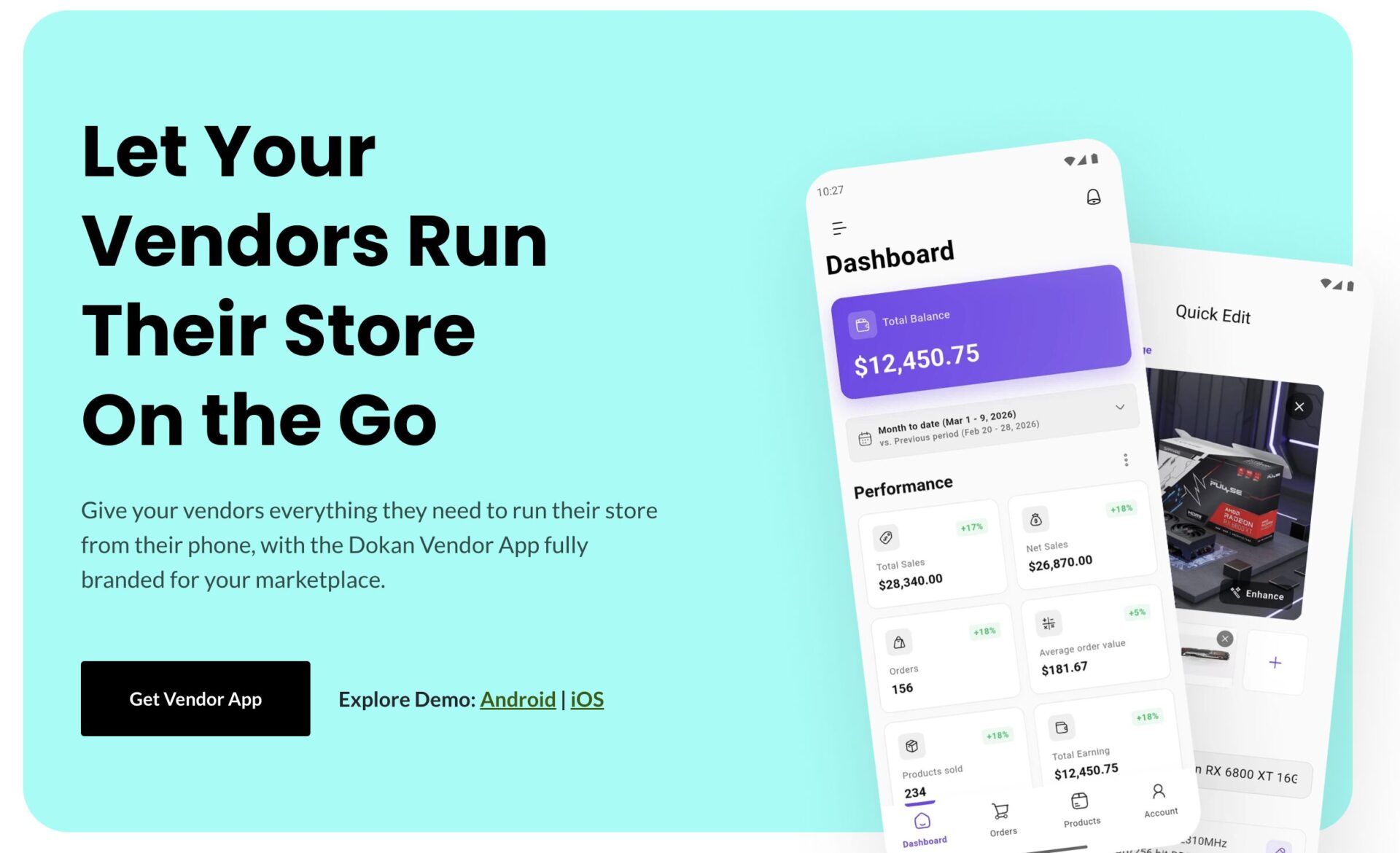
The Dokan Vendor App gives your vendors access to the tools they already use inside the web dashboard, on their phone.
The important word there is access, not preview. Plenty of mobile apps let sellers look at their numbers and little else. This one is built so vendors execute real store actions from mobile rather than just watching updates roll in.
And it carries your branding, not ours. The app is configured for your marketplace, so your vendors open something that looks like your platform.
Explore What Vendors Can Do
Here is what your vendors get in their pocket.
Manage Products on the Move
Vendors can edit product details, images, and descriptions any time, which keeps catalogs accurate instead of slowly drifting out of date. They can update a product name, modify short and long descriptions, and change product images without opening a laptop.
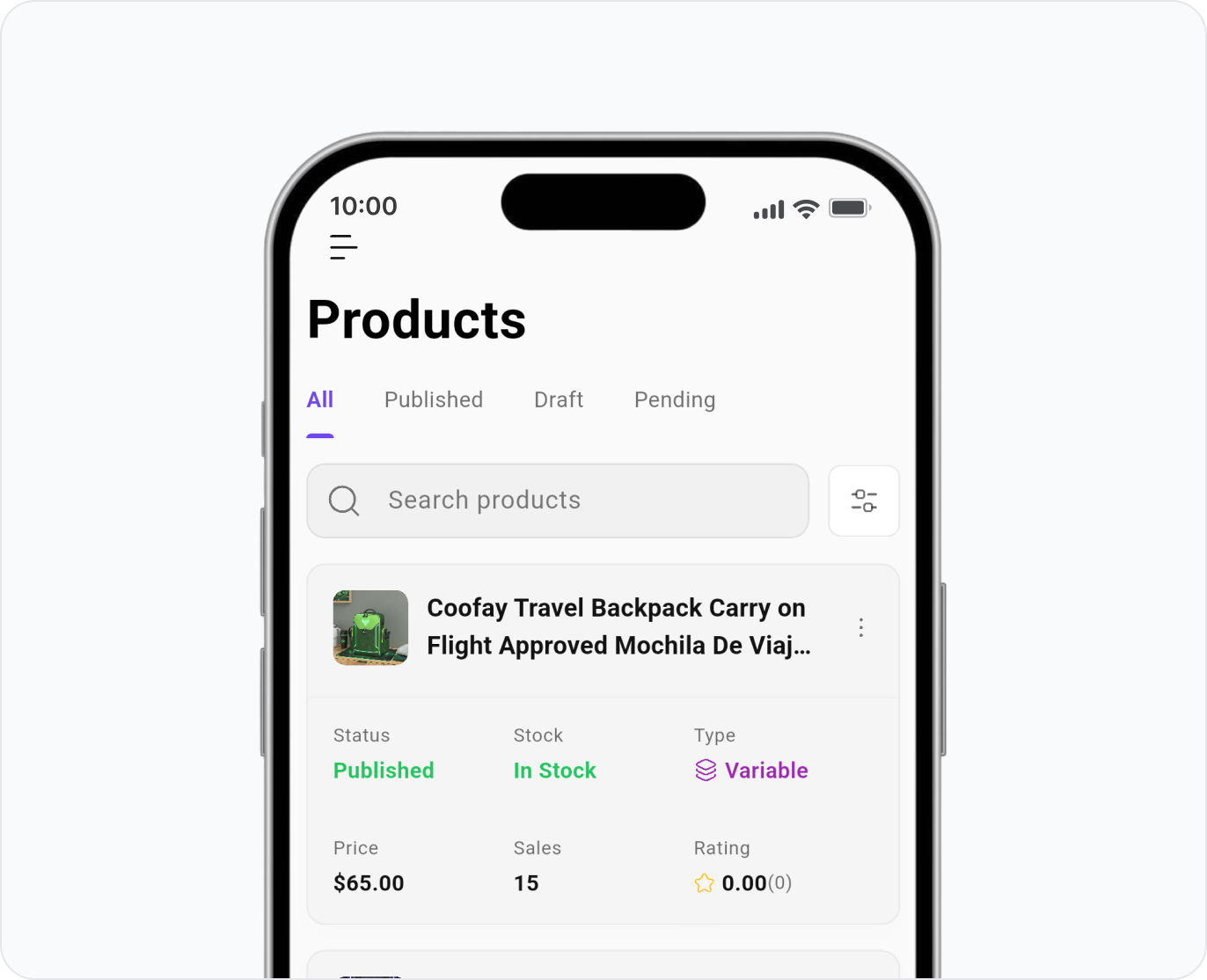
This one matters more than it sounds. Most catalog problems come from small edits that never get made because making them was inconvenient.
Track Earnings and Store Performance
The live dashboard shows vendors their sales, commissions, payouts, and overall store performance. They can view store analytics, track commissions, and check payouts whenever they want to know where they stand.
Transparency here reduces support load for you too. Vendors who can see their own payout status stop asking you about it.
Use the WordPress Media Library From a Phone
Vendors can upload, manage, and reuse product images without logging into the desktop dashboard. They can browse existing media, upload new visuals, and apply images instantly.
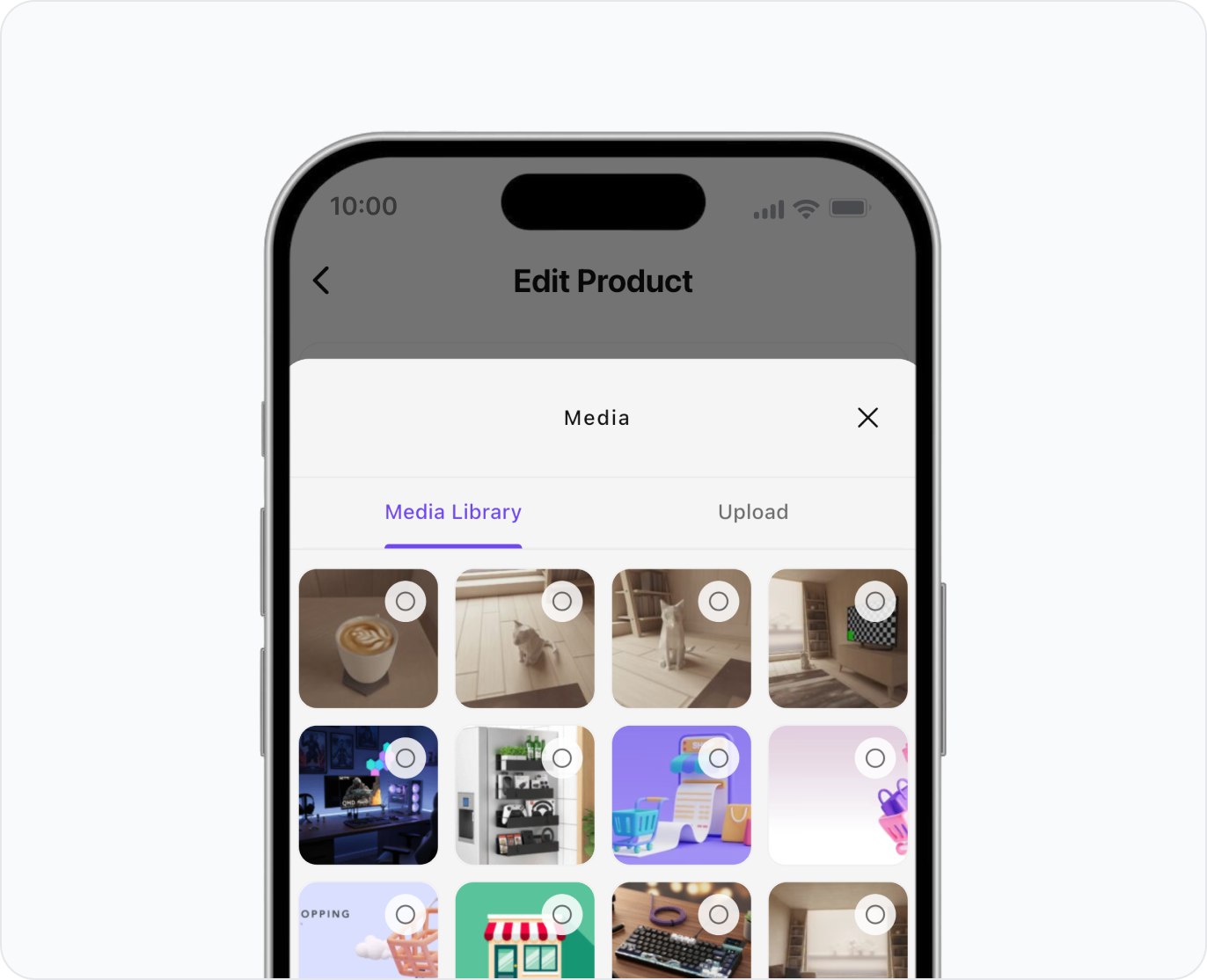
Practically, this means a vendor can photograph a new product and list it properly in the same few minutes, instead of adding it to a list of things to do later.
Answer Questions and Handle Support
Vendors can respond to customer product questions and store support requests from the app. Faster answers protect store credibility, and store credibility is what turns browsers into buyers.
For a marketplace, this is one of the highest-value features on the list, because response speed is one of the few things customers judge instantly.
Process Returns and Warranty Requests
Return and warranty requests can be reviewed and managed from mobile, so post-purchase workflows do not stall. Vendors view requests, manage approvals, and keep issues organized without waiting until they are back at a computer.
Returns handled quickly are far less damaging than returns handled slowly. This keeps the clock from working against you.
Monitor Store Trust and Engagement
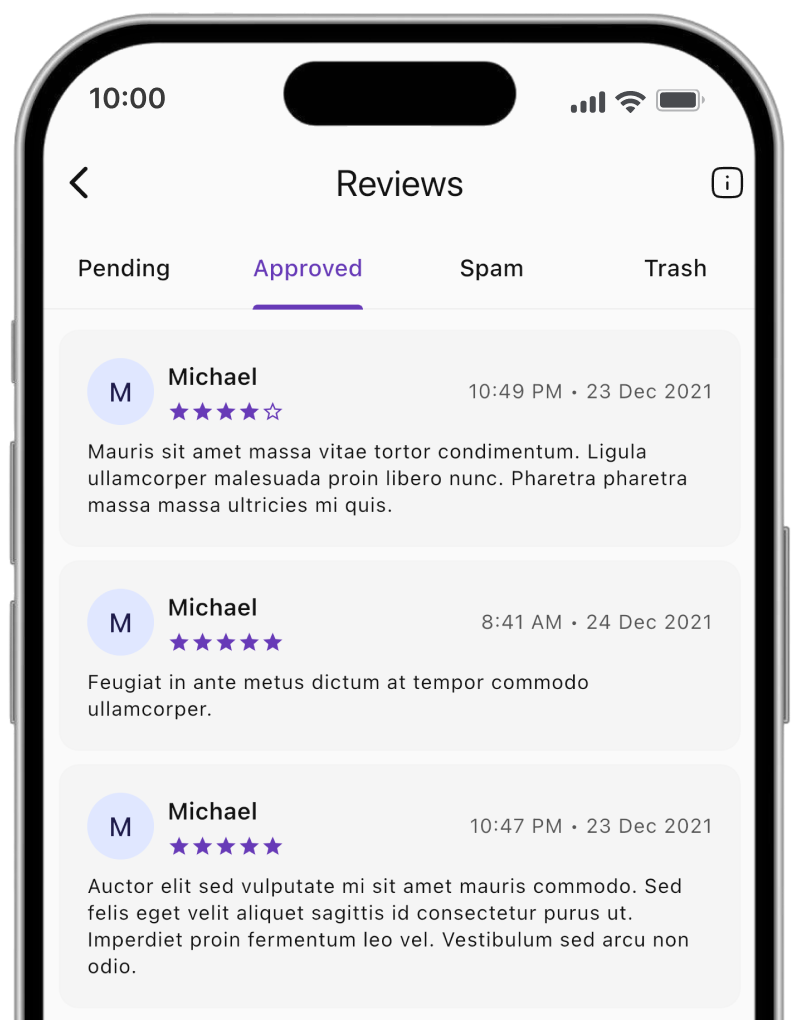
Vendors can track reviews, seller badges, and followers to keep their storefront active and trusted. Seeing a new review land, or a follower count grow, is also the kind of feedback that keeps small sellers engaged with your marketplace.
Manage Staff and Permissions
For vendors who have grown past a one-person operation, the app includes staff management. They can assign roles, control permissions, and oversee staff access from their phone.
This is a genuine sign of a mature vendor tool. It means your larger vendors do not outgrow the app the moment they hire someone.
Give Your Marketplace a Branded App
The branding piece deserves its own mention, because it changes what the app is worth to you.
A generic seller app is a utility. A branded app is part of your platform. When vendors download an app with your marketplace’s identity on it, your platform stops being a website they log into and becomes something that lives on their home screen.
That has a real retention effect. Vendors who run their business through your app every day are considerably less likely to drift to a competing marketplace, because you are now part of their daily routine rather than a tab they sometimes open.
Worth knowing. eCommerce apps typically convert around three times better than mobile websites, and app users show roughly double the repeat purchase rates. The same stickiness that works on the customer side works on the vendor side.
Launch in Three Steps
Getting the app live does not require a development project on your end. The process is short.
Purchase the License
You get official access to the Dokan Vendor App along with everything needed to launch it.
Submit Your Credentials
You share your marketplace details, and the Dokan team configures and prepares the app for you. This is the step that would normally be months of mobile development, and it is handled for you.
Activate and Go Live
Your Vendor App is ready, and your vendors can access it immediately.
That is the whole flow. No app development, no workflow disruption, no rebuilding anything you already have. For the full details and setup instructions, see the Dokan Vendor App documentation.
See What Makes the Vendor App Different
There are other seller apps. Here is what separates this one for a Dokan marketplace.
- Built for Dokan vendors. It is designed around Dokan’s vendor system and module architecture rather than adapted from a generic ecommerce app.
- Complete integration. It is developed to carry the features of a full vendor dashboard, not a trimmed-down version of it.
- Fully operational. Vendors execute core store actions from mobile instead of only viewing updates. This is the difference between a real tool and a notification screen.
- 24 by 7 priority support. Support is available around the clock, which matters when your vendors are in different time zones from you.
You can also try it before committing. The app is available to explore on Google Play, so you can see how it feels in the hand rather than judging from screenshots.
Complete Your Mobile Ecosystem
The Vendor App is one of three mobile apps built for Dokan marketplaces, and they are designed to work together.
- Dokan Customer App. A branded shopping experience for your customers, with profiles, product search, order placement, and push notifications. Push alone is a strong driver of repeat visits.
- Dokan Delivery Driver App. For delivery agents, with assignment and completion updates that give you clear order visibility through the last mile.
You do not need all three to start. But it is worth knowing the path exists, because a marketplace where customers, vendors, and drivers all operate from mobile runs at a different speed than one that does not.
FAQs
What is the Dokan Vendor App?
The Dokan Vendor App is a mobile app that lets vendors on your Dokan marketplace run their store from their phone. It gives them access to the tools they already use in the web vendor dashboard, including product management, earnings, customer questions, returns, and staff permissions, and it is branded for your marketplace.
What can vendors do in the app?
Vendors can edit products, images, and descriptions, view sales analytics, track commissions and payouts, access the WordPress media library, answer product questions, handle store support, manage returns and warranty requests, monitor reviews and followers, and manage staff roles and permissions.
Is the app branded for my marketplace?
Yes. The app is configured for your marketplace, so vendors download and use an app that carries your identity rather than a generic seller tool.
Do I need a development team to launch it?
No. The process is three steps. You purchase the license, submit your marketplace credentials, and the Dokan team configures and prepares the app. Then you activate it and your vendors can start using it.
Can vendors actually manage their store, or only view it?
They can manage it. The app is built so vendors execute core store actions from mobile, including editing products, answering customers, and approving returns, rather than only viewing updates.
Can I try the app before buying?
Yes. You can explore the app on Google Play to see how it works before you purchase a license.
Does it work alongside the other Dokan apps?
Yes. The Vendor App is part of a three-app ecosystem alongside the Dokan Customer App and the Delivery Driver App, which together cover shopping, store management, and delivery.
Put Your Marketplace in Your Vendors’ Pockets
Your marketplace only works as well as your vendors do. Every hour they cannot respond, every product they cannot update, and every return they cannot process is friction that reaches your customers eventually.
Giving vendors mobile control removes most of that friction. They answer faster, keep catalogs current, handle problems the day they happen, and stay engaged with your platform because it is with them all the time.
If your vendors are already running their businesses from their phones, and most of them are, this is simply meeting them where they work. Get the Dokan Vendor App and give your marketplace the responsiveness your customers expect.
Subscribe to
Dokan blog
We send weekly newsletters, no spam for sure!



Leave a Reply