



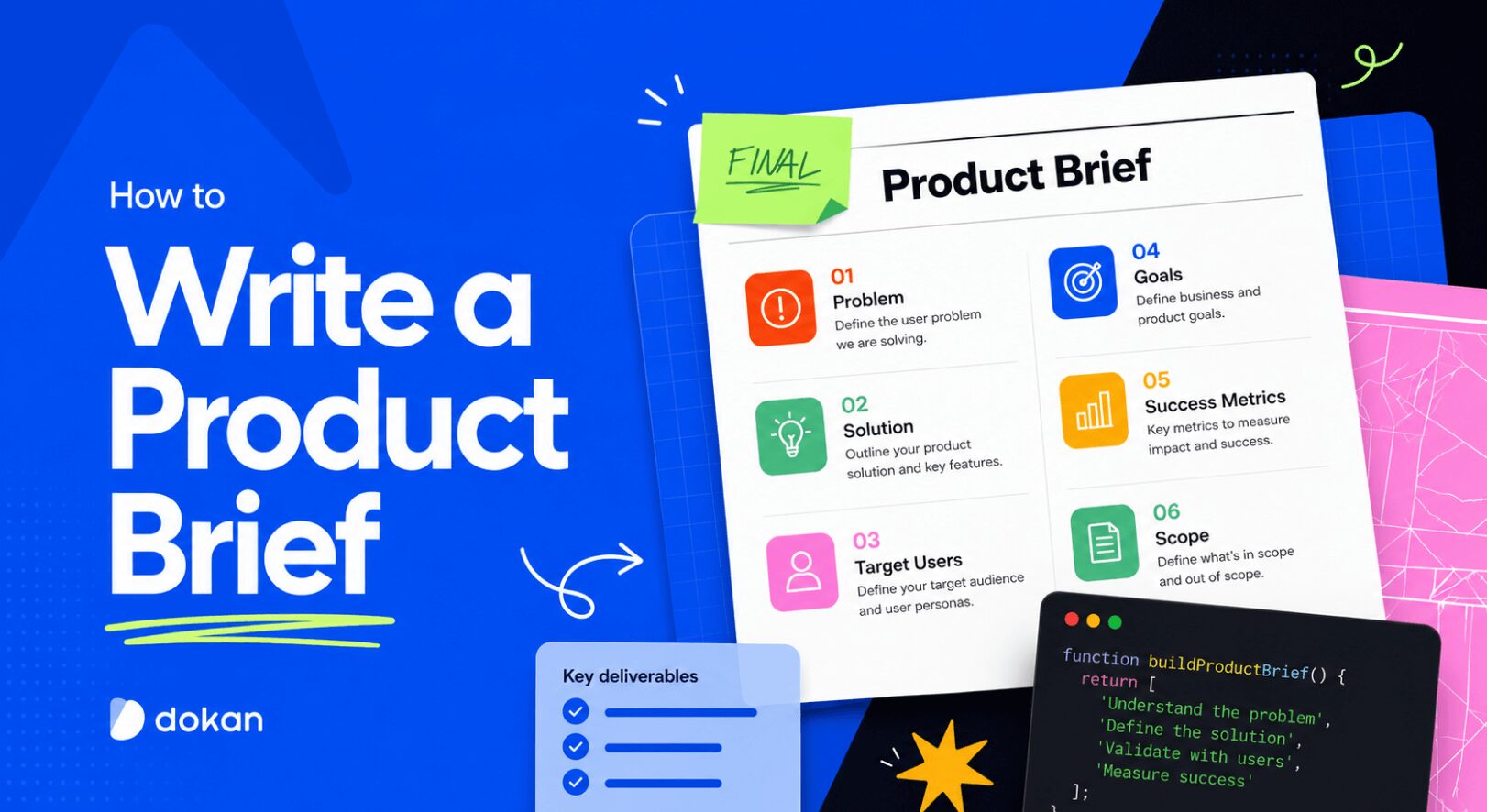
You’ve got a feature idea. It’s clear in your head. You explain it to your developer, the designer nods along, and everyone walks away feeling aligned. Three weeks later, what gets built looks nothing like what you imagined.
Sound familiar?
This is one of the most common and most expensive problems in product development – and a well-written product brief is the simplest fix. In this guide, you’ll learn exactly what a product brief is, what to put in it, and how to write one that actually keeps your team on the same page from day one.
What Is a Product Brief in Software Development?
A product brief is a short document that explains what you’re building, why you’re building it, and who it’s for before any design or development work begins. Think of it as the single source of truth your team refers back to when decisions need to be made.
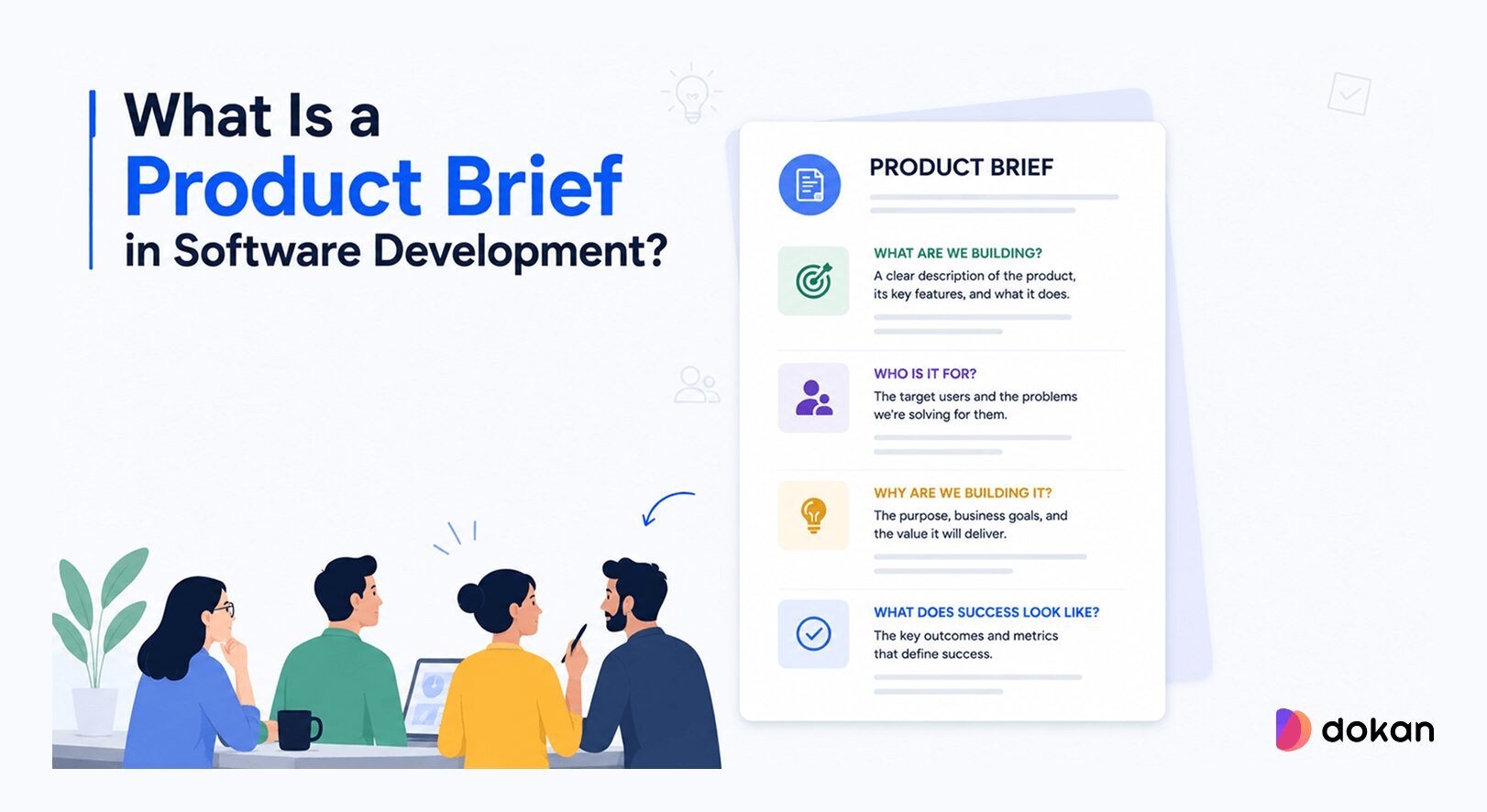
It’s not a technical specification, it’s not a project plan. It’s the “here’s the big picture” document that makes sure everyone’s building the same thing.

Why a Product Brief Actually Matters
Research from PMI has found that 56% of failed projects are attributed to ineffective communication, often stemming from unclear requirements, misalignment of goals, or poor stakeholder engagement.
Skipping the product brief feels like a time-saver. It rarely is. Without one, developers make assumptions about scope. Designers solve the wrong problem. Stakeholders expect something different from what ships.
And by the time anyone notices the disconnect, you’ve already burned days, sometimes weeks of work. Here’s what a product brief actually prevents:
If you’re building a marketplace plugin like Dokan, for example, these problems are even more pronounced. Your users range from store admins to vendors to end customers, and a feature that helps one group can easily confuse another. Getting the brief right upfront saves you from that kind of costly misdirection.
When Do You Need a Product Brief?
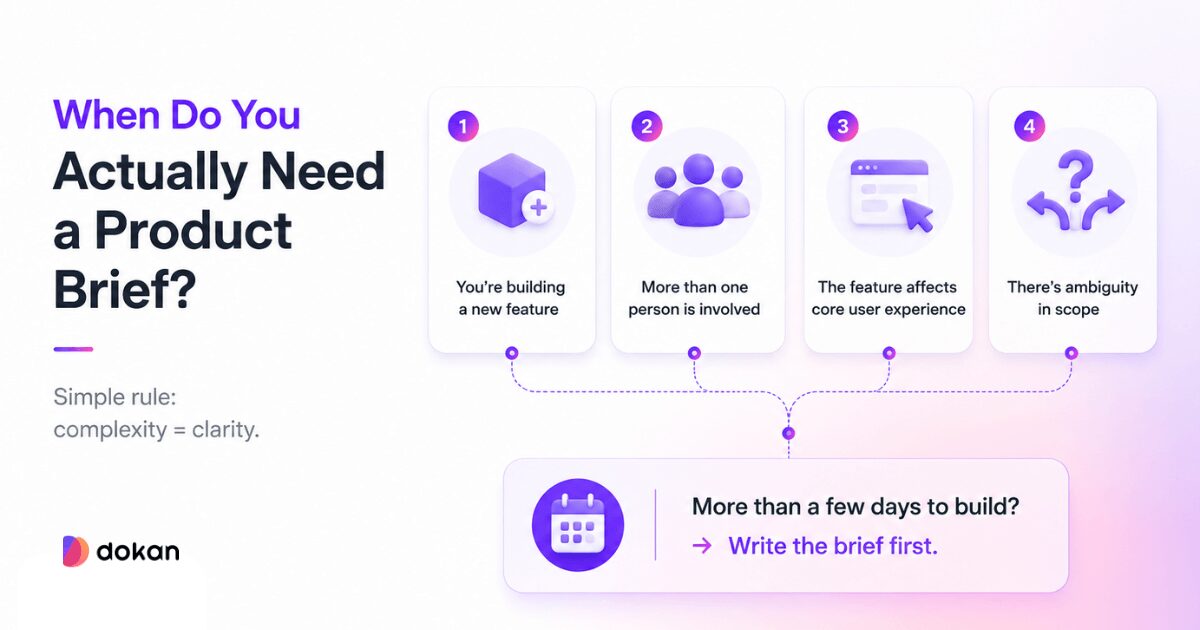
You don’t need a product brief for every small tweak. But you do need one when things start getting even slightly complex. Here are a few clear signals:
- You’re building a new feature. Anything beyond a quick fix deserves clarity upfront.
- More than one person is involved. The moment developers, designers, or marketers join in, alignment becomes critical.
- The feature affects core user experience. If it impacts vendors, customers, or admins, mistakes get expensive fast.
- There’s ambiguity in scope. If people interpret the idea differently, you need a brief.
A simple rule to follow: If a feature takes more than a few days to build, write a product brief first. It might take you 30–60 minutes to create one. But it can save you weeks of rework later.
Who Should Write the Product Brief?
In large companies, this usually falls to a product manager. But in the real world, especially if you’re a founder, a plugin developer, or a small team, it might be you wearing three hats at once.
That’s fine. The brief doesn’t need to come from a specific role. It just needs to come from whoever understands the problem well enough to articulate it clearly. If that’s you, great. If it’s a collaboration between you and a developer or designer, even better.
What to Include in a Product Brief
A good product brief doesn’t need to be long. It needs to be complete. Here are the core sections, each with a quick example pulled from a real-world Dokan marketplace scenario.
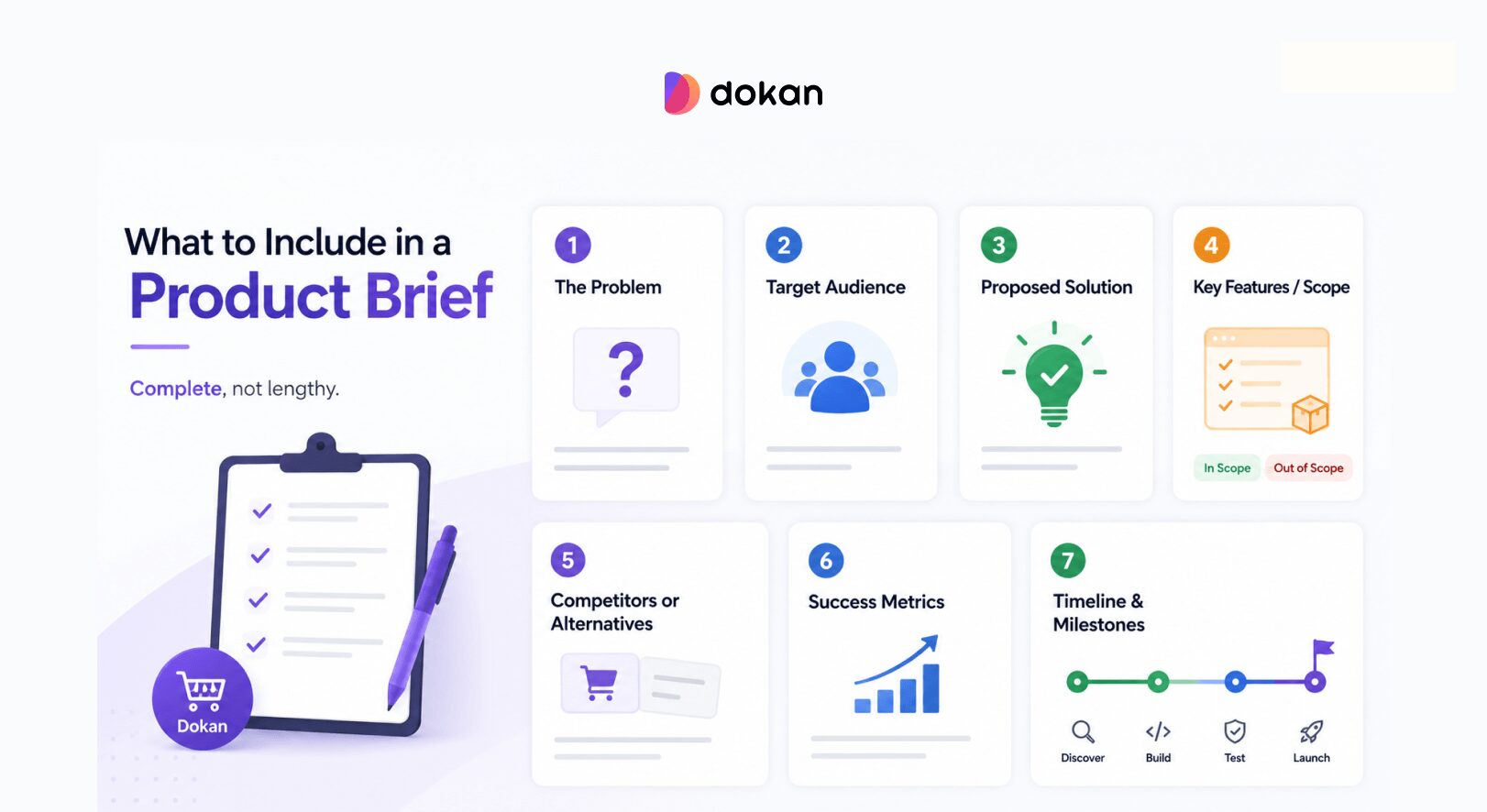
1. The Problem
Start with the problem you’re solving, not the feature you’re building. Feature-first thinking is one of the most common mistakes in product development; it skips over the “why” entirely.
Example: Vendors on Dokan-powered stores have no way to set shipping rates specific to their own location or product type. This leads to inaccurate shipping costs at checkout, which is one of the top reasons for cart abandonment reported by store owners.
Keep it to 2–4 sentences. If you can’t explain the problem briefly, you probably don’t understand it well enough yet.
2. Target Audience
Who has this problem? Be specific. “Everyone” is not an audience.
Example: Mid-sized marketplace operators running 20–100 vendors, particularly those selling physical goods that require varied shipping configurations across regions.
If you’re building for a WordPress marketplace, consider both sides of the equation: the store admin who configures settings and the vendor who interacts with them daily. They often have very different needs.
3. Proposed Solution
Now you can talk about the feature, but frame it as a solution to the problem you defined, not just a capability.
Example: Give vendors a self-serve shipping zone manager within their Dokan dashboard, allowing them to define rates by region, product weight, or flat fee without requiring store admin intervention.
4. Key Features / Scope
List what’s included and just as importantly, what’s not included. Scope creep starts here.
Example (In scope):
- Vendor-level shipping zone creation
- Support for flat rate and weight-based rules
- Admin override capability
Example (Out of scope for v1):
- Real-time carrier integration (FedEx, DHL)
- Customer-facing shipping estimator on product page
5. Competitors or Alternatives
What are users doing right now to solve this problem? This helps you understand what “good enough” looks like and what you’re actually competing against.
Example: Some vendors currently use WooCommerce’s default shipping zones configured by admins. Others rely on manual workarounds like fixed pricing or notes in product descriptions. Neither is scalable.
6. Success Metrics
How will you know this feature worked? Define this before you build, not after.
Example:
- 30% reduction in shipping-related support tickets within 60 days of launch
- 60% of active vendors configure at least one custom shipping zone within 90 days
Without metrics, you’re shipping into the void. A feature might launch, get minimal adoption, and you’d have no idea whether that means it failed or just needs better onboarding.
7. Timeline and Milestones
Keep this lightweight. You don’t need a full project plan here, just enough to anchor expectations.
Example:
- Discovery + design: 2 weeks
- Development: 4 weeks
- QA + beta testing with 5 vendors: 1 week
- Public release: Week 8
Real Example: Dokan Vendor Shipping Feature
Here’s how the sections above come together into an actual product brief:
Feature: Vendor-Specific Shipping Manager
Problem: Vendors on Dokan stores can’t set their own shipping rates, forcing admins to manage configurations manually. This doesn’t scale beyond 20–30 vendors and leads to checkout errors.
Audience: Store operators running mid-to-large Dokan marketplaces with physical goods vendors.
Solution: A shipping zone manager inside the vendor dashboard that lets each vendor define their own rates without touching the admin panel.
In scope: Flat rate, weight-based rules, admin override.
Out of scope: Carrier API integration (v2).
Success metric: 40% drop in shipping-related admin support requests within 60 days.
Timeline: 8 weeks from kickoff to public release.
That’s it. One page. Clear enough that a developer can start asking the right questions, and specific enough that a designer knows what problem they’re solving.
And after developing the feature, you can now set vendor-specific shipping rates for WooCommerce, using Dokan.
Product Brief Template (Copy-Paste Ready)
# Product Brief: [Feature Name]

**Date:** [Date]
**Owner:** [Your name or team]
**Status:** Draft / In Review / Approved

---

## Problem
[What problem are we solving? Who experiences it? What's the impact if we don't solve it?]

## Target Audience
[Who is this for? Be specific — role, context, behavior.]

## Proposed Solution
[What are we building? Frame it as the answer to the problem above.]

## Key Features (In Scope)
- [Feature 1]
- [Feature 2]
- [Feature 3]

## Out of Scope (v1)
- [What we're intentionally NOT building yet]

## Competitors / Current Alternatives
[What do users do today? What are we replacing or improving on?]

## Success Metrics
- [Metric 1 — measurable, time-bound]
- [Metric 2]

## Timeline
- [Phase 1]: [Timeframe]
- [Phase 2]: [Timeframe]
- [Launch]: [Target date]

## Open Questions
- [Any unknowns that need resolving before or during development]
Things to Avoid When Briefing a Product
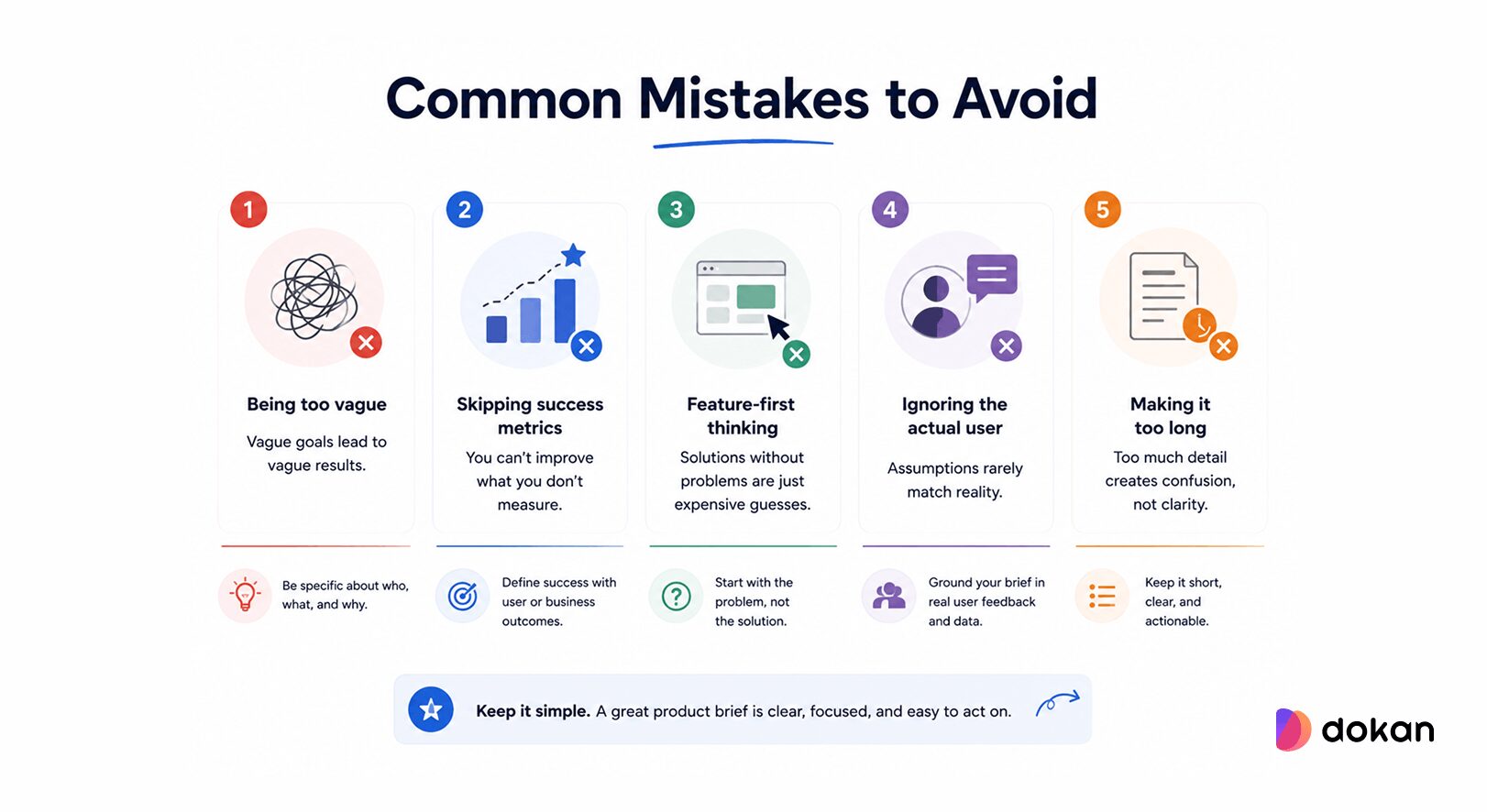
Being too vague. “Improve the user experience” is not a problem statement. Push yourself to be specific: who is frustrated, what are they trying to do, and what’s getting in the way?
Skipping success metrics. Without them, you can’t evaluate whether the feature worked. And “the stakeholder is happy” doesn’t count. Tie success to user behavior or business outcomes.
Feature-first thinking. Jumping straight to “we need a dashboard widget” before defining the problem usually means you’re solving the wrong thing just faster. Always start with the problem.
Ignoring the actual user. It’s easy to write a brief based on what you think users want. Whenever possible, ground it in real feedback: support tickets, user interviews, usage data. If you’re using Dokan and your vendors keep complaining about shipping setup, that’s your brief writing itself.
Making it too long. A product brief that requires 45 minutes to read isn’t doing its job. If you find yourself writing pages of context, you’re probably writing a PRD (product requirements document), which is a different, more detailed artifact.
Product Brief vs. PRD: What’s the Difference?
A Product Brief and a Product Requirements Document serve different purposes, but together, they keep your team aligned and your execution on track. A product brief is a short, high-level document that explains what you’re building, who it’s for, and why it matters.
A PRD (Product Requirements Document) is a detailed document that breaks down exactly how the product or feature should be built. It covers features, user flows, requirements, edge cases, and success criteria. Teams use it during planning and execution to guide designers and developers step by step.
| Product Brief | PRD | |
|---|---|---|
| Length | 1–2 pages | 5–20+ pages |
| Audience | Whole team, stakeholders | Engineering, design |
| Focus | Problem + direction | Detailed requirements |
| When | Before work starts | Before/during development |
| Level of detail | High-level | Granular |
For smaller features or teams, a thorough product brief might be all you need. For complex builds, the brief comes first, and the PRD follows.
Turn Your Next Feature Into a Clear Product Brief
You don’t need a perfect process to write a good product brief. You just need to slow down for 30–60 minutes before your team starts building.
Answer the core questions: What problem are we solving? For whom? What does success look like? Write it down. Share it. Revise it until everyone agrees.
That one document will save you from the most common and most costly failure mode in product development: building the right thing wrong, or the wrong thing entirely.
If you’re running a Dokan-powered store or any WordPress-based product, start with your most-requested feature or your most common support complaint. Turn that into a brief. You’ll be surprised how much clarity comes from simply writing it out. Now go write one.
Subscribe to
Dokan blog
We send weekly newsletters, no spam for sure!




Leave a Reply