

Big news for every WooCommerce store and Dokan Multivendor marketplace owner. wePOS 2.0 is here, and it’s the largest update in the plugin’s history. We didn’t just add a few buttons. We rebuilt wePOS from the ground up, top to bottom. The result is a faster, cleaner, and far more powerful point-of-sale system for your shop.
Here’s the short version. wePOS 2.0 brings a fully rebuilt cashier screen, a fresh modern design, dark mode, a brand new reports dashboard, barcode scanning, low-stock alerts, cashier access control, and full Dokan multivendor support. Some features come free. Others arrive with wePOS Pro. Below, we walk through everything new, one piece at a time.
Ready to see what changed? Let’s get into it.
Why We Launched wePOS 2.0?
You might wonder, why rebuild a tool that already worked? Fair question. Here’s our honest answer.
The old wePOS served thousands of stores well for years. But stores grow, and needs change. Shop owners told us they wanted three big things. They wanted more speed at the counter. They wanted a cleaner, modern look. And they wanted real reports they could actually trust.
We also heard from marketplace owners. Many of them run Dokan, and they asked for the same thing again and again. They wanted each vendor to sell in person, not just online. So we paid close attention.
Then we made a big choice. Instead of patching old code, we started fresh. We rebuilt wePOS from the ground up. The goal stayed simple the whole way through. Give you one system to run your entire store, online and in person, without the headaches. That idea is the heart of wePOS 2.0.
Here is an Exclusive Look on What We Have Added in the new wePOS 2.0
So what did all that work add up to? Quite a lot. Here’s a tour of everything new, free and Pro alike. Let’s start right at the counter.
Enjoy a Faster, Fully Rebuilt POS
We started with the engine. Every admin page and the whole cashier screen were rebuilt from scratch. So the moment you open wePOS 2.0, you feel the difference. Pages load quicker. Clicks respond right away. The lag is gone.
Think of it like moving from an old, crowded shop into a clean, open one. Everything sits where you expect it. You find what you need in seconds, not minutes.
We also gave wePOS its own styling, kept apart from your WordPress theme and other plugins. Why does that matter? Because the screen no longer breaks when another plugin loads clashing styles. Your counter stays steady, even on a busy day. And this rebuild is free for everyone.
Pick Light, Dark, or System Mode
Your eyes will thank you for this one. wePOS 2.0 now offers three display modes. Choose Light for bright spaces. Pick Dark for late shifts or dim shops. Or set System mode, which simply matches your device. The screen even fades smoothly when you switch.
Worried about a big change all at once? Don’t be. A new Appearance setting lets you flip between the new design and the classic one whenever you want. So you move at your own pace, with no pressure. These display options are free too.
Track Your Sales From One Report Dashboard
This is a favourite, and it comes with wePOS Pro. The new reports dashboard puts your whole store on one page. Summary cards show your numbers at a glance. Sales charts paint the bigger picture. You also see recent orders, your top sellers, payment summaries, and low-stock alerts, all in one spot.
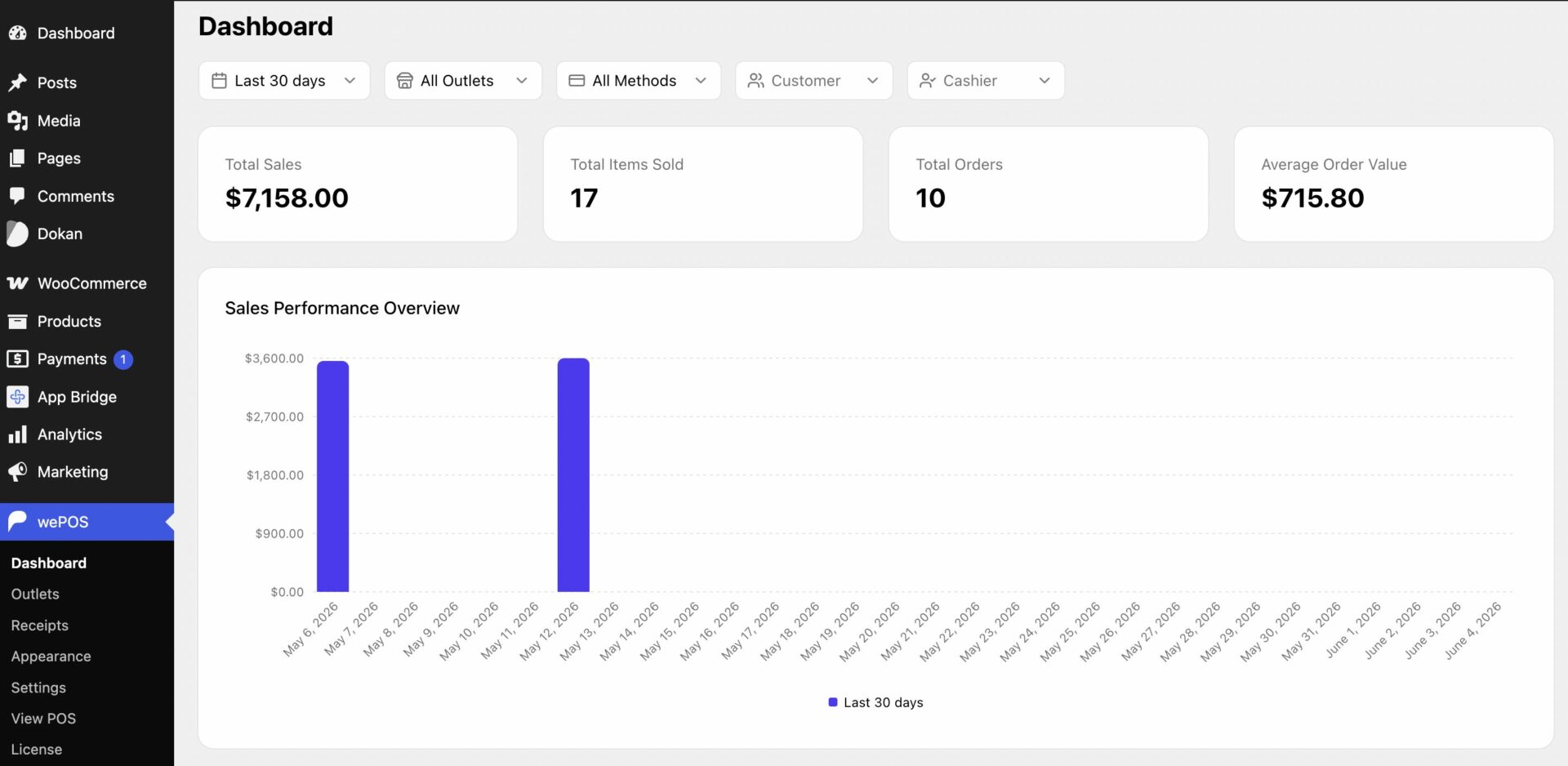
Need to zoom in? Strong filters let you sort by date, order status, source, customer, cashier, and outlet. Quick search chips make it a few clicks. Then print a clean report or send your orders to a CSV file straight from the Orders page. So your numbers go wherever you need them.
Spot Low Stock Before You Run Out
Running out of a hot item hurts. You lose the sale, and the customer walks. wePOS Pro fixes that with a new inventory alerts panel. It shows your low-stock and out-of-stock products at a glance.
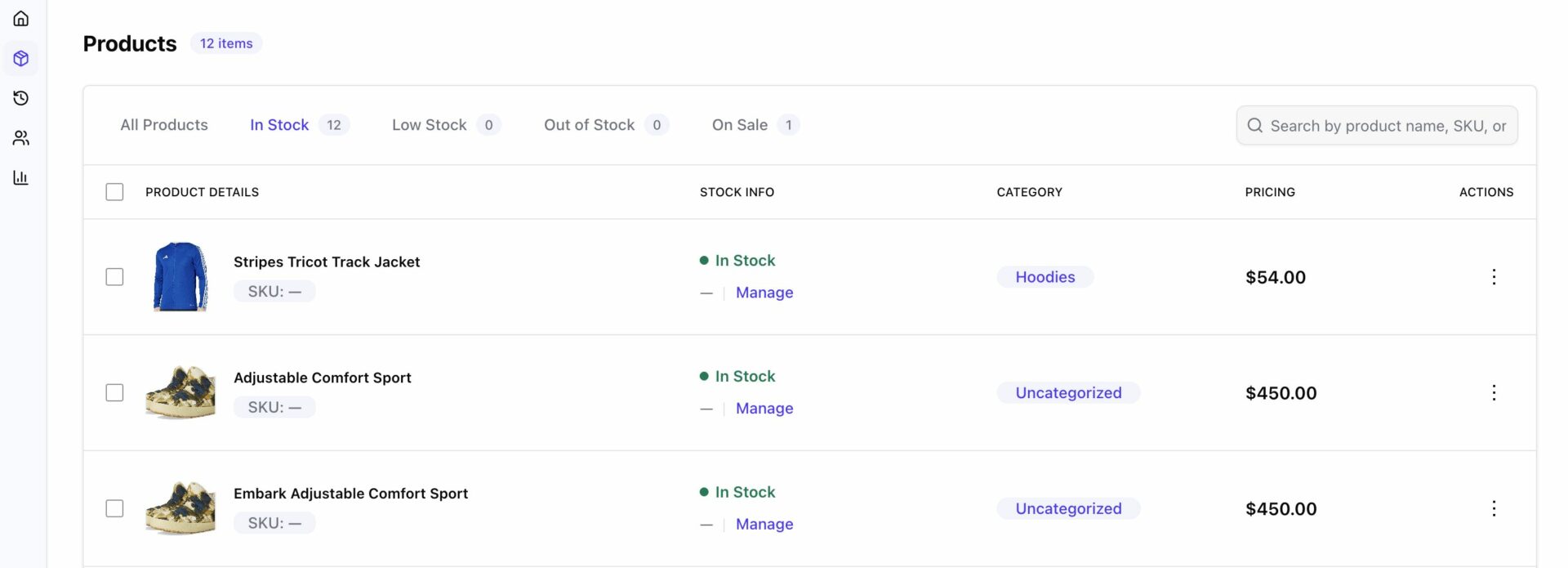
So you restock in time, every time. No more nasty surprises in the middle of a rush. Think of it as a friendly tap on the shoulder before trouble starts.
Scan Barcodes for Faster Checkout
Long lines kill the mood in any store. wePOS Pro speeds things up with barcode support on the Products page. Add a barcode to a product, then scan it at the counter to ring it up in a flash.
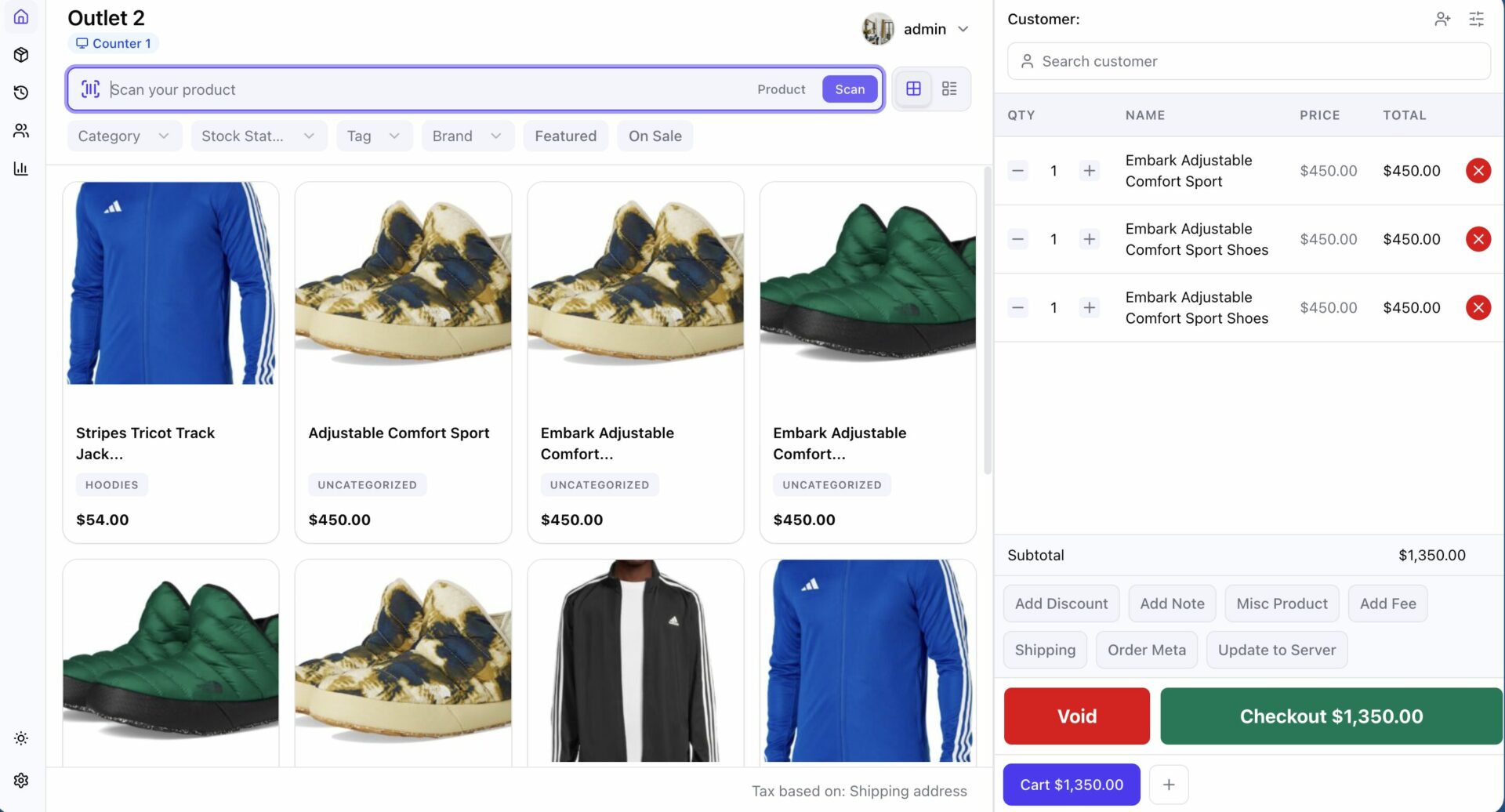
Your cashiers move quicker. Your customers wait less. And your checkout line keeps flowing, even when the shop fills up. Speed like this turns first-time buyers into regulars.
Run a Multivendor Store With Dokan
Here’s a story almost no other POS can tell. wePOS 2.0 now works with the Dokan multivendor plugin. So if your marketplace has many vendors, each one can run its own POS. Every vendor sees only their own products, customers, and orders. They never see another vendor’s data.
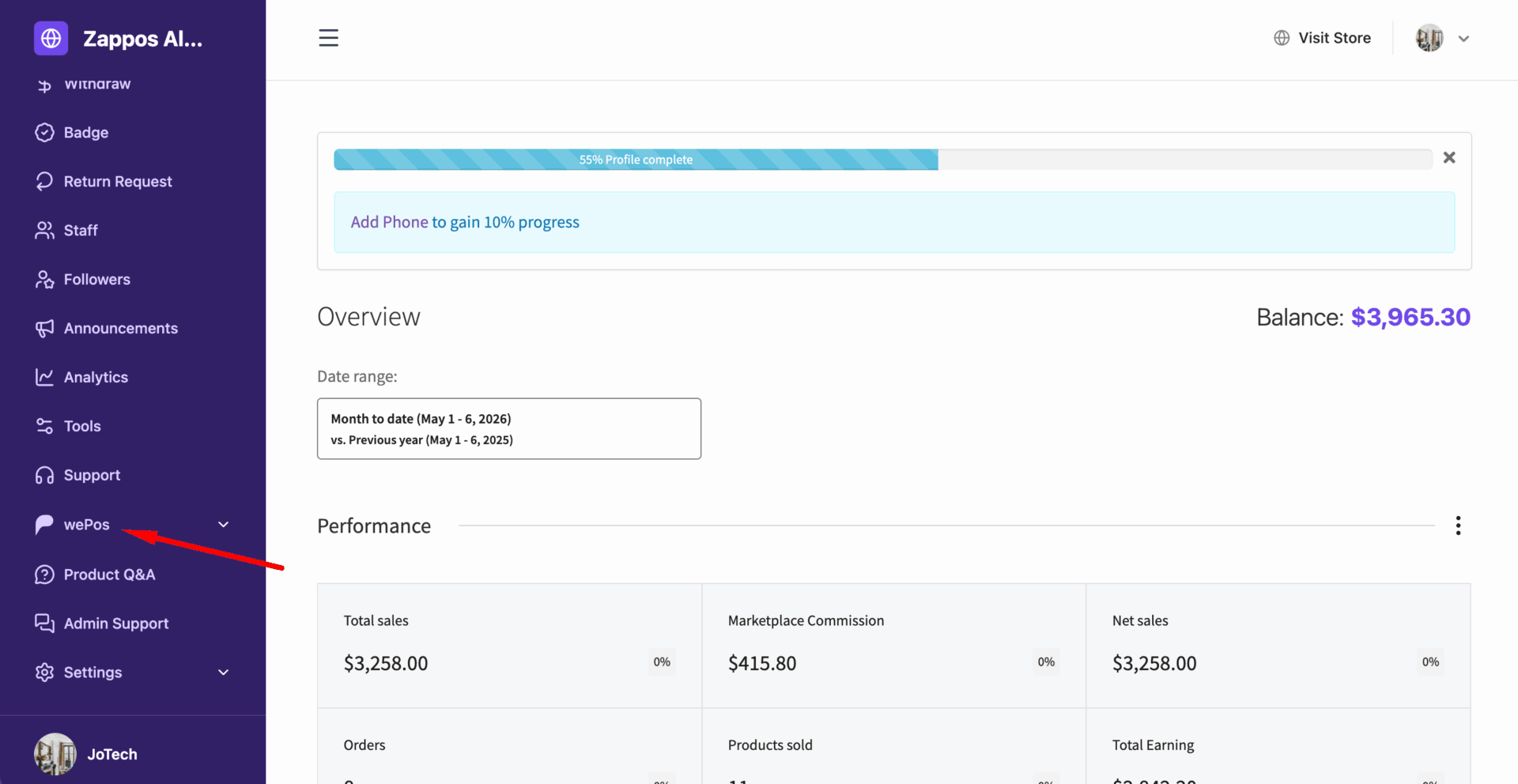
Vendor staff can sit at the counter too. They get the right access from their vendor right away, so you skip the one-by-one setup. That alone saves hours. This core multivendor support is free.
Want to go deeper? wePOS Pro gives each Dokan vendor their own reports page, their own receipt settings, and their own tax and currency options. As the site admin, you decide exactly which sections each vendor can see, and you reset any vendor to the defaults with one click. One marketplace, many shops, zero chaos.
Control What Each Cashier Can Do
Trust matters, but so does control. wePOS Pro adds a full access control system. Now you choose which pages, tabs, and actions each cashier can use. There’s also a ready-made Cashier role that can create, edit, and delete POS orders out of the box.
The rules run deep too. Whatever access you set also works behind the scenes, so a cashier can’t reach restricted data, even if they try a shortcut. Permissions flow from admin to vendor to cashier, which keeps new staff setup fast and safe. You stay in charge, always.
Save Carts and Continue on Any Device
Picture a packed shop. A customer steps away to grab one more item. The line builds. What now? With the new Save Carts feature in wePOS Pro, you park that cart and help the next person.
Your in-progress carts live on the server, not just one screen. So you pick them right back up after a refresh, or even on a different device. (This one needs a valid license.) It’s a small touch that saves big headaches during your busiest hours.
Print Cleaner, Smarter Receipts
Receipts got a full makeover in wePOS Pro. Write your footer with a rich text editor, complete with bold text, links, and lists. The right currency symbol now shows up on its own. Shipping and shipping tax each get their own row, so totals read clearly.
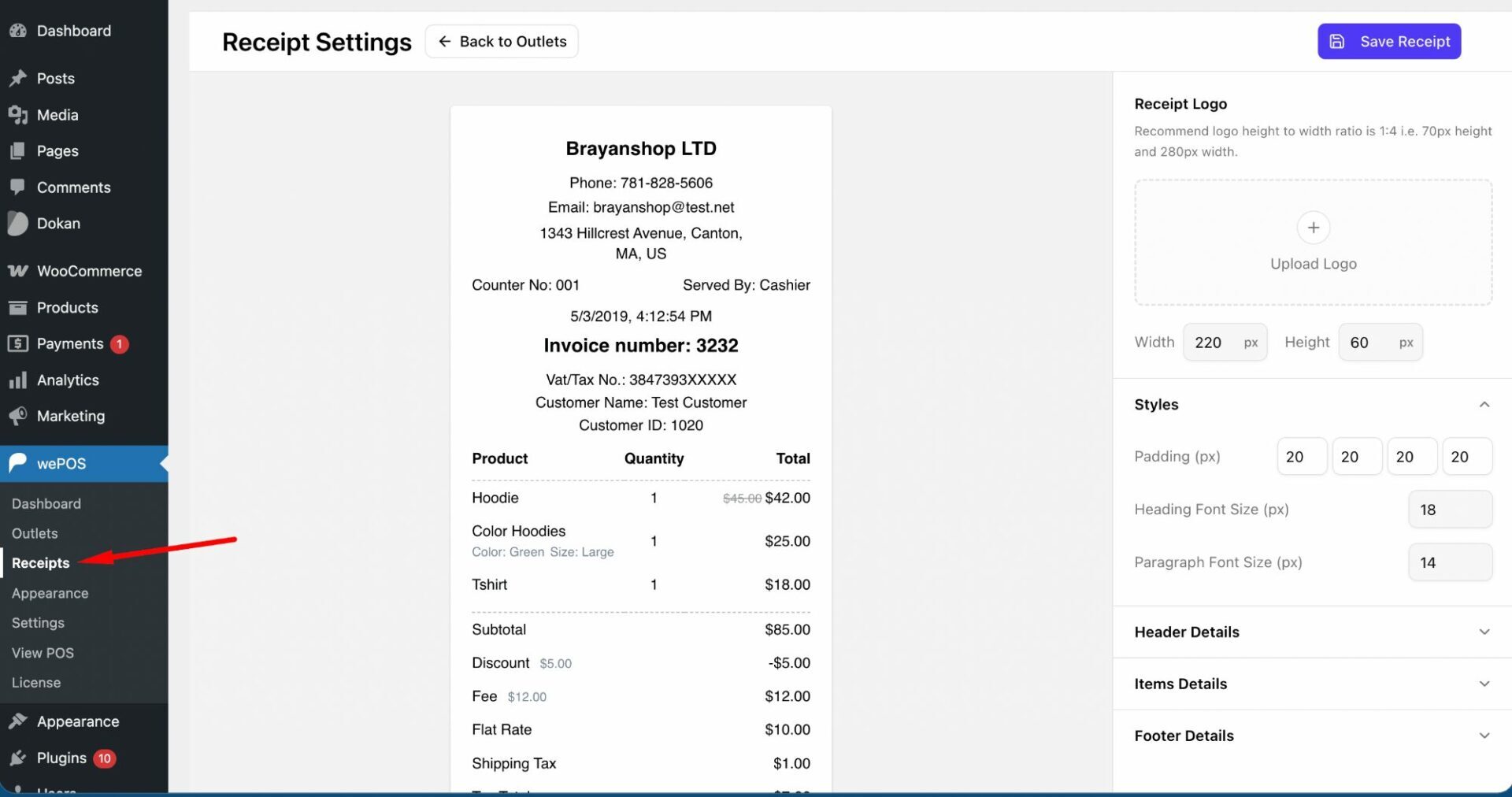
Better yet, you can print a receipt with one click from the Orders, Customers, and Products tables. We also fixed the printing itself, so it waits until the receipt is fully drawn. No more blank or half-printed slips.
Sell Products by Weight With Fractional Quantities
Good news for grocery shops, cafes, and any store that sells by weight. wePOS 2.0 now supports fractional quantities, like 1.5 kg. And this one is free.
You can also hide certain products from the POS while keeping them live on your online store. So your counter shows only what matters in person. Simple, flexible, and built for real shops.
Work Faster With Quick Edit and Smarter Search
Little tools add up to big time savings. A new Quick Edit on the Products page, part of wePOS Pro, lets you update stock, price, categories, and tags without opening the product. Just edit and move on.
Customer search got sharper too, and that part is free. Now it looks at phone, company, and IP, so you find the right person fast. You can even pick a customer at checkout with your keyboard arrow keys, which beats clicking around. Small wins, real speed.
Learn all about the new features of wePOS.
Configure wePOS the right using the guides on how to manage wePOS.
FAQs
Is wePOS 2.0 a free update?
Yes. If you already use wePOS, you update to 2.0 at no extra cost. The rebuilt design, dark mode, fractional quantities, and basic Dokan support all come free. A few advanced tools live in wePOS Pro.
Which features need wePOS Pro?
The reports dashboard, barcode scanning, inventory alerts, cashier access control, save carts, and the full Dokan vendor dashboards come with wePOS Pro. The core selling experience stays free.
Will the new design break my setup?
No. wePOS 2.0 keeps its styling apart from your theme and other plugins, so your screen stays steady. Plus, you can switch back to the classic design anytime with the Appearance setting.
Does wePOS 2.0 work with Dokan?
Yes. Each Dokan vendor can run their own POS with their own products, customers, and orders. wePOS Pro adds per-vendor reports, receipts, and settings on top of that.
Can I sell products by weight now?
Yes, and it’s free. wePOS 2.0 supports fractional quantities like 1.5 kg, which suits grocery stores, cafes, and similar shops.
How do I get started?
Update the plugin from your WordPress dashboard, then open wePOS. The new design loads right away. Take a look around, set your display mode, and you’re ready to sell.
Update to wePOS 2.0 Today
Let’s sum it up. wePOS 2.0 is faster, cleaner, and packed with tools that make selling easier. You get a rebuilt cashier screen, dark mode, fractional quantities, and basic Dokan support for free. Then wePOS Pro unlocks the reports dashboard, barcode scanning, inventory alerts, access control, save carts, and full vendor dashboards.
So go ahead and update your plugin. Open the new design, take a quick look around, and feel the speed for yourself. Want the full toolkit for your store? Upgrade to wePOS Pro and run your whole shop with less stress.
Subscribe to
Dokan blog
We send weekly newsletters, no spam for sure!



Leave a Reply