
The Product Management section allows vendors to create, edit, organize, and monitor products directly from the mobile app. Vendors can manage product details, inventory, pricing, visibility, and customer interactions without needing a desktop dashboard.
The interface is designed for fast product management with a mobile-friendly workflow.
Product Overview
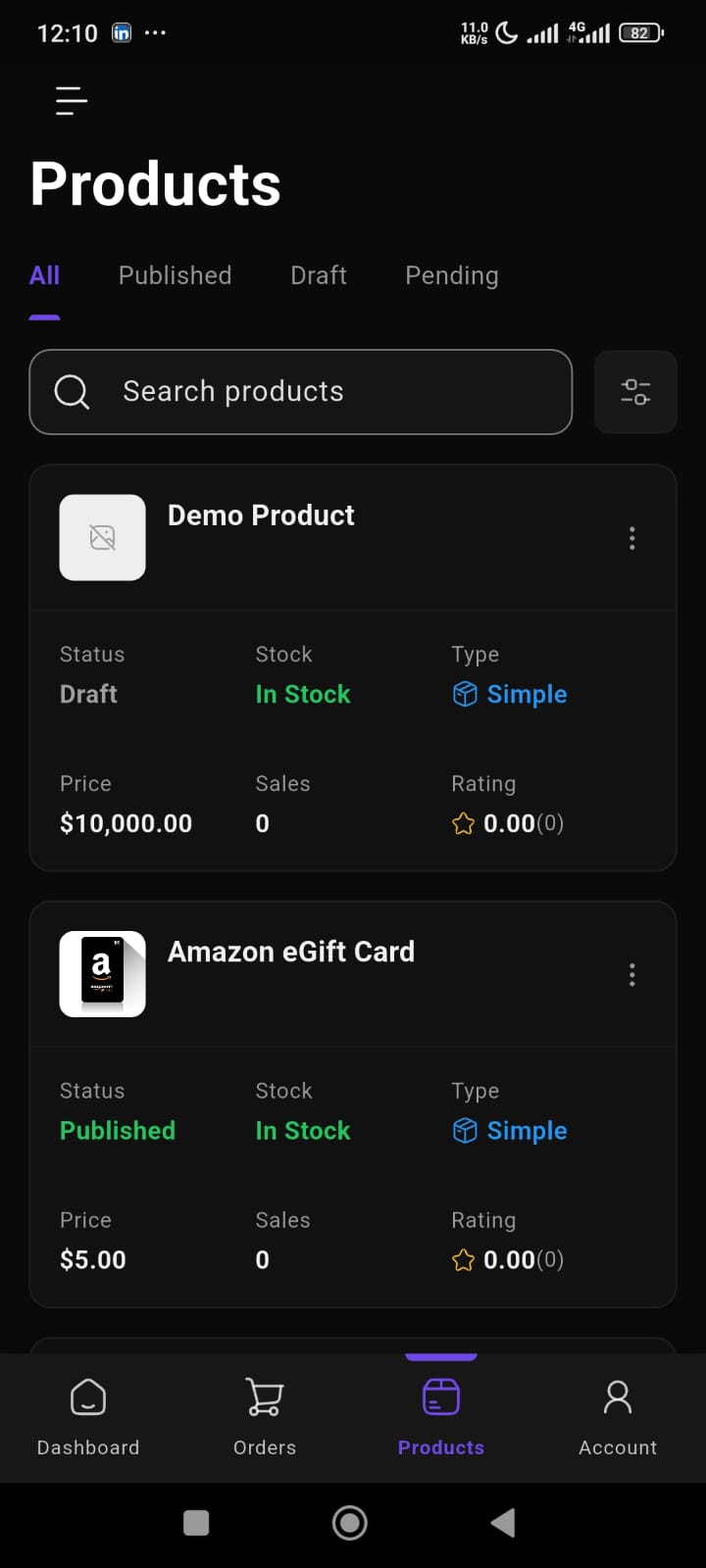
The Products page gives vendors a complete overview of all store products.
Each product card displays:
- Product image
- Product name
- Product status
- Stock status
- Product type
- Product price
- Sales count
- Product rating
This helps vendors monitor store inventory and product performance quickly.
Product Status Tabs
Products can be organized using status-based tabs.
Available tabs include:
- All
- Published
- Draft
- Pending
This makes it easier to manage products based on their publication status.
Product Search
The app includes a built-in product search feature.
Vendors can quickly find products by:
- product name
- keyword
- product listing
This improves product management speed for larger stores.
Product Filters
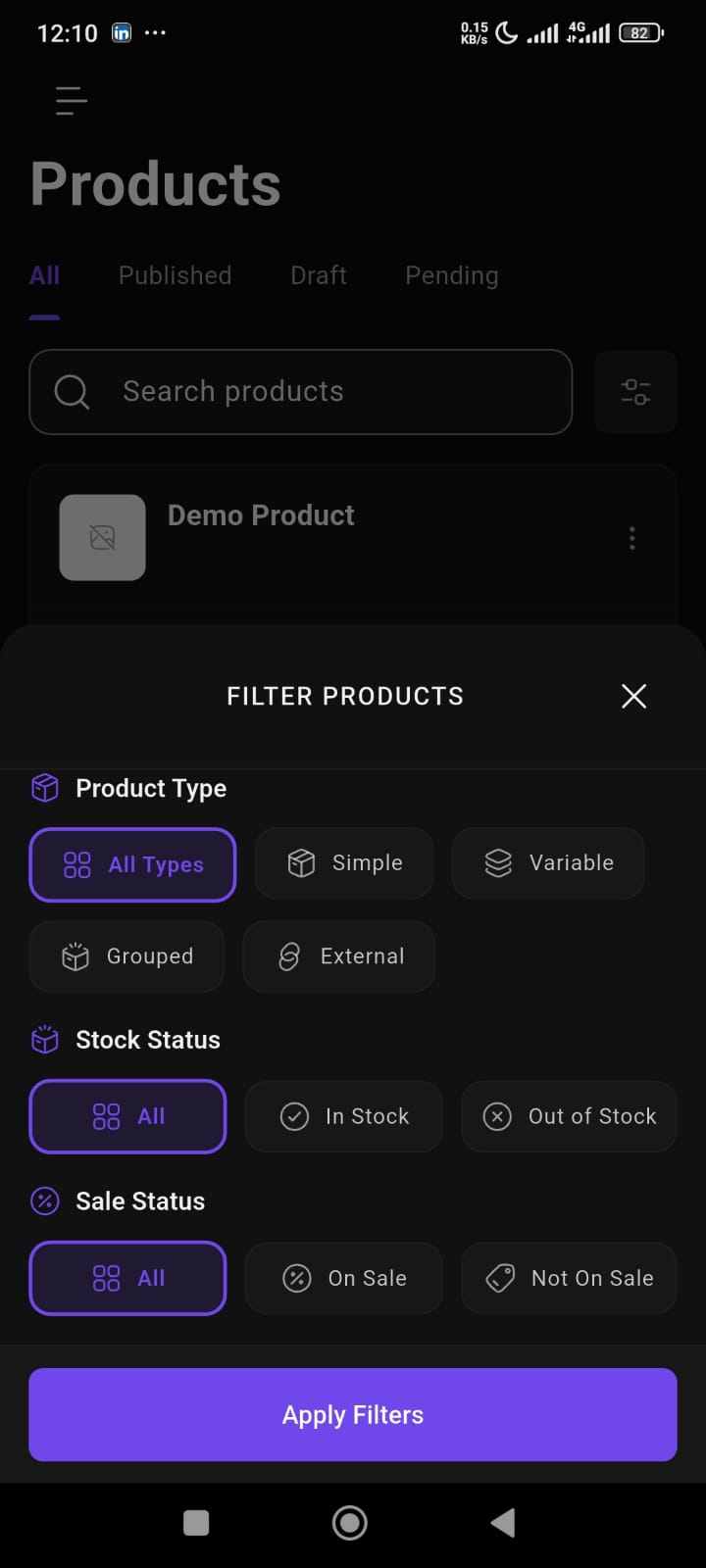
The filter system helps vendors narrow down product listings more efficiently.
Available filter options include:
Product Type
- Simple
- Variable
- Grouped
- External
Stock Status
- In Stock
- Out of Stock
Sale Status
- On Sale
- Not On Sale
This allows vendors to quickly locate specific products based on inventory or product type.
Product Details
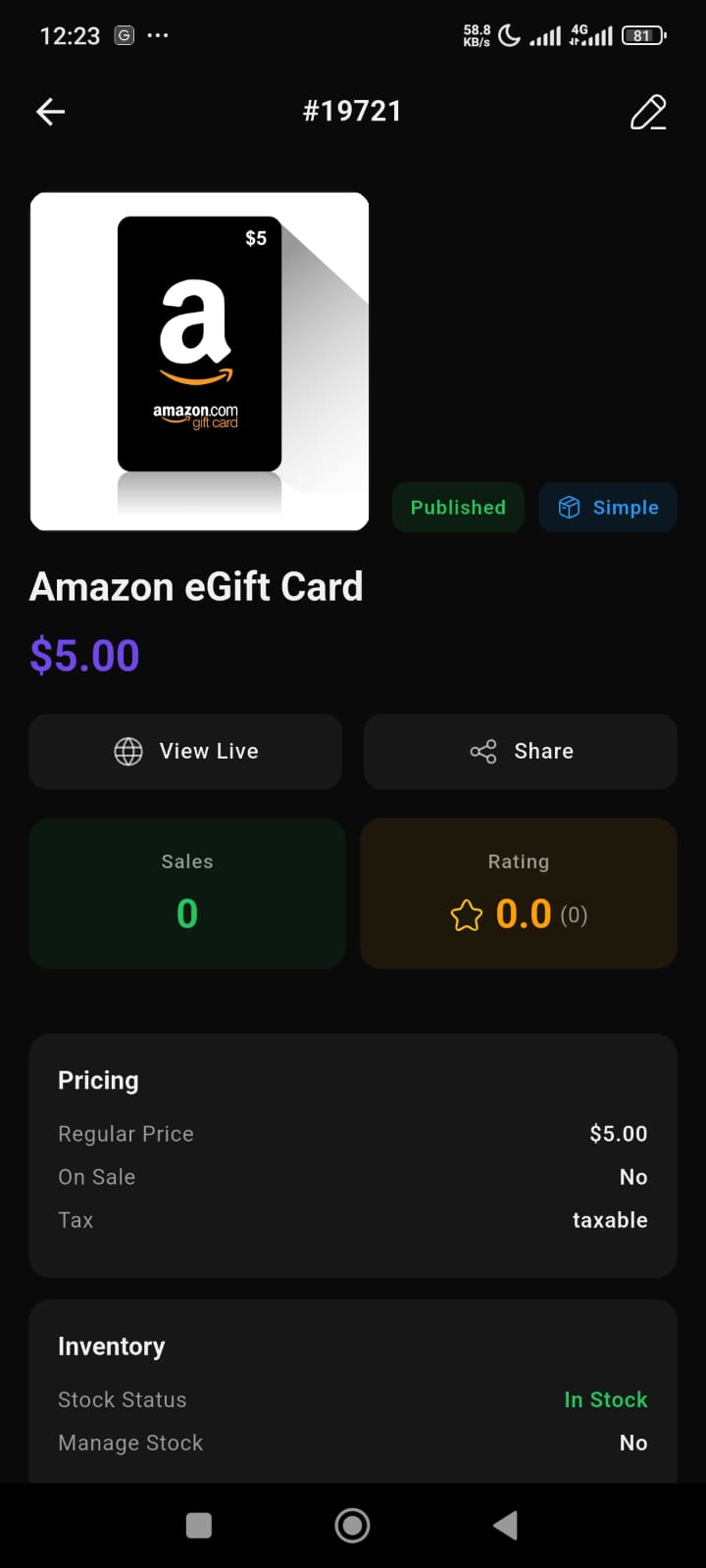
The Product Details page provides complete product information.
Available information includes:
- Product image
- Product title
- Product status
- Product type
- Product pricing
- Stock information
- Sales data
- Product rating
Vendors can also:
- View live products
- Share product links
- Monitor inventory status
This gives vendors better visibility into product performance.
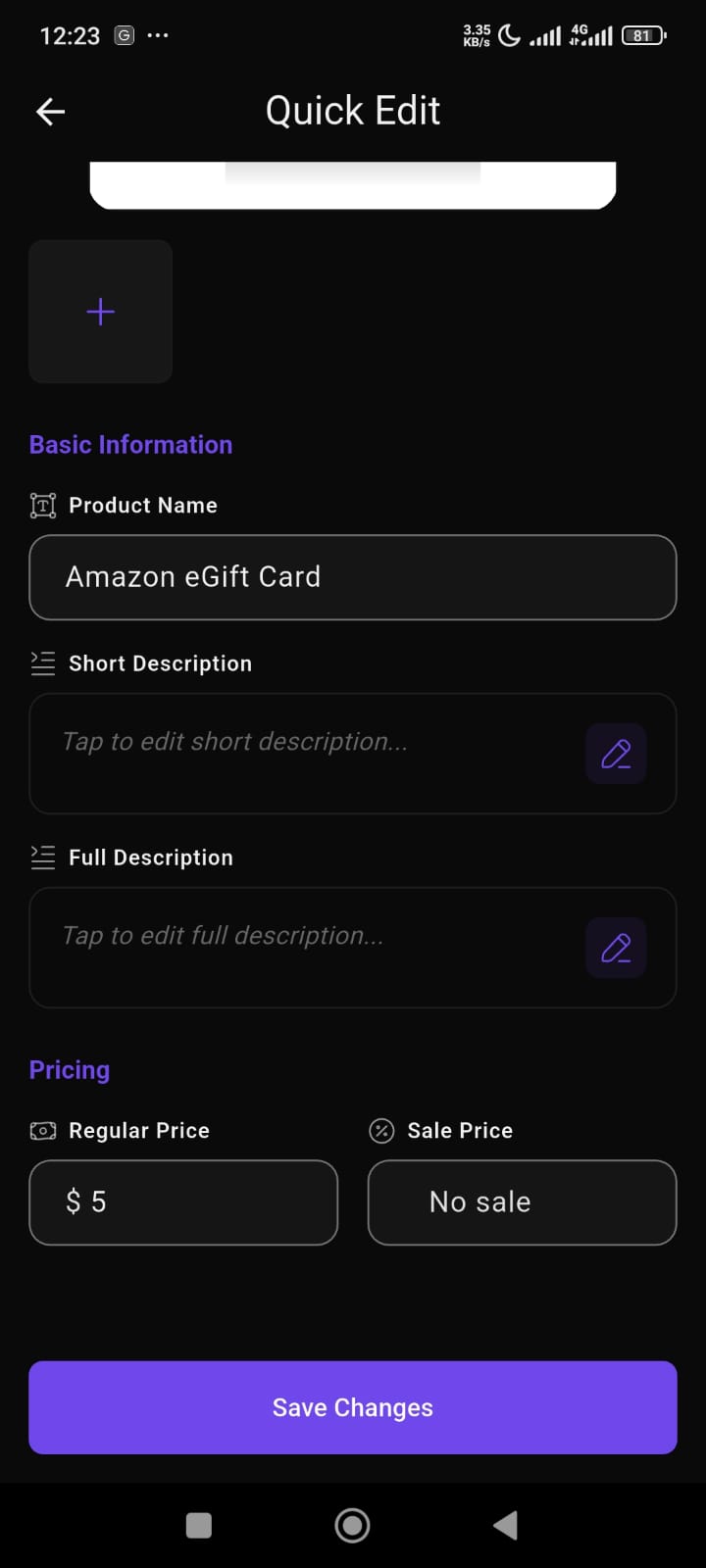
Quick Edit
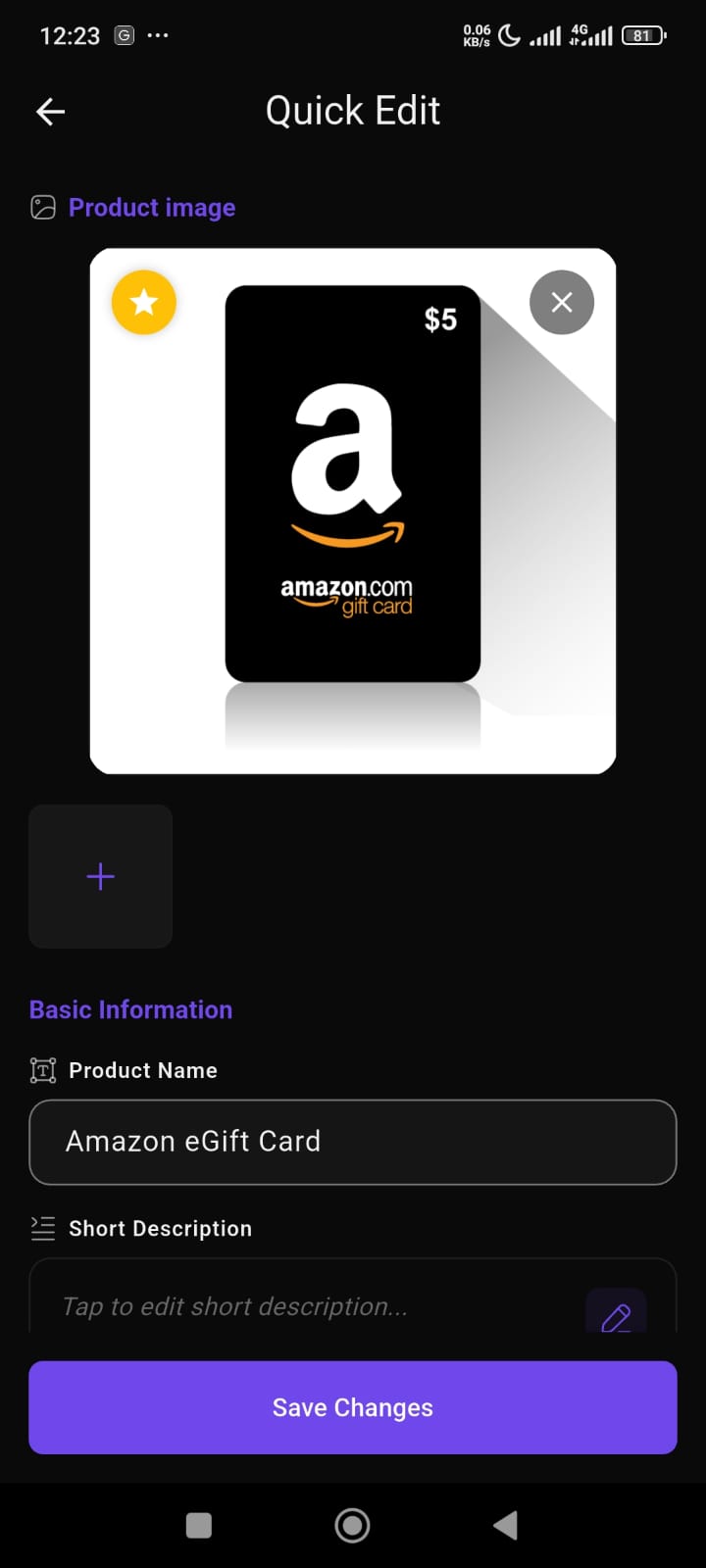
The Quick Edit feature allows vendors to update product information directly from mobile.
Editable fields include:
- Product image
- Product name
- Short description
- Full description
- Regular price
- Sale price
This helps vendors update products quickly without opening complex settings pages.
Product Image Management
Vendors can upload and manage product images directly from the app.
Features include:
- Upload featured image
- Add gallery images
- Remove images
- Update product visuals
This makes mobile product management much easier for vendors.
Product Pricing Management
The app supports flexible pricing controls.
Vendors can manage:
- Regular pricing
- Sale pricing
- Promotional pricing
This helps vendors run discounts and pricing campaigns directly from mobile.
Inventory Management
The inventory section helps vendors monitor stock availability.
Available inventory details include:
- Stock status
- Stock management status
- Product availability
This helps vendors avoid overselling and manage stock more efficiently.
Product Q&A
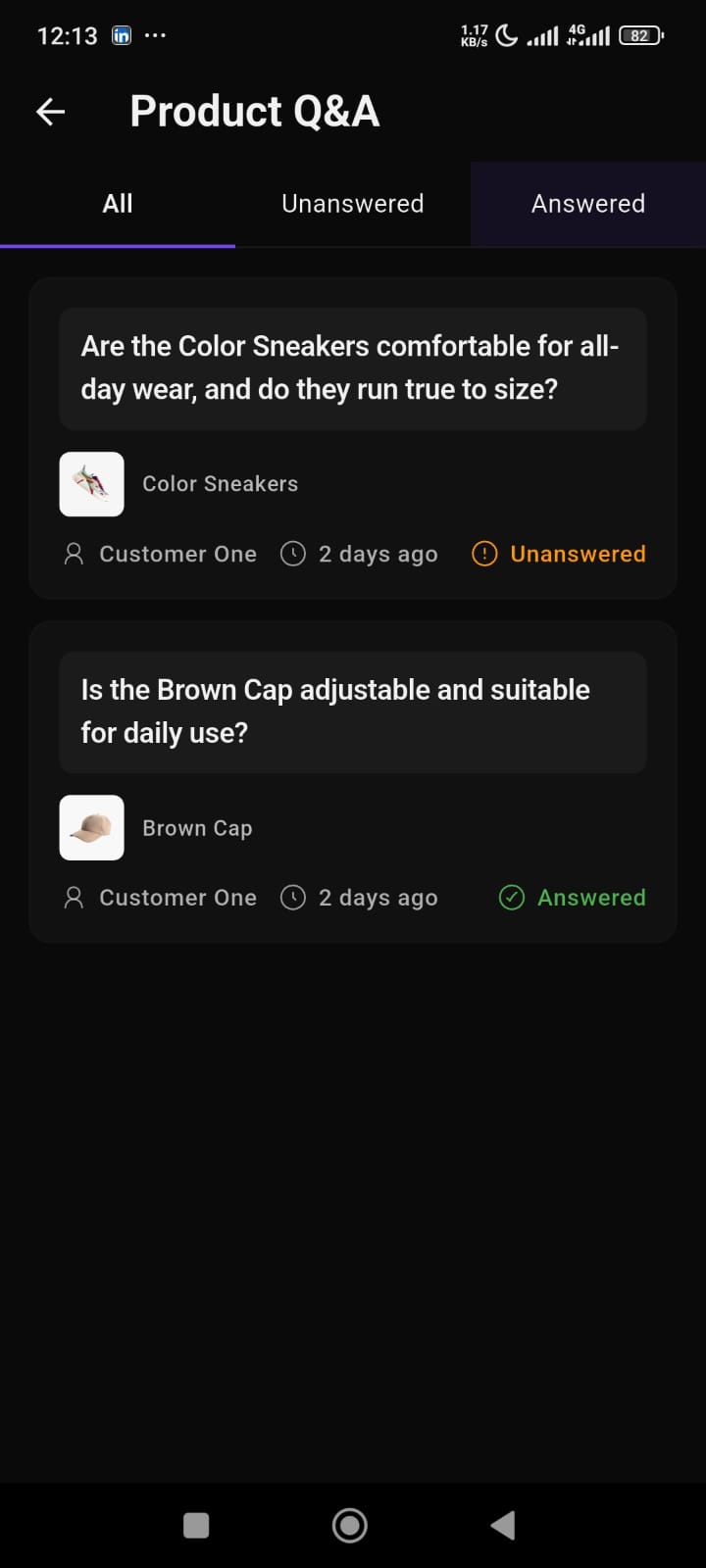
The Product Q&A section allows vendors to manage customer questions.
Available tabs include:
- All Questions
- Unanswered
- Answered
This helps vendors:
- respond to customer queries
- improve buyer confidence
- increase product engagement
Each question includes:
- customer name
- product reference
- question status
- posting time