
You need to activate your license from the admin dashboard in order to activate the App Bridge plugin.
Upload the plugin to your WordPress dashboard and activate it.
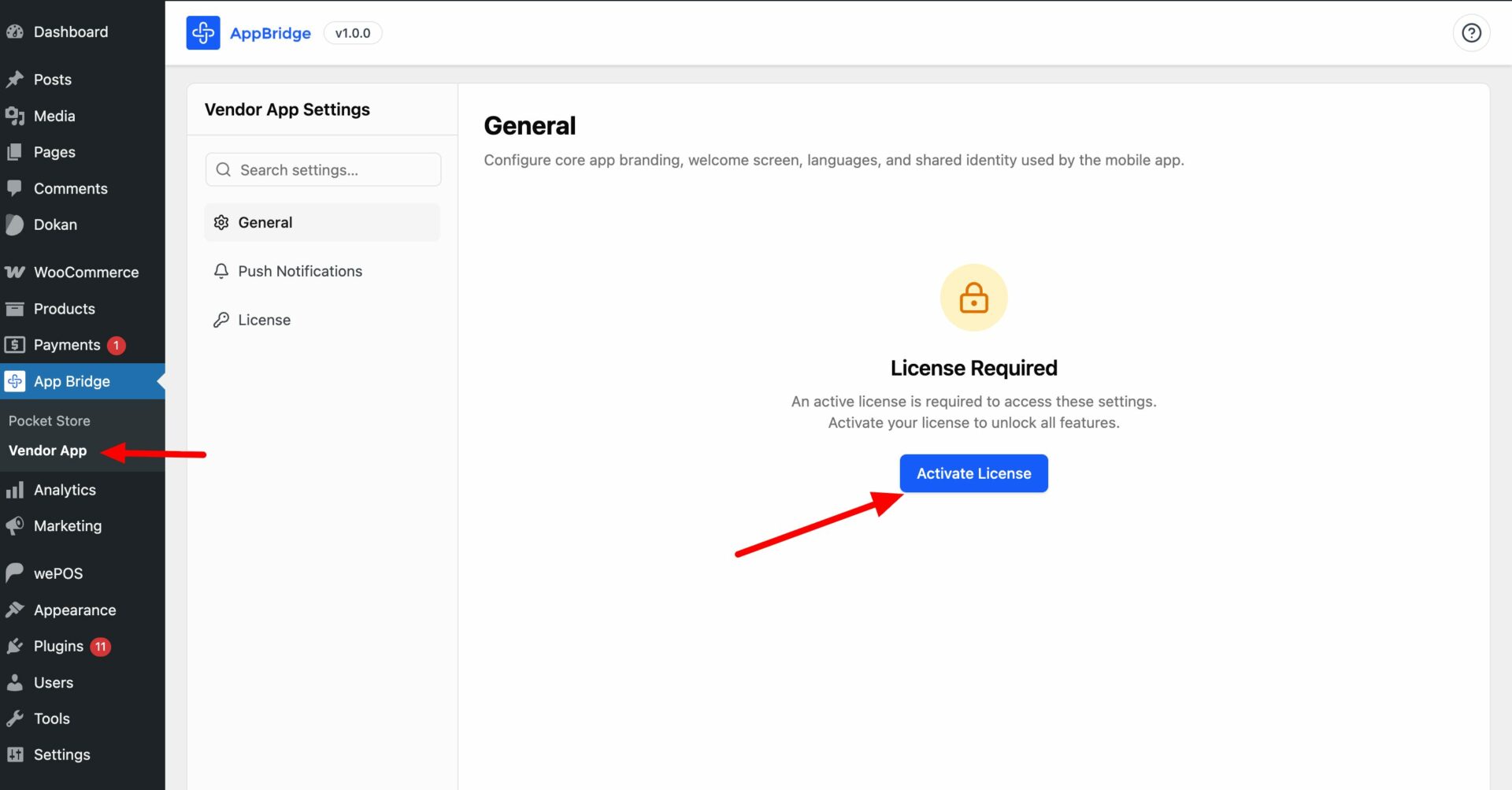
Then, go to App Bridge–> Vendor App. There, you need to add your license key by clicking on the Activate License button-
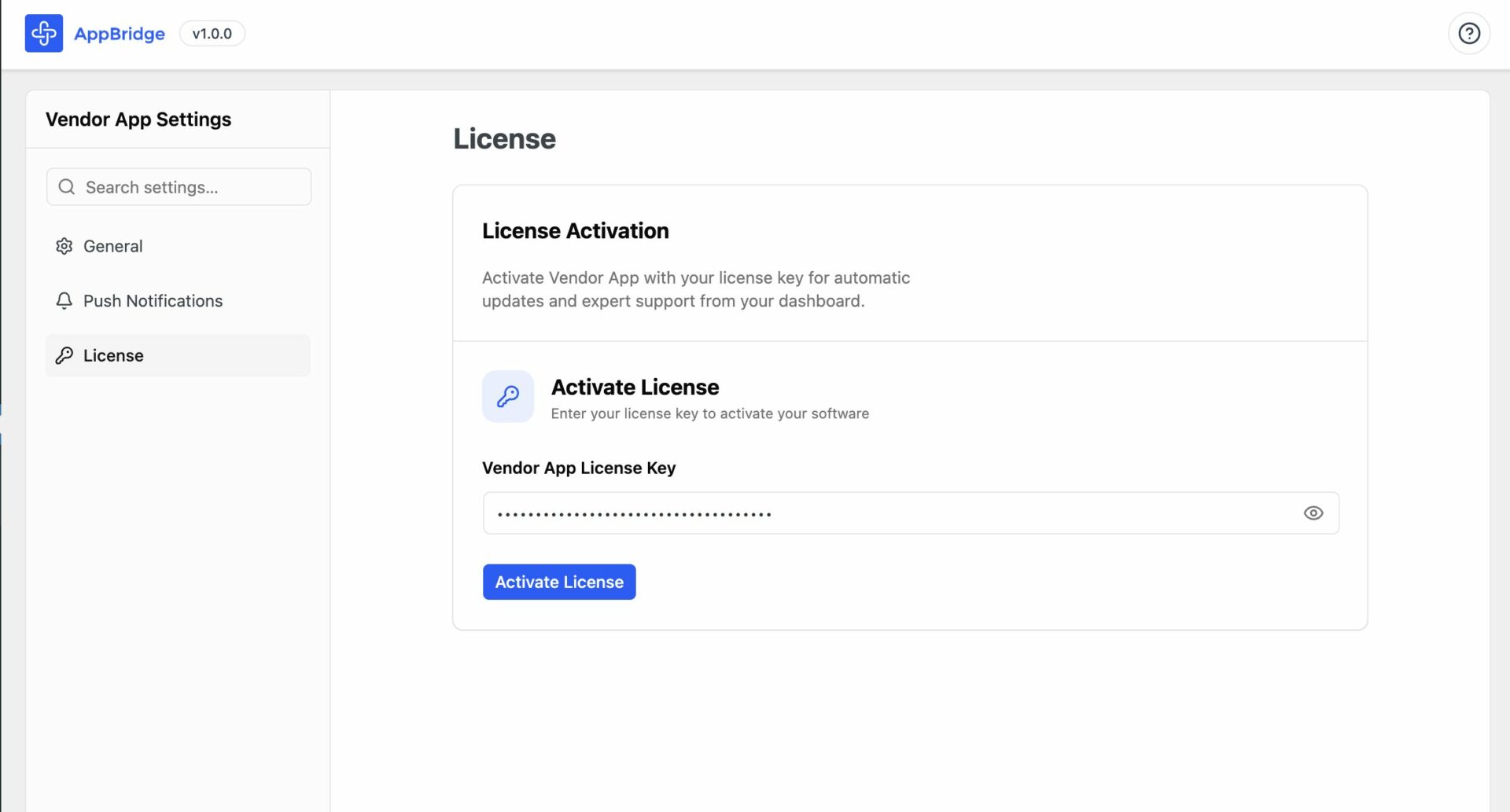
Then add your license and click on the Activate License button-
Your license key is activated-
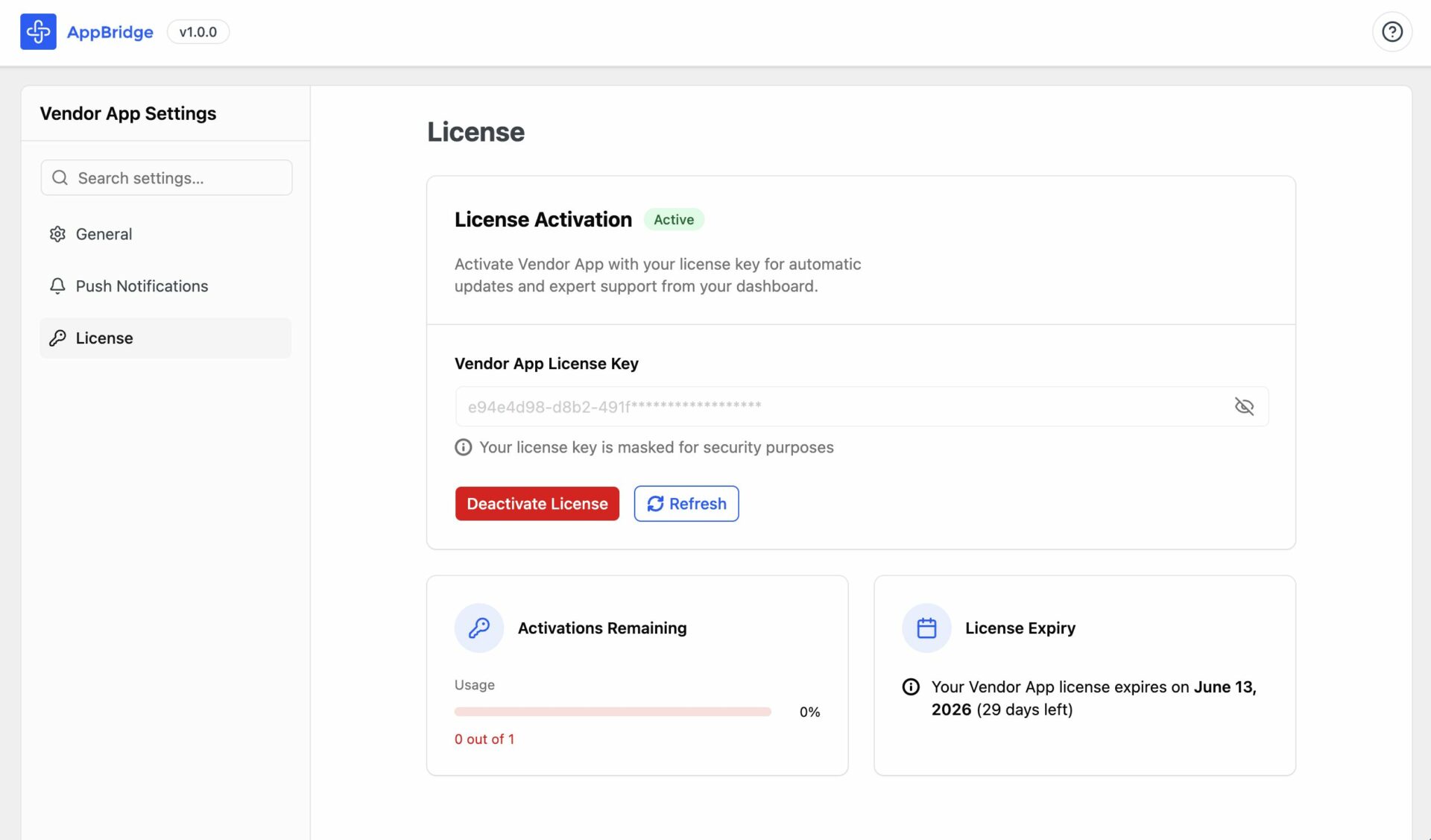
You are ready to use the Vendor App.