
You need to configure the App Bridge plugin to use the vendor app.
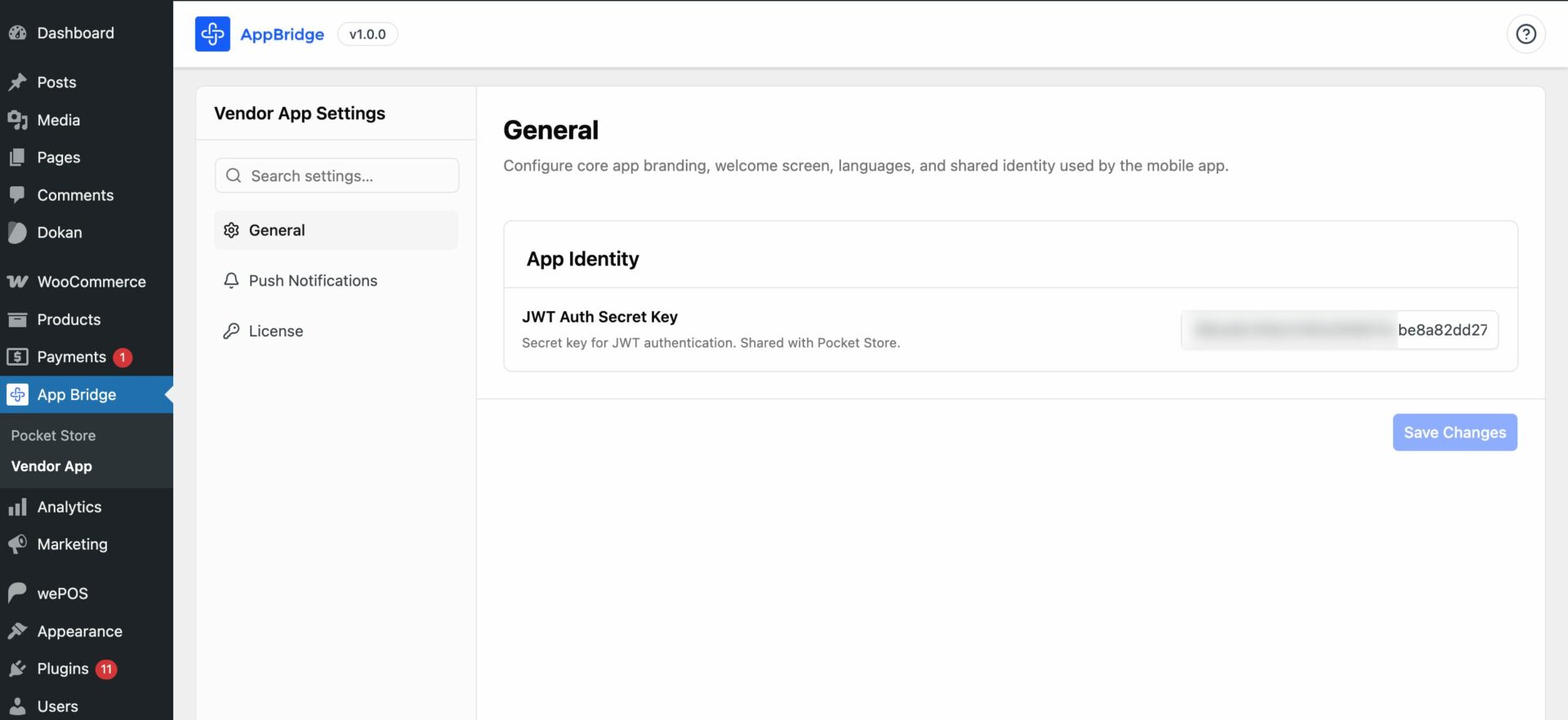
General
In the general section, you will find the JWT Auth Secret Key for App Identity-
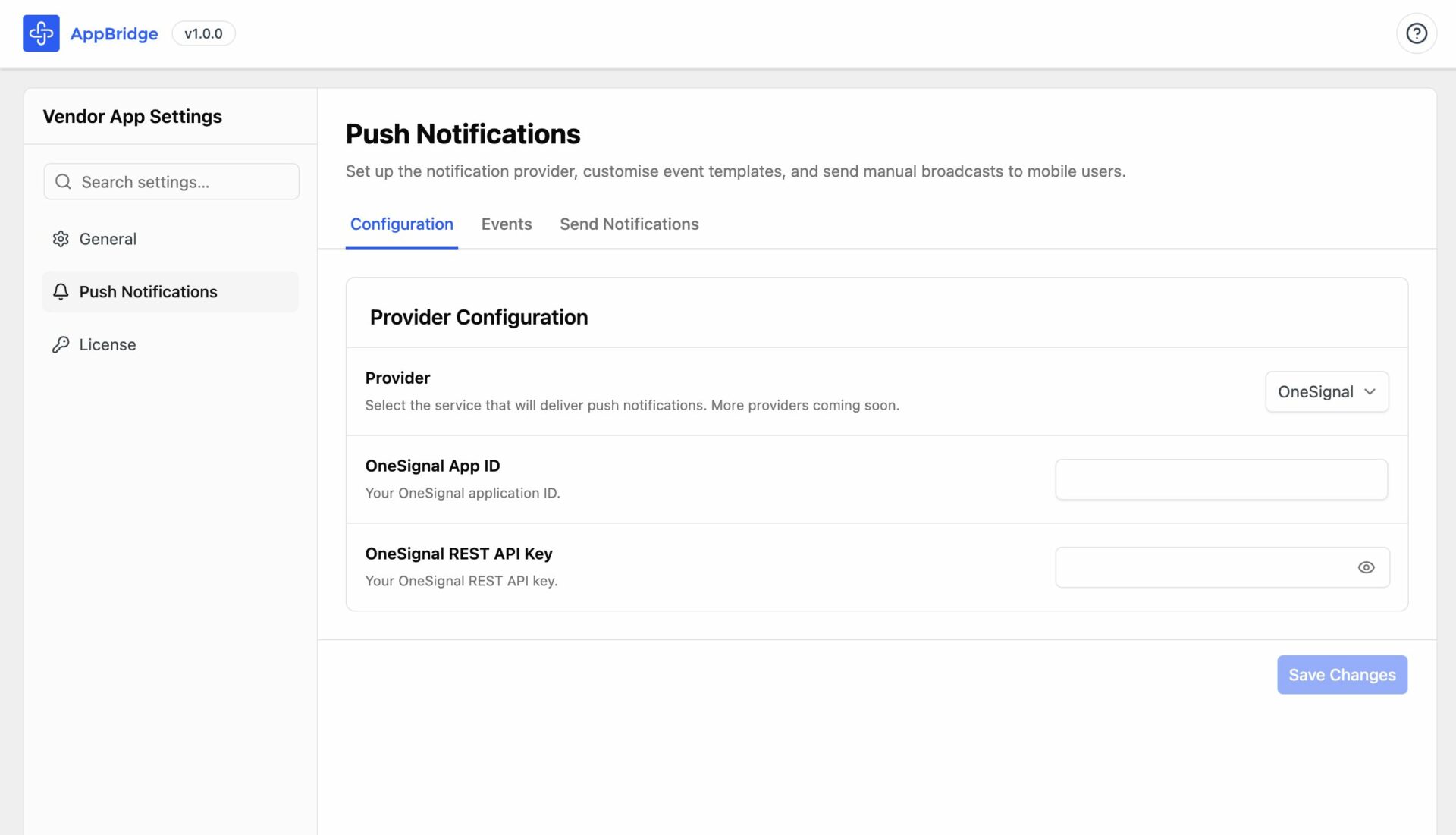
Push Notifications
To send notifications to your users, you need to configure the sender provider. Currently, we have OneSignal as the notification provider-
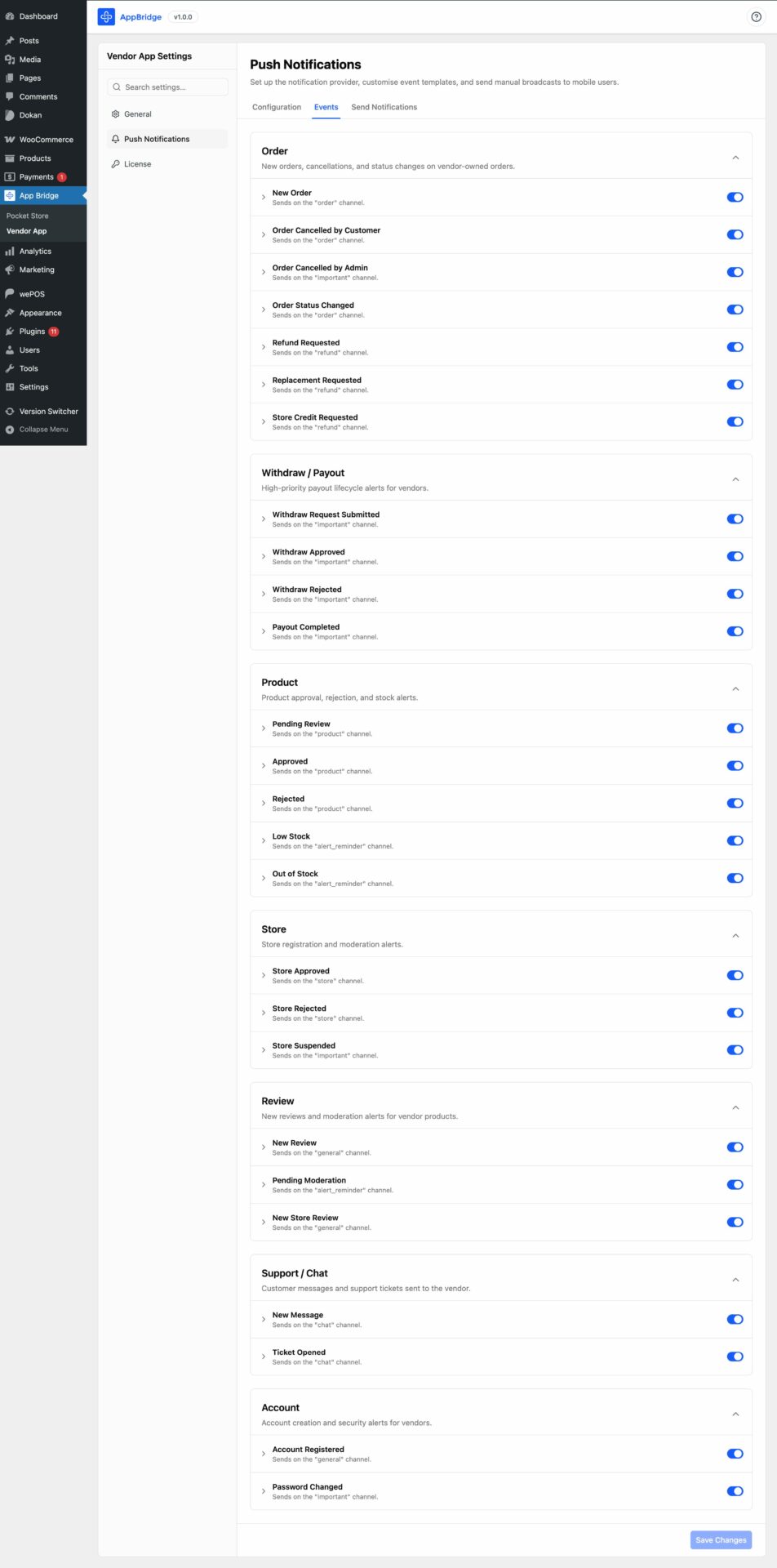
Events
You can send different types of notifications to your users. Like-
Order Notifications
Controls notifications related to vendor orders.
Events include:
- New Order
- Order Cancelled by Customer
- Order Cancelled by Admin
- Order Status Changed
- Refund Requested
- Replacement Requested
- Store Credit Requested
These alerts help vendors stay updated about order activity instantly.
Withdraw / Payout Notifications
Handles vendor payout and withdrawal updates.
Events include:
- Withdraw Request Submitted
- Withdraw Approved
- Withdraw Rejected
- Payout Completed
Useful for keeping vendors informed about payment processing and earnings.
Product Notifications
Related to product management and stock updates.
Events include:
- Pending Review
- Approved
- Rejected
- Low Stock
- Out of Stock
These notifications help vendors manage inventory and product moderation more efficiently.
Store Notifications
Store-level approval and moderation alerts.
Events include:
- Store Approved
- Store Rejected
- Store Suspended
Important for marketplace onboarding and compliance management.
Review Notifications
Alerts related to customer reviews and moderation.
Events include:
- New Review
- Pending Moderation
- New Store Review
Helps vendors respond quickly to customer feedback.
Support / Chat Notifications
Customer communication alerts.
Events include:
- New Message
- Ticket Opened
Ensures vendors don’t miss customer conversations or support requests.
Account Notifications
Vendor account and security-related updates.
Events include:
- Account Registered
- Password Changed
Useful for account monitoring and security awareness.
Additional UI Elements
Left Sidebar
Contains:
- General Settings
- Push Notifications
- License
The Push Notifications section is currently active.
Top Navigation Tabs
Three tabs are visible:
- Configuration
- Events (currently selected)
- Send Notifications
This suggests admins can:
- configure notification providers
- manage event triggers
- manually send broadcast notifications
Send Notifications
You can either send notifications to Specific Users–
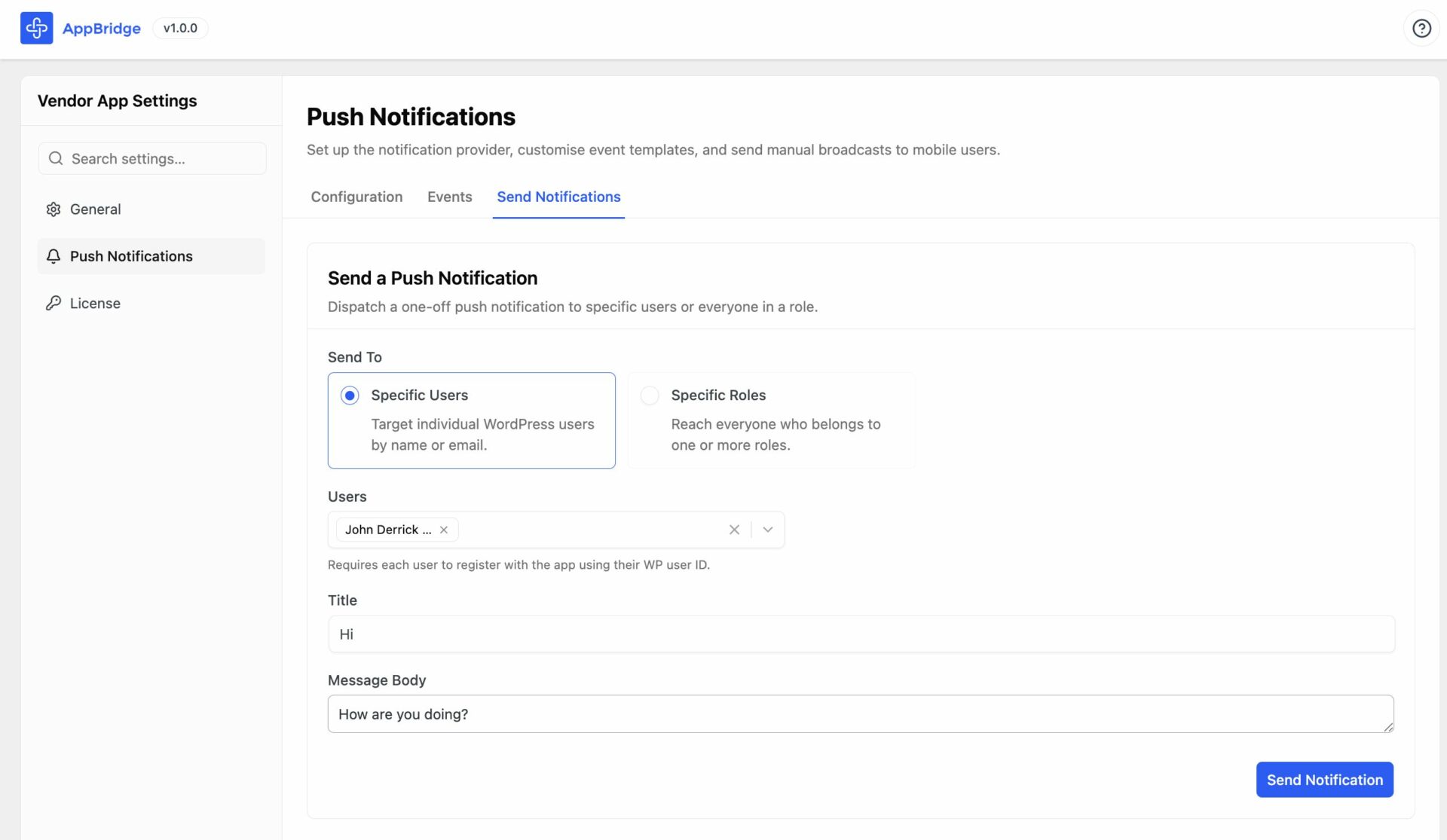
Or you can send notifications to “Specific Roles”-
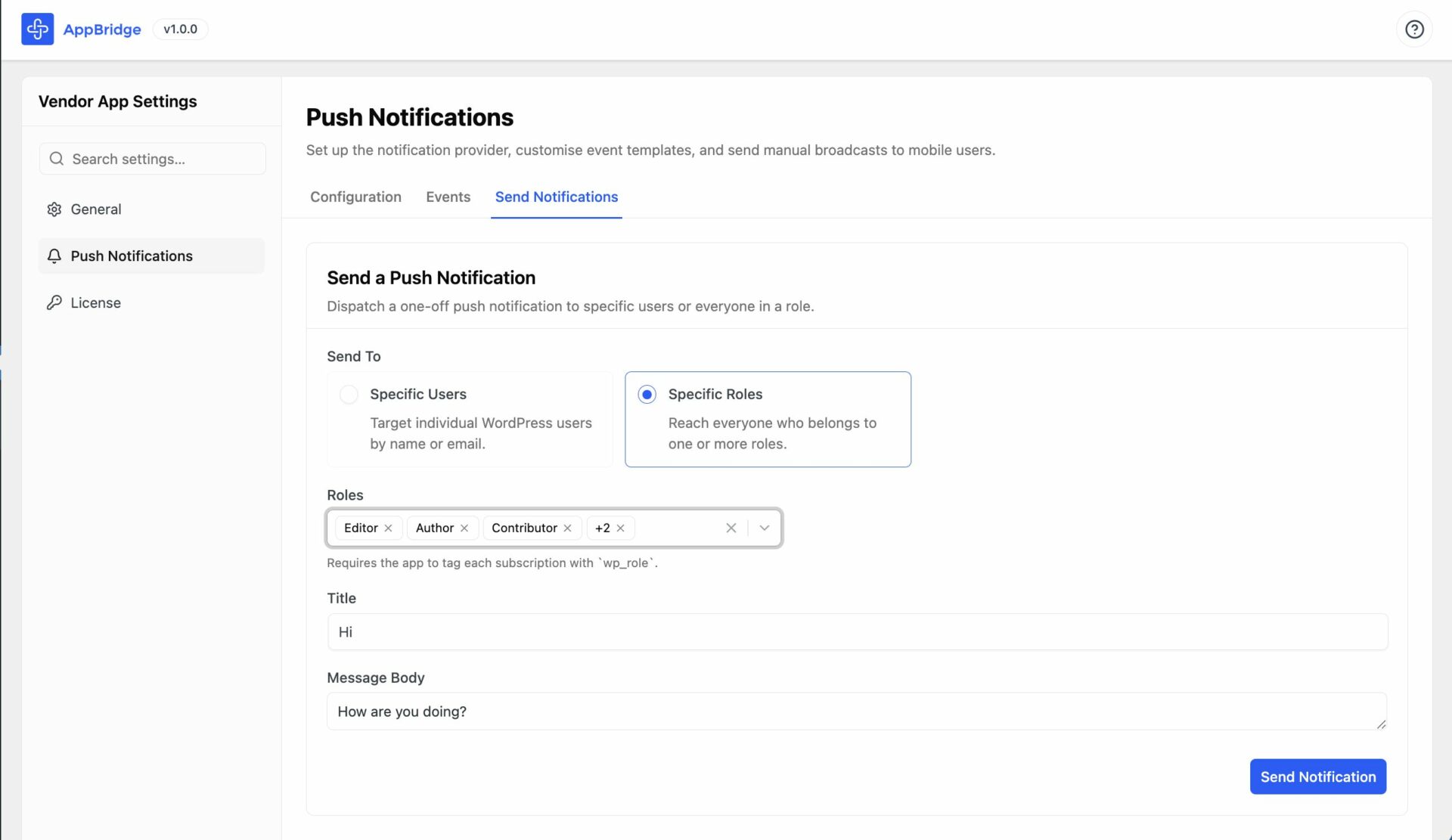
This is how you can configure the App Bridge plugin.