
The Dokan Vendor App includes a wide range of marketplace management features that help vendors handle their store operations directly from mobile devices.
From product management to customer communication, vendors can manage their entire marketplace business without relying on a desktop dashboard.
Store Management
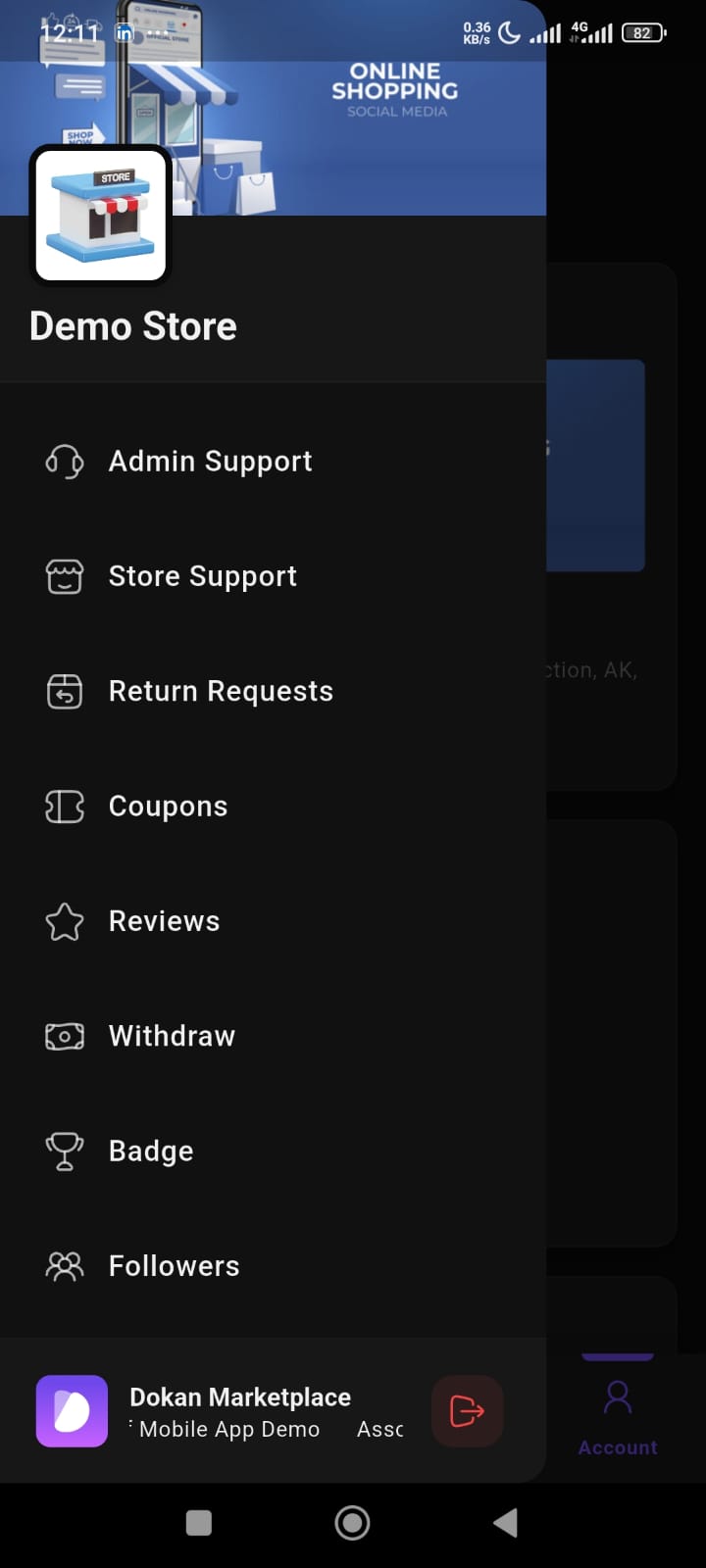
Vendors can manage their store information directly from the app.
Available features include:
- Store profile management
- Store branding
- Store settings
- Store information updates
This helps vendors maintain their marketplace presence more efficiently.
Product Management
The app includes complete product management capabilities.
Vendors can:
- Create products
- Edit products
- Update pricing
- Manage inventory
- Upload product images
- Filter products
- Monitor stock status
Supported product types include:
- Simple products
- Variable products
- Grouped products
- External products
Order Management
Vendors can manage customer orders directly from mobile.
Available features include:
- View orders
- Update order status
- Track shipments
- Manage delivery information
- Add order notes
- Monitor payment status
This helps vendors process orders faster and improve customer experience.
Coupons
The Coupons section allows vendors to manage promotional discounts.
Vendors can:
- Create coupons
- Manage discount campaigns
- Monitor coupon usage
This helps vendors run promotional offers directly from mobile.
Return Requests
The app supports return and refund management.
Vendors can:
- View return requests
- Monitor refund activity
- Handle customer return issues
This improves post-purchase customer support.
Reviews
The Reviews section allows vendors to monitor customer feedback.
Features include:
- View product reviews
- Track store ratings
- Monitor customer feedback
This helps vendors improve product quality and customer satisfaction.
Product Q&A
Customers can ask product-related questions directly from the marketplace.
Vendors can:
- View questions
- Answer customer queries
- Track unanswered questions
This helps improve customer engagement and buyer confidence.
Withdraw Management
The Withdraw section helps vendors manage marketplace earnings.
Features include:
- Request withdrawals
- Monitor payout status
- Track withdrawal history
This allows vendors to manage earnings directly from the app.
Followers
Vendors can track store followers directly from mobile.
This helps vendors:
- Monitor audience growth
- understand customer engagement
- track store popularity
Badge System
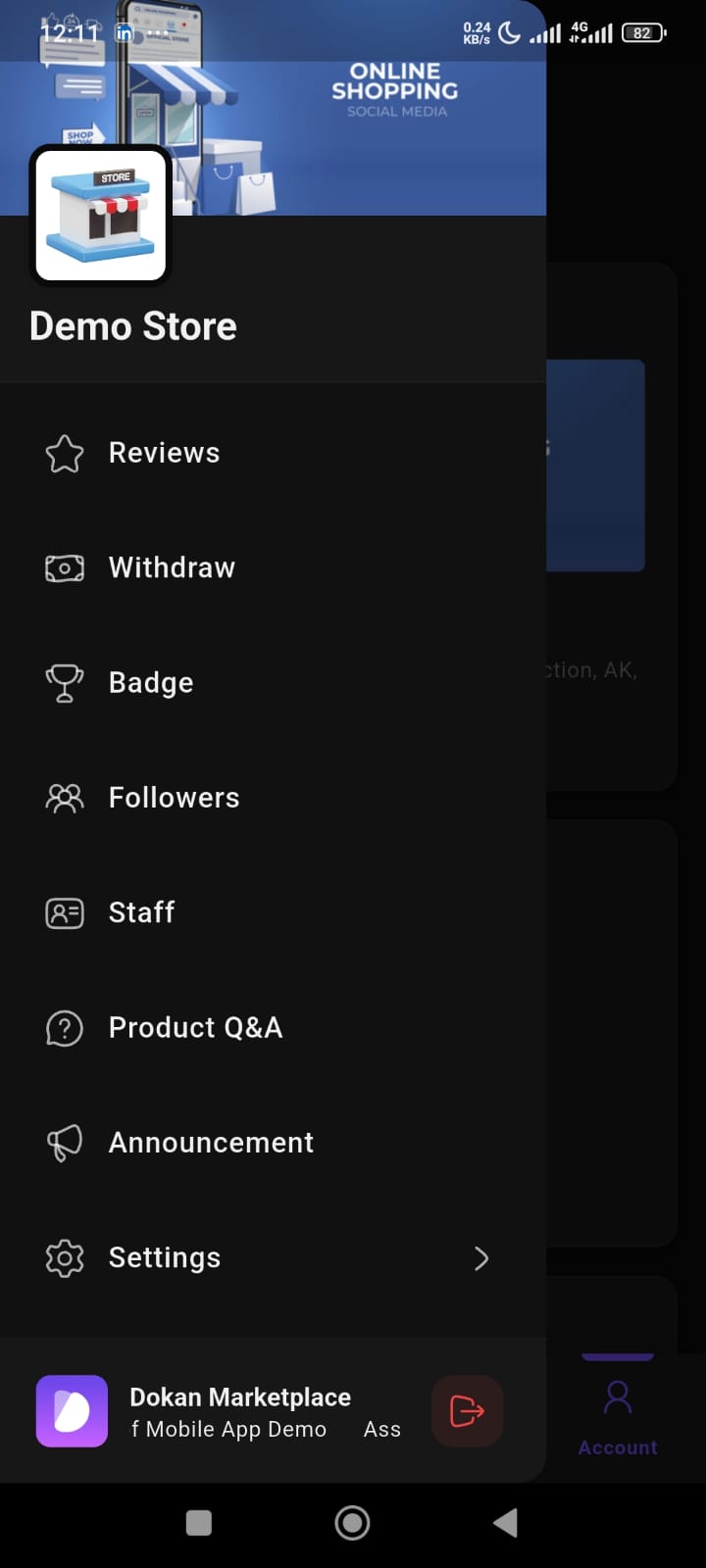
The app supports vendor badge functionality.
Badges can help:
- highlight trusted vendors
- improve store credibility
- build customer trust
Staff Management
Vendors can manage store staff directly from the app.
This helps vendors:
- manage team access
- monitor staff permissions
- support multi-user store operations
Admin Support
The Admin Support section helps vendors communicate with marketplace administrators.
This helps vendors:
- get marketplace assistance
- resolve operational issues
- communicate with admins directly
Store Support
The Store Support feature helps vendors manage customer support communication.
This improves:
- customer response handling
- support workflow
- communication management
Announcements
The Announcements section allows vendors to stay updated with marketplace notices.
This helps vendors monitor:
- marketplace updates
- important announcements
- operational notifications
Settings Management
The app includes customizable settings for vendors.
Available options include:
- Theme selection
- Language settings
- Notification controls
- Account preferences
This improves personalization and app usability.