
The Order Management section helps vendors handle customer orders directly from the mobile app. Vendors can monitor order status, manage deliveries, track shipments, communicate with customers, and maintain order notes without needing a desktop dashboard.
The interface is designed to make order processing faster and easier from mobile devices.
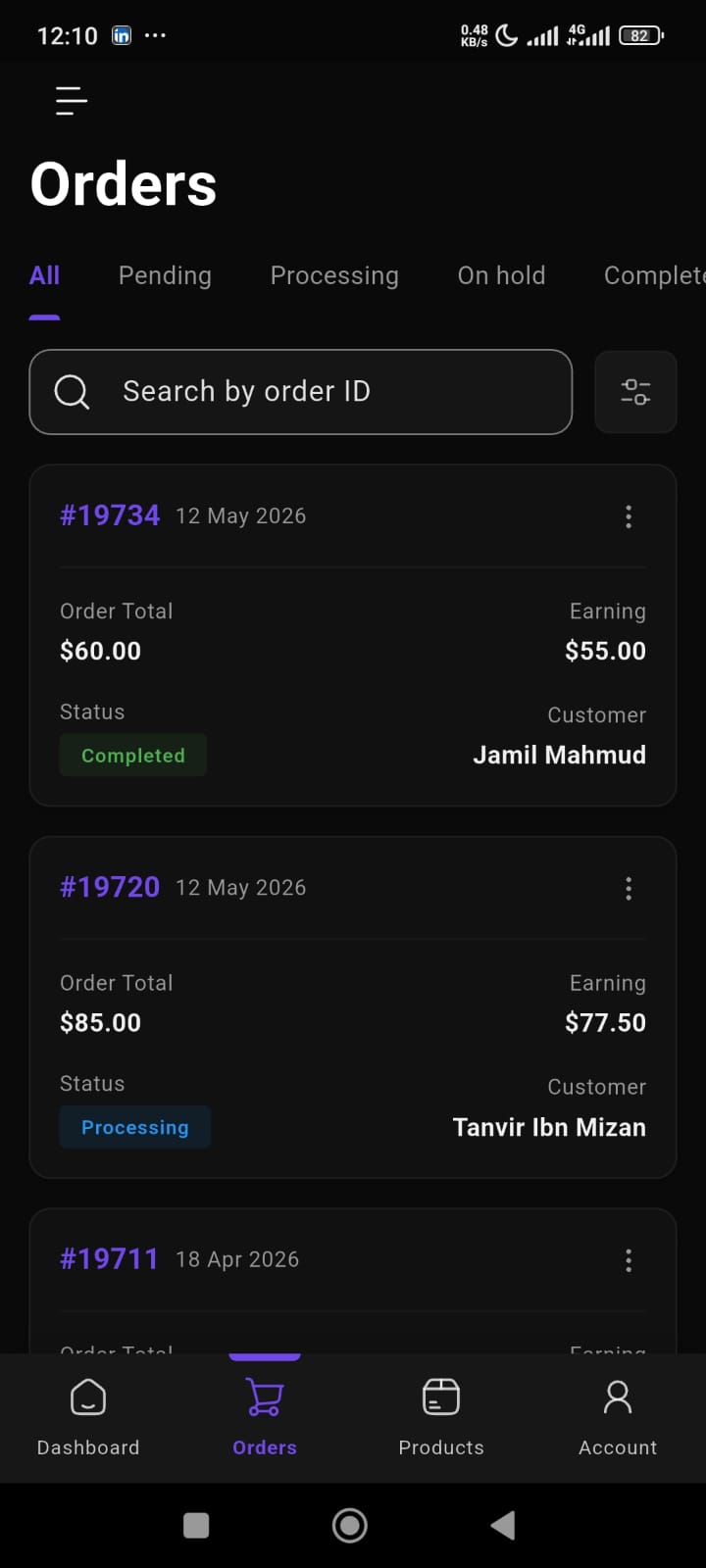
Order Overview
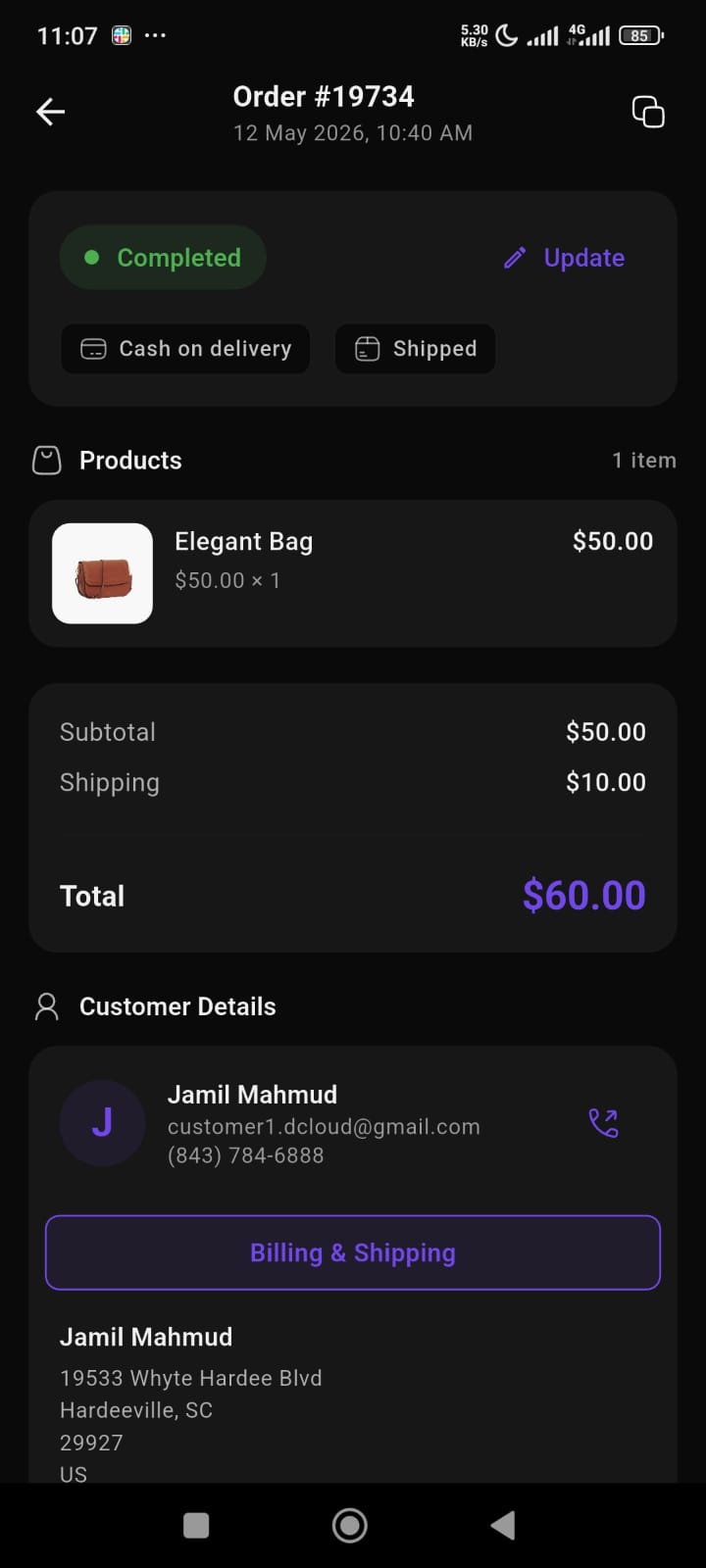
Each order page displays important order information at the top.
This includes:
- Order ID
- Order date and time
- Order status
- Payment method
- Shipping status
Vendors can quickly understand the current state of an order without opening multiple sections.
Order Status Management
Vendors can update order status directly from the app.
Available statuses may include:
- Pending
- Processing
- Shipped
- Completed
- Cancelled
This helps vendors keep customers informed throughout the order lifecycle.
Product Information
The Products section displays all items included in the order.
For each product, vendors can view:
- Product image
- Product name
- Quantity
- Product price
- Total amount
This provides a clear overview of purchased items.
Order Summary
The order summary section provides a complete pricing breakdown.
This includes:
- Subtotal
- Shipping cost
- Total order amount
Vendors can quickly review order calculations from mobile.
Customer Details
The Customer Details section displays customer information related to the order.
Available information includes:
- Customer name
- Email address
- Phone number
- Billing address
- Shipping address
The app also provides quick communication access for contacting customers directly.
Delivery Management
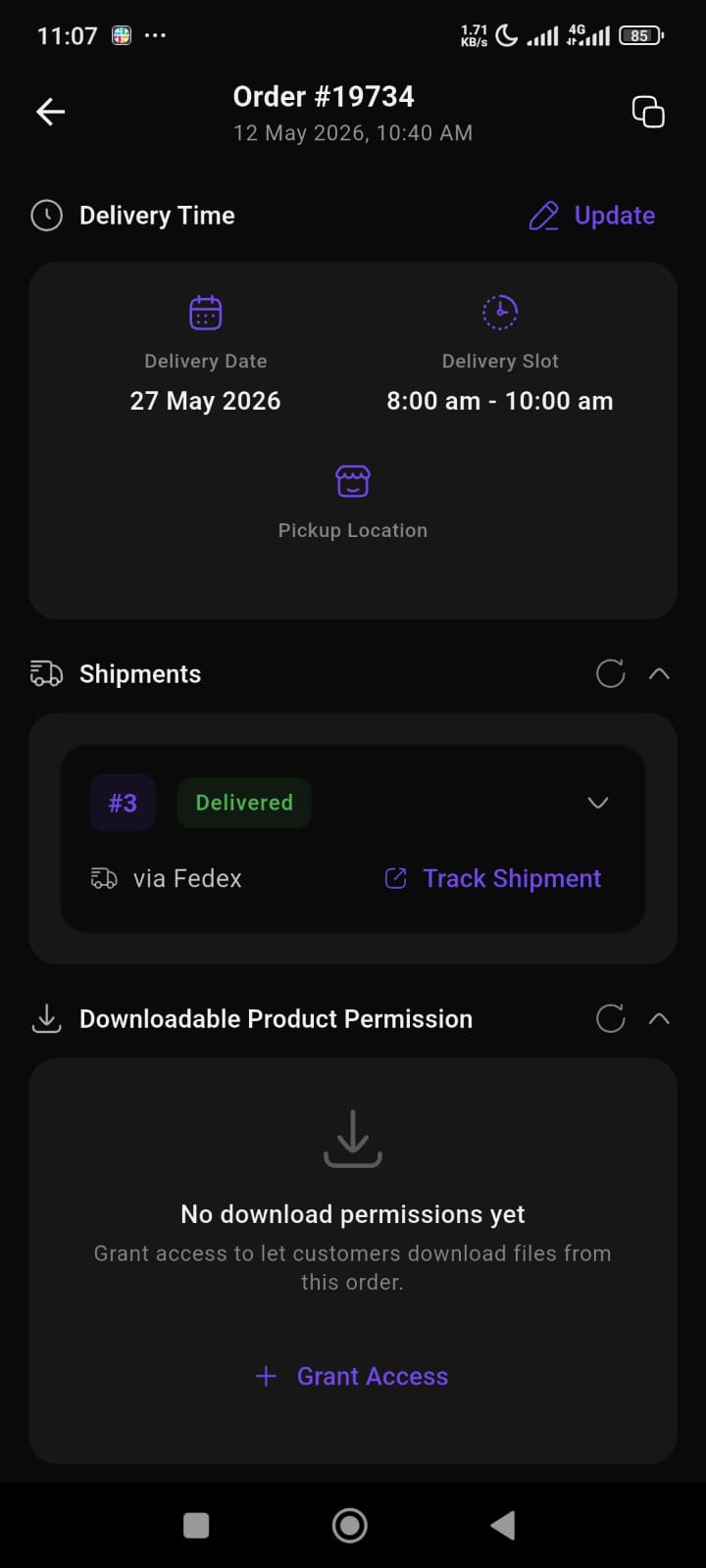
The Delivery Time section helps vendors manage delivery scheduling.
Available details include:
- Delivery date
- Delivery slot
- Pickup location
Vendors can also update delivery information when needed.
Shipment Tracking
The Shipments section allows vendors to manage shipment status.
Features include:
- Shipment status
- Courier information
- Shipment tracking access
This helps vendors monitor delivery progress more efficiently.
Downloadable Product Permissions
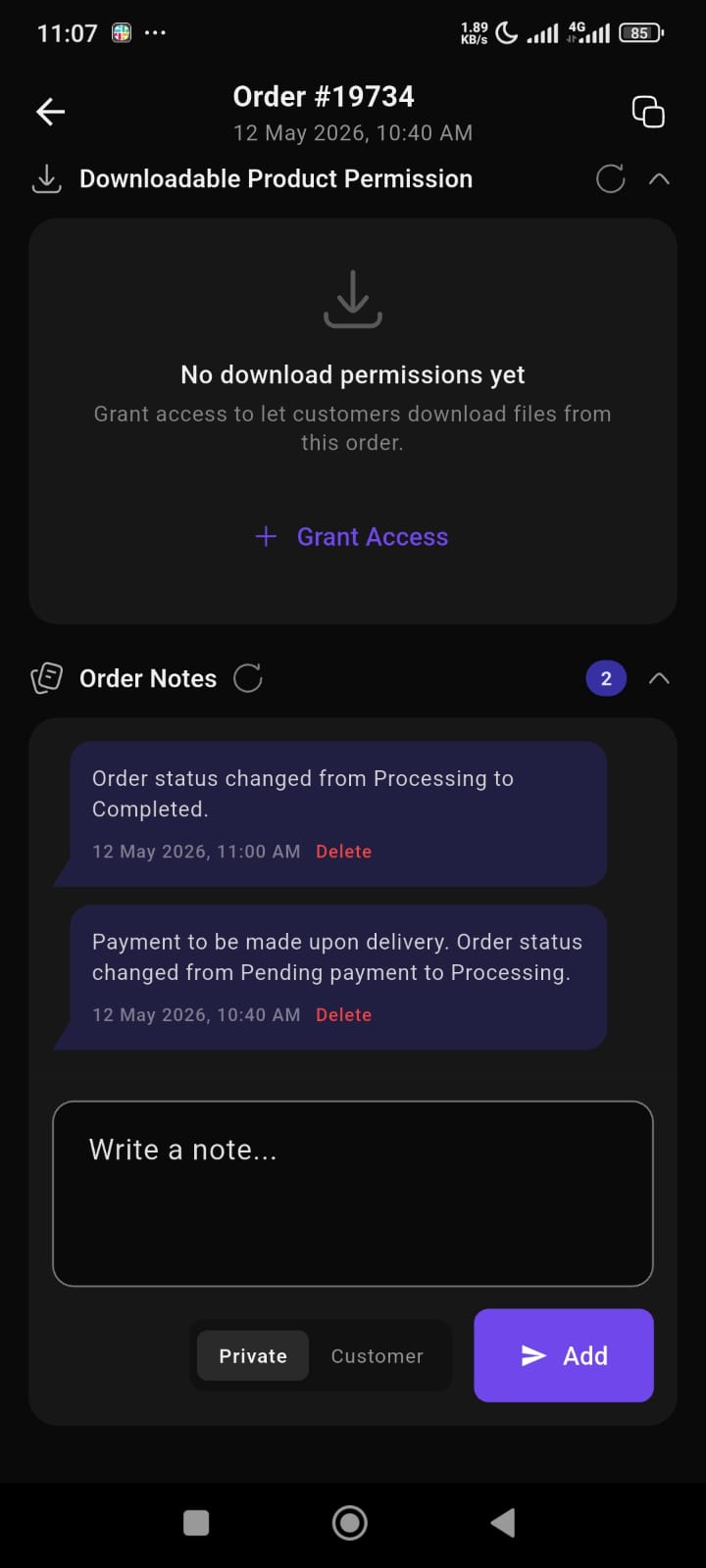
For digital products, vendors can manage customer download access directly from the order page.
Features include:
- Grant download access
- Manage downloadable permissions
- Control digital file access
This is especially useful for digital product marketplaces.
Order Notes
The Order Notes section allows vendors to keep order-related communication and activity logs.
Vendors can:
- add private notes
- send customer notes
- track status changes
- monitor order activity history
This helps maintain better order communication and internal tracking.
Mobile-Optimized Workflow
The entire order management experience is designed for mobile usability.
The interface focuses on:
- fast navigation
- touch-friendly controls
- clear status visibility
- organized sections
- real-time order access
This allows vendors to manage orders anytime from their phone.
Key Benefits
Using the Order Management section, vendors can:
- process orders faster
- update order statuses instantly
- track deliveries and shipments
- manage customer communication
- control downloadable product access
- maintain order activity records
- manage store operations without desktop dependency