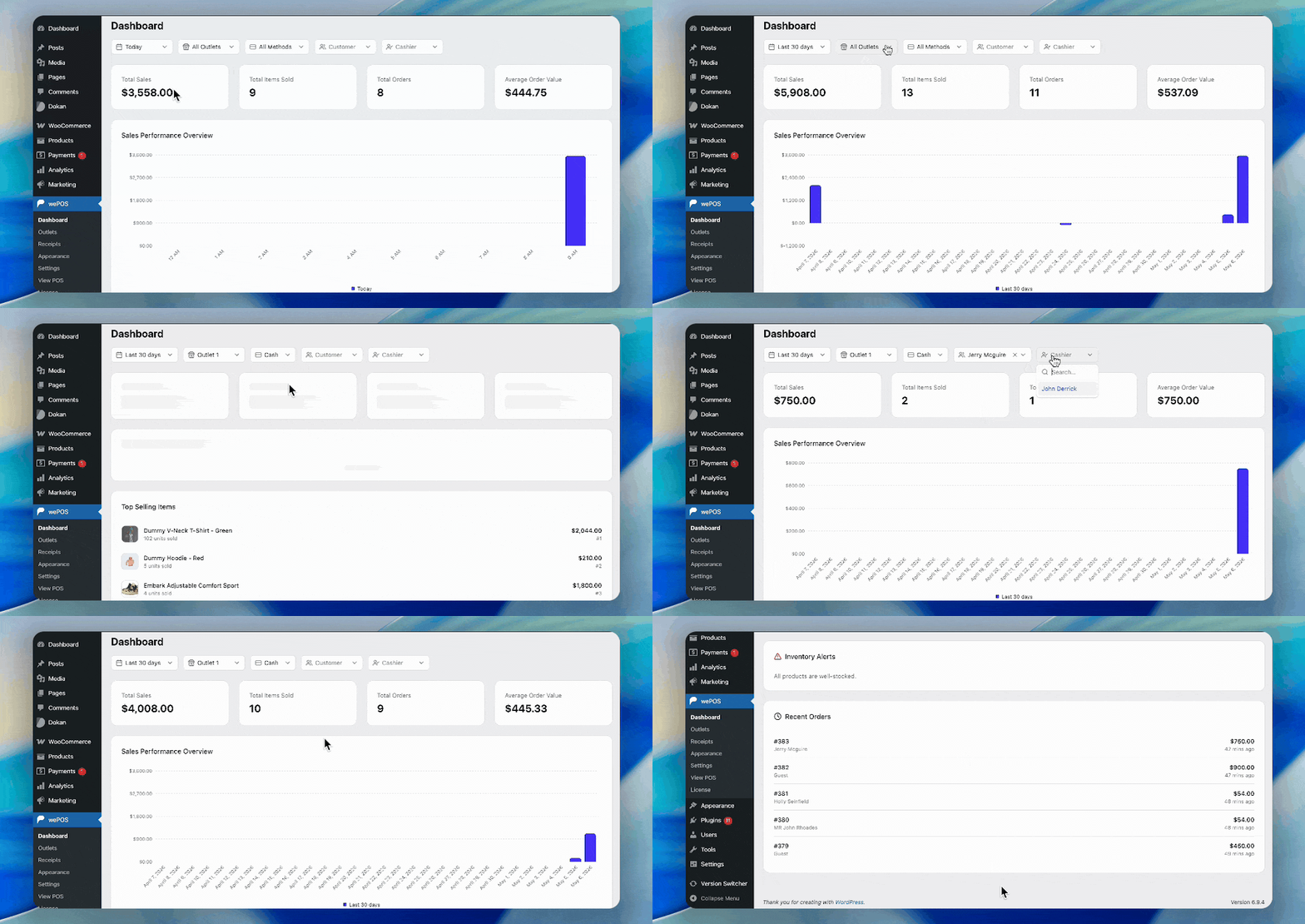
The wePOS Dashboard gives you a quick overview of your store’s performance. It helps you track sales, monitor activity, and make faster decisions without digging into reports.
Here’s what you’ll find on the dashboard:
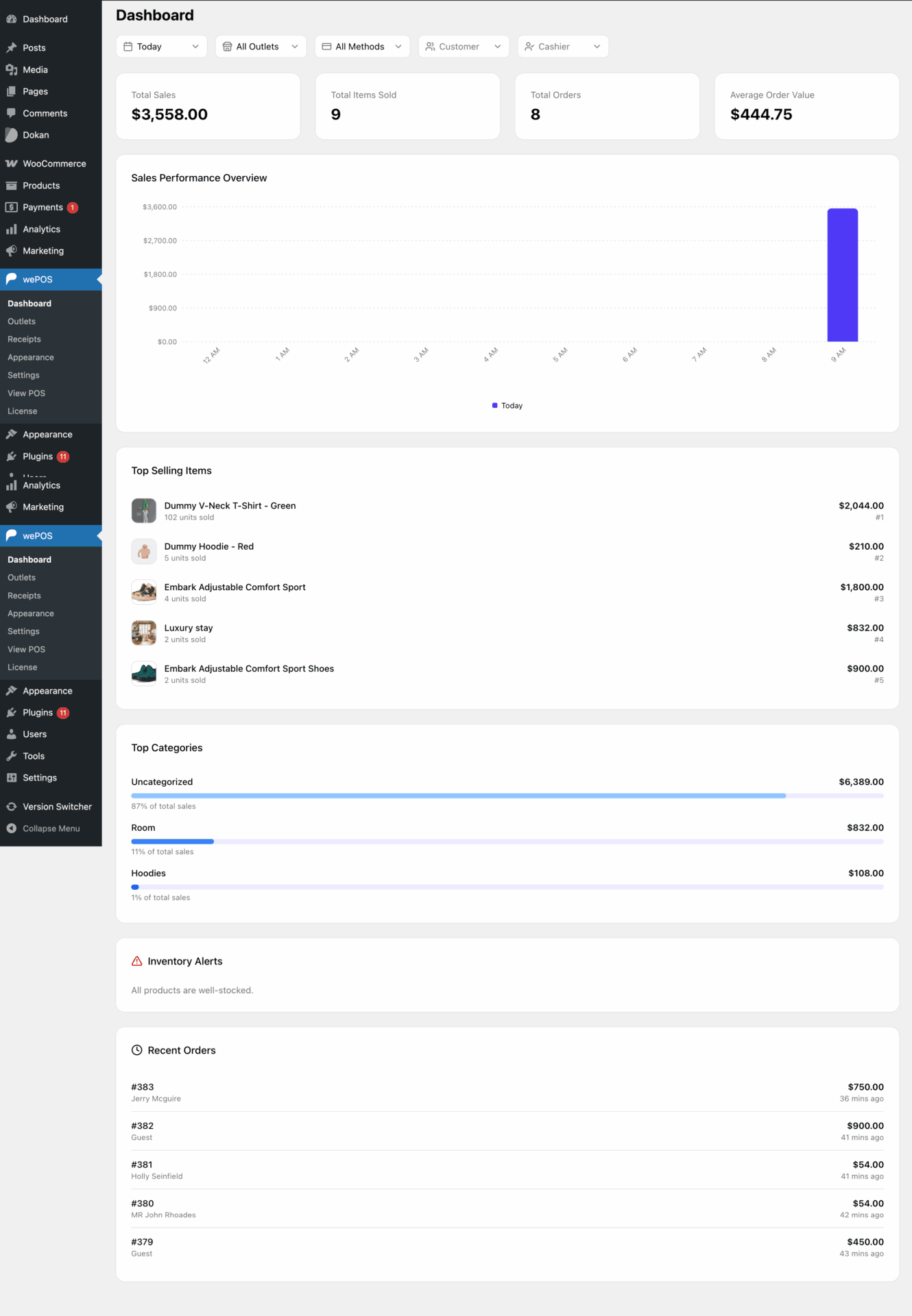
Filters (Top Bar): Allows you to filter data by time, outlet, payment method, customer, and cashier.
Total Sales: Shows the total revenue based on the selected filters.
Total Items Sold: Displays the total number of items sold.
Total Orders: Shows how many orders were placed.
Average Order Value: Calculates the average value per order.
Sales Performance Overview: Displays a visual chart of sales trends over time.
Top Selling Items: Lists the best-selling products along with their sales value.
Top Categories: Shows which categories generate the most sales with a percentage breakdown.
Inventory Alerts: Notifies you about stock status and low inventory.
Recent Orders: Displays the latest orders with order number, customer, and total amount.