




You’ve been waiting for it. We’ve been building it.
Dokan 5.0 is here, and it’s the most important update we’ve ever released. If you’re still on an older version, you’re not just missing features, you’re missing better vendor experience, stronger product control, and real marketplace growth.
This isn’t a small update. It’s a complete upgrade to how your marketplace works. We’ve rethought the two most critical areas, vendor experience and product listing, and introduced several improvements to help you run your marketplace faster, smoother, and more efficiently.
The longer you wait, the more you fall behind. While your competitors improve their workflows and vendor experience, your marketplace stays stuck with limitations.
Here’s what you unlock the moment you update to Dokan 5.0.
Note: Before updating, make sure yo keep a backup of your marketplace.
What Is New in Dokan 5.0
Here is a complete look at what this release brings:
- Product Form Manager — Build custom product fields and blocks tailored to your marketplace niche.
- Vendor Dashboard UI — A fully redesigned vendor experience with a React-based product management interface
- Improved Admin Reports — Centralized tracking of commission, subscription, and ad revenue in one place
- Extensions Page — Discover and enable add-ons directly inside the plugin
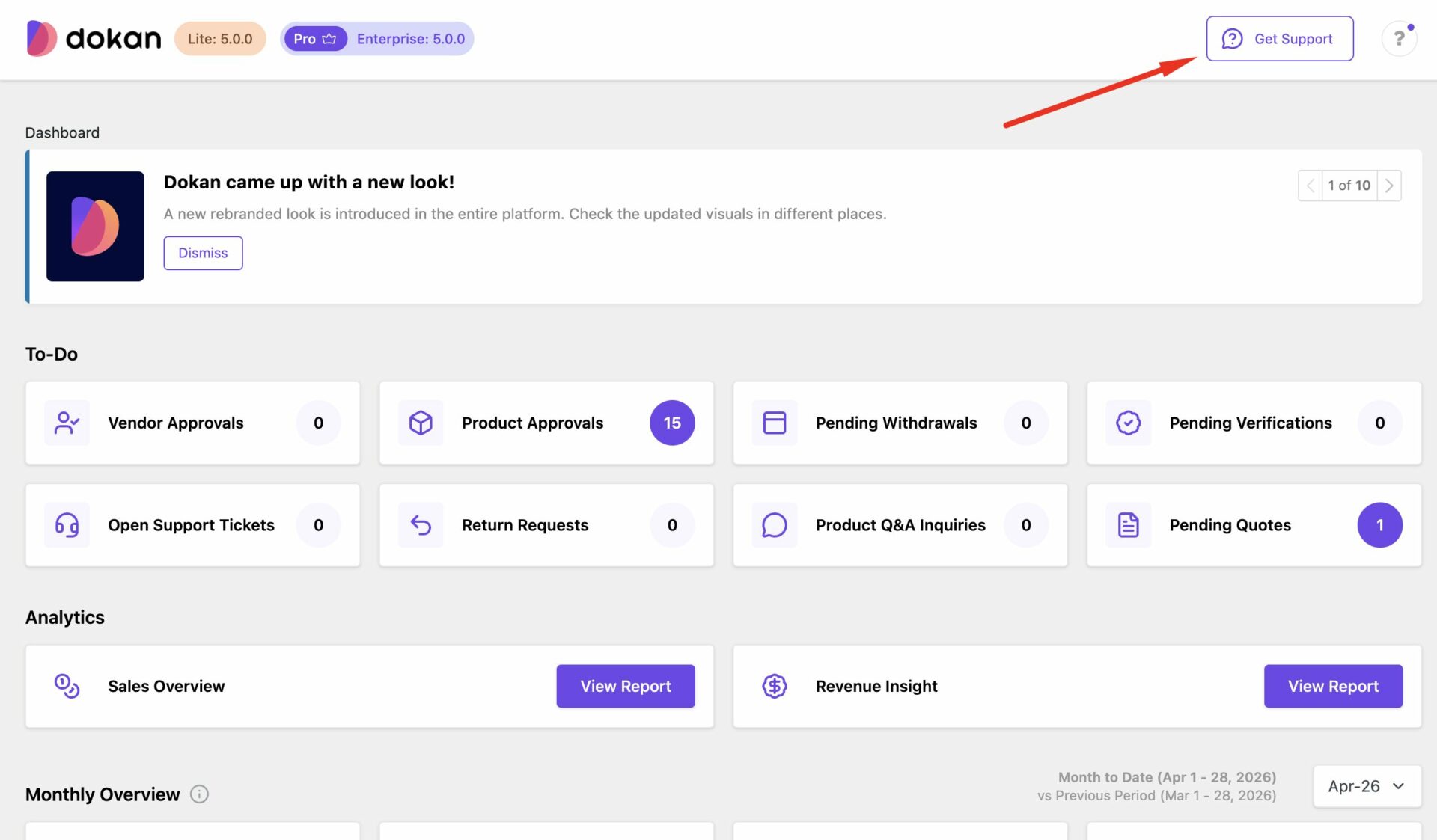
- Built-in Support Access — Contact support without leaving your dashboard
- Announcement System Redesign — Automatic popup notifications to keep vendors informed in real time
- RFQ Module UI Improvements — Faster, cleaner quote management for B2B marketplaces
- Performance and Tailwind CSS v4 Migration — Faster page loads and improved UI consistency across the board
Now, let us go through what each of these actually means for your marketplace.
The Two Features That Changes Everything
The biggest attraction of the Dokan 5.0 is the below two features-
Product Form Manager
If you have ever looked at your marketplace and thought, “I wish I could collect more specific product information from my vendors”, this feature was built for you.
Until now, every vendor on every Dokan marketplace used the same standard product form. The same fields. The same structure. Regardless of whether you run a fashion marketplace, an electronics store, a B2B parts marketplace, or a handmade goods platform.
That ends with Dokan 5.0.
Product Form Manager lets admins create fully custom product fields and blocks tailored to their specific marketplace niche. Vendors fill out richer, more relevant product information during listing — including conditional fields that appear or disappear depending on what the vendor selects.
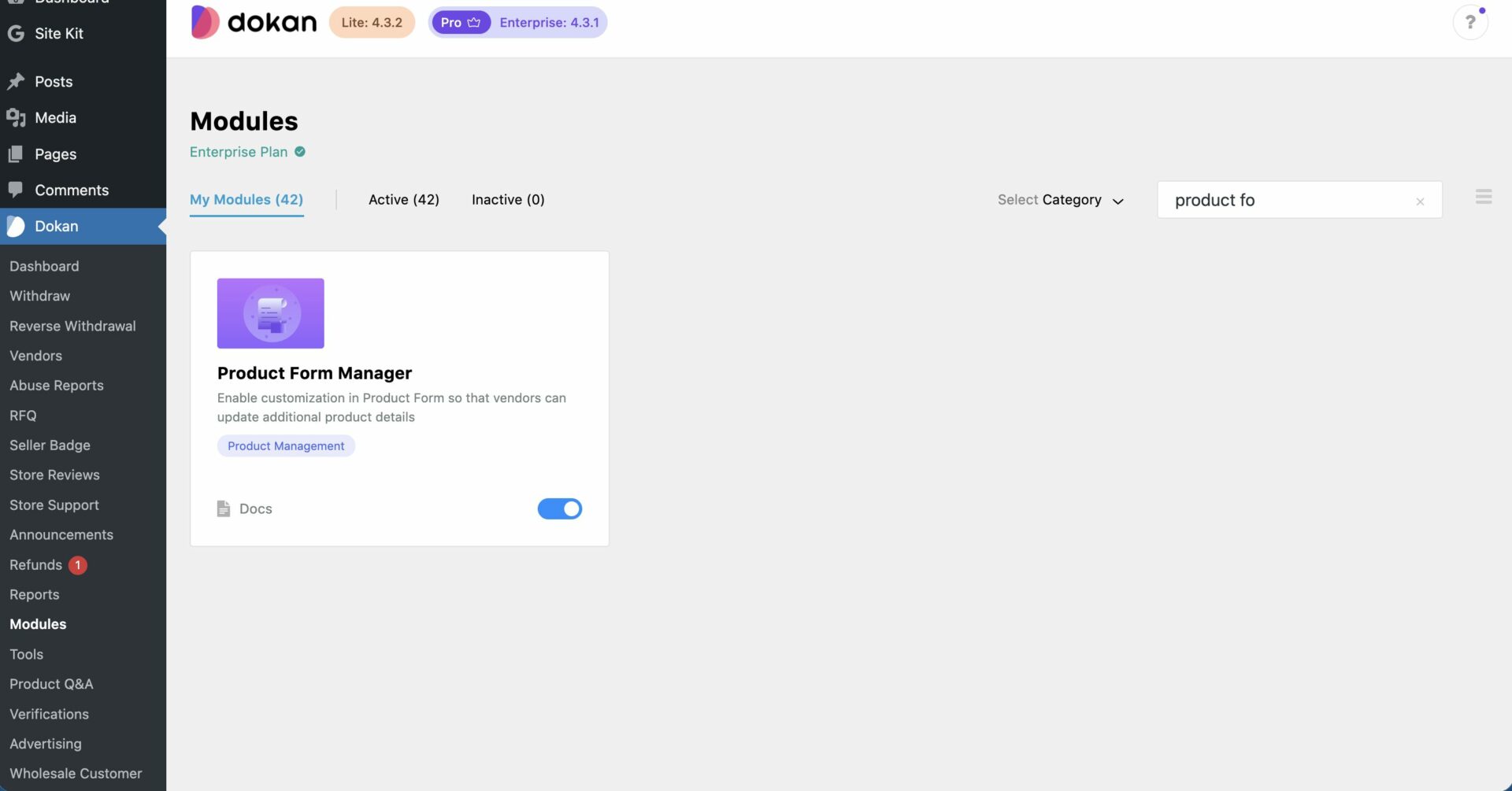
A fashion marketplace can now require vendors to add size charts, fabric type, and care instructions before a listing goes live. An electronics marketplace can collect warranty periods, technical specifications, and compatibility details. A B2B marketplace can capture minimum order quantities, lead times, and bulk pricing tiers.
The difference this makes is not just operational. It is commercial. More complete product information means buyers have everything they need to make a purchase decision. Fewer questions to vendors. Fewer abandoned carts. More conversions.
See how Product Form Manager works →
And because of conditional fields, vendors only see what is relevant to their product type. No confusion. No irrelevant fields cluttering the form. Just the right information, collected the right way.
This is the feature that turns Dokan from a general marketplace plugin into a genuine niche marketplace builder, and it is available right now in Dokan 5.0.

Vendor Dashboard UI
Your vendors log into their dashboard every single day. It is where they list products, manage orders, check earnings, and run their business on your marketplace. If that experience is slow, clunky, or frustrating, they notice. Every single day.
Dokan 5.0 ships a completely redesigned vendor dashboard. Everything has been rethought from the ground up , the layout, the navigation, the list tables, and most significantly, the entire product add and edit experience.
The product management interface is now built on React. That is not just a technical detail; it is a completely different feel. The interface responds instantly. Actions feel immediate. Vendors are not waiting for page reloads between steps. For vendors managing large catalogs, tens or hundreds of SKUs, this alone is a game-changer.
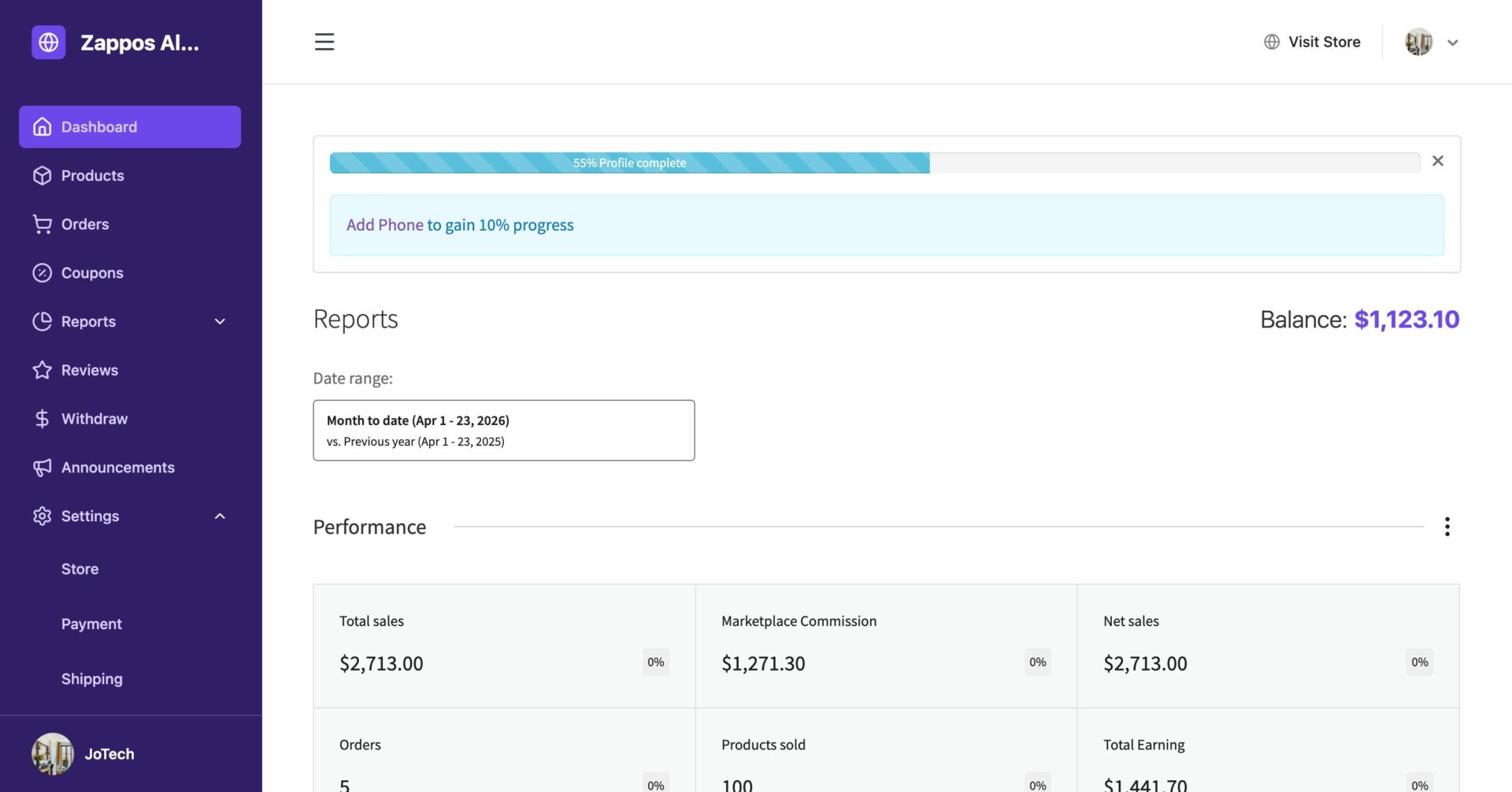
The improved list tables make it faster to scan, find, and act on products and orders. Everything is logically placed. The interface gets out of the way and lets vendors do what they came to do — sell.
Here is what this means for you as a marketplace owner: happy vendors stay longer, list more products, and bring more buyers to your platform. A better vendor experience is not just a UX improvement. It is a retention strategy.
See the new Vendor Dashboard in action →
Everything Else That Is New
We added a lot more enhnacements to the Dokan 5.0 version-
Improved Admin Reports
Running a marketplace means managing multiple revenue streams — commissions from vendor sales, income from subscription plans, and revenue from promoted listings. Until now, getting a complete picture of all of that required jumping between different sections.
Dokan 5.0 brings it all together. Admins can now track subscription income, advertisement revenue, and commission earnings from one centralized reporting dashboard. See which vendors are driving the most commission. Track how your ad revenue is growing. Monitor subscription income alongside everything else.
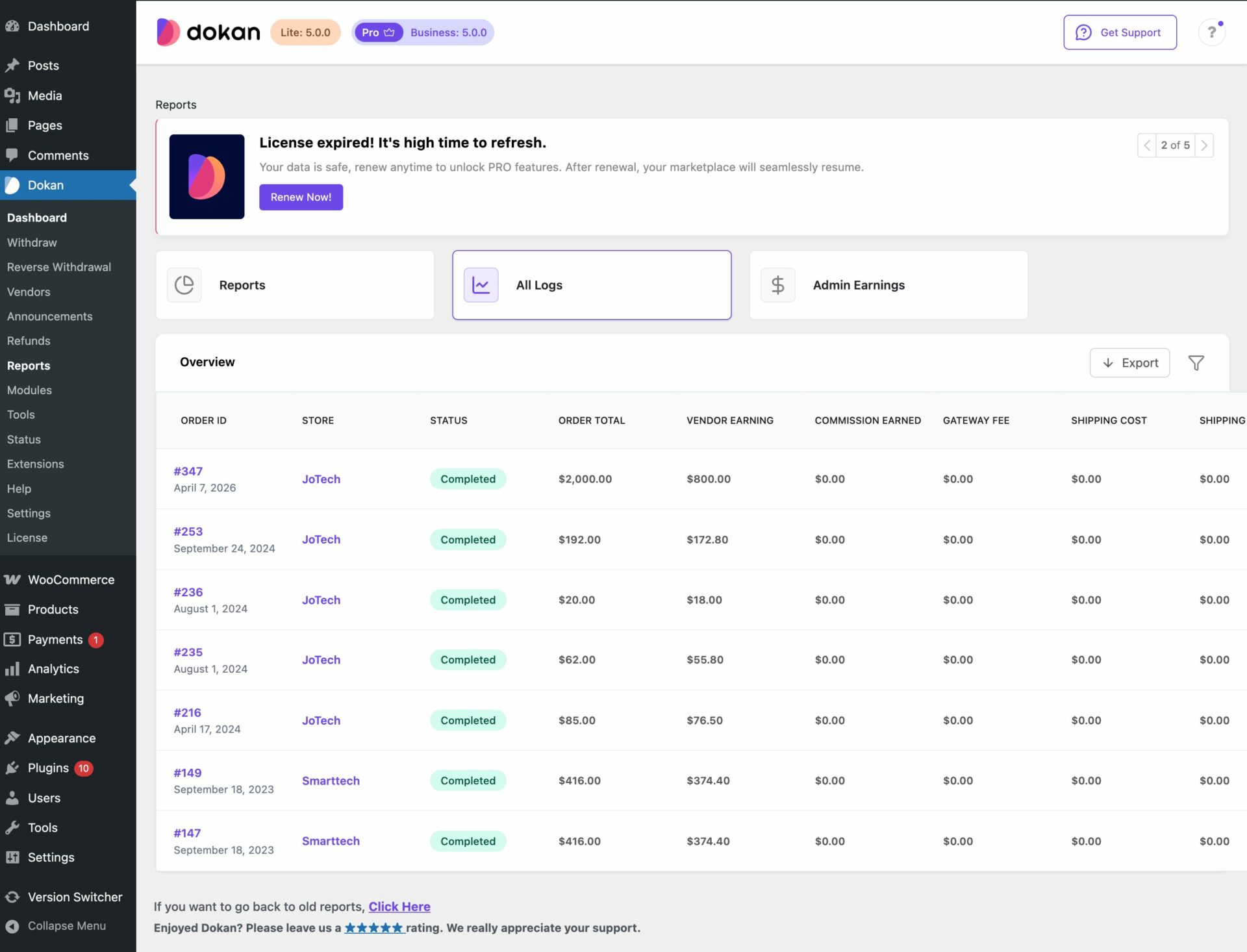
Better data means better decisions. And better decisions mean a more profitable marketplace.
Explore the new Admin Reports →
Extensions Page in Lite and Pro
Your marketplace needs will change as you grow. You might start with a basic setup and later want to add booking functionality, delivery management, or vendor subscriptions. Finding and enabling the right add-ons used to mean leaving the plugin and searching elsewhere.
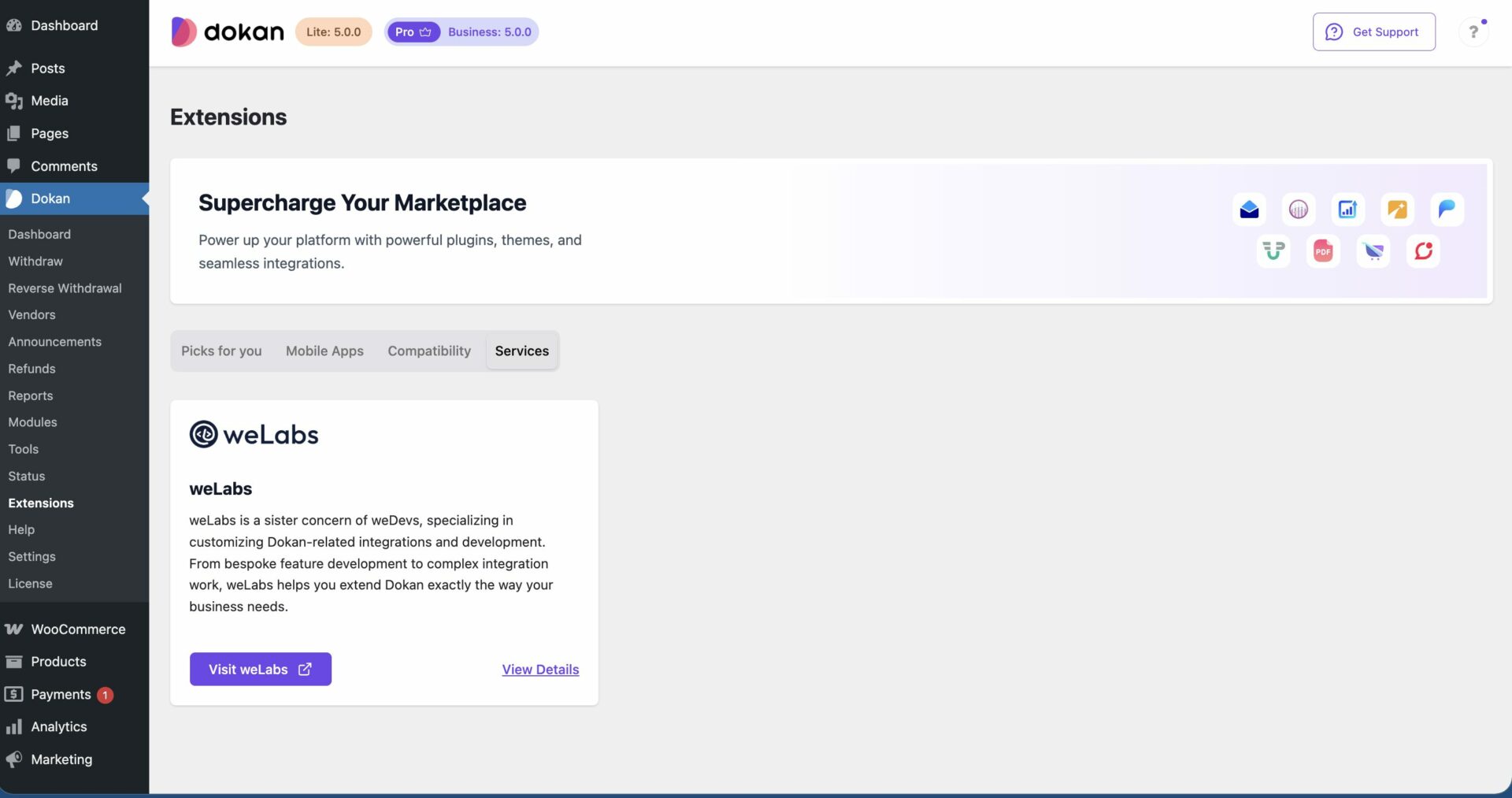
Not anymore. A new Extensions page is now built directly into Dokan , in both Lite and Pro, so you can discover, explore, and enable modules and integrations without ever leaving your dashboard.
Built-in Support Access
When something goes wrong on your marketplace, you need help fast. Dokan 5.0 embeds support access directly inside the plugin. No more searching for a support URL, opening a new tab, or leaving your dashboard. Reach the team from right where you are working.
Announcement System Redesign
Getting important information to your vendors quickly has always mattered. The redesigned announcement system makes it impossible to miss. Vendors now receive automatic pop-up notifications the moment they log in, so whether you are announcing a holiday campaign, a policy change, or a commission update, the message gets through immediately.
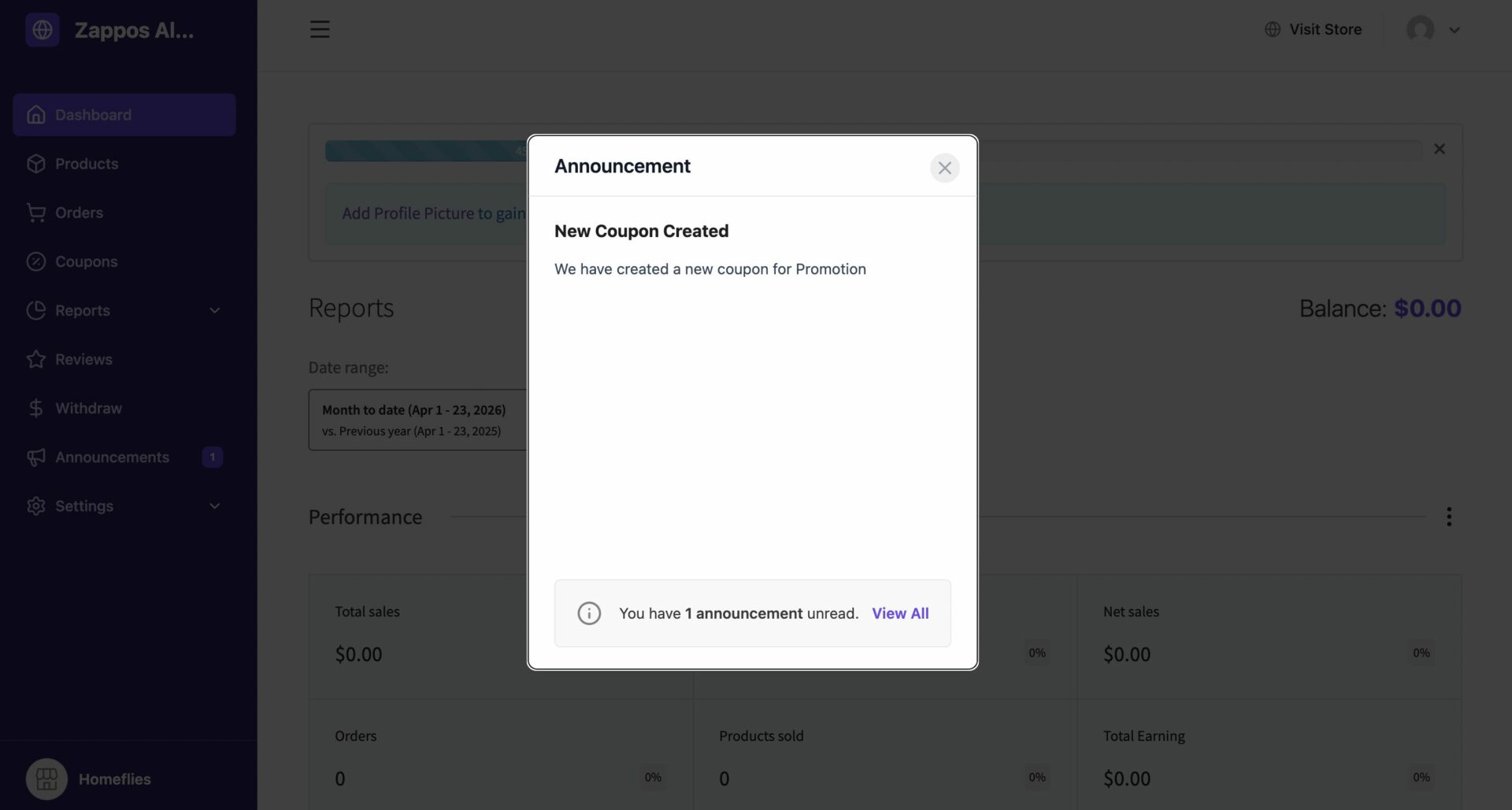
No more hoping vendors check their notification feed. Now they see it the moment they open their dashboard.
Learn about the Announcement System →
RFQ Module UI Improvements
For B2B marketplaces using the Request for Quote module, managing bulk quote requests just got significantly cleaner. The list and details pages have been redesigned for a faster, more organized quote management workflow.
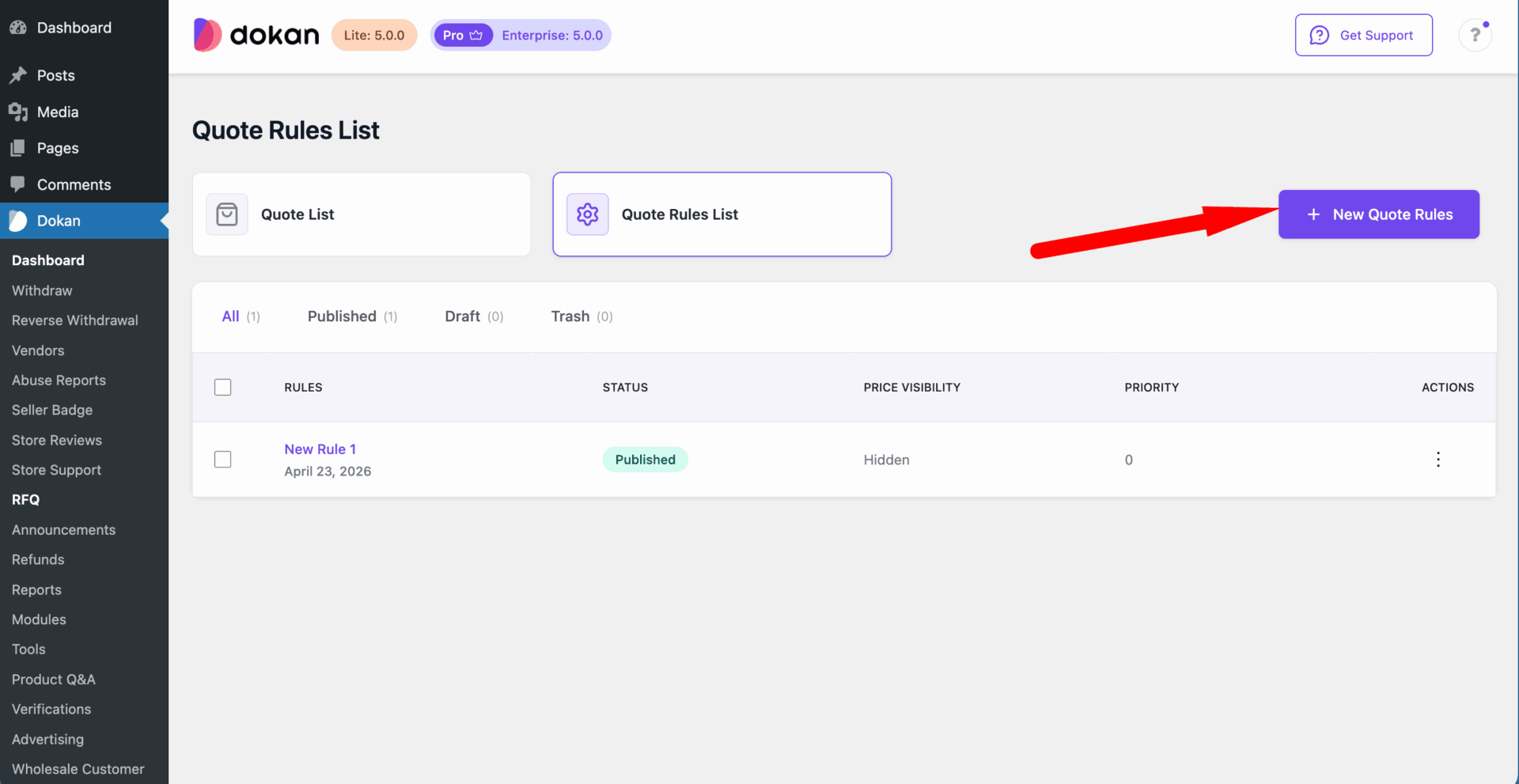
Vendors can respond to buyers more efficiently, and the entire negotiation process feels less like admin and more like business.
Performance and Tailwind CSS v4 Migration
Behind every smooth marketplace experience is infrastructure that works without drawing attention to itself. Dokan 5.0 migrates to Tailwind CSS v4, which means faster page loads, more consistent UI across every part of the plugin, and better long-term compatibility as we continue building.
Admins and vendors will feel this in the small moments, pages that load quicker, navigation that feels snappier, and an overall experience that does not slow them down. The kind of improvement that earns trust without announcing itself.
Here Is Why You Should Not Wait to Upgrade
Dokan 5.0 is live right now. Every marketplace running an older version is missing:
Your vendors are going to notice the difference the moment they log in. Your buyers are going to see better, more complete product listings. And you are going to have clearer visibility into where your marketplace revenue is actually coming from.
Updating takes two minutes. The improvement lasts.
Go to Plugins in your WordPress dashboard, find Dokan, and click Update. Back up your site first as you would with any major version update.
Not on Pro yet? This is a good time to take a look. Several of the most powerful features in this release — including Product Form Manager , are available on Pro.
Subscribe to
Dokan blog
We send weekly newsletters, no spam for sure!




Leave a Reply