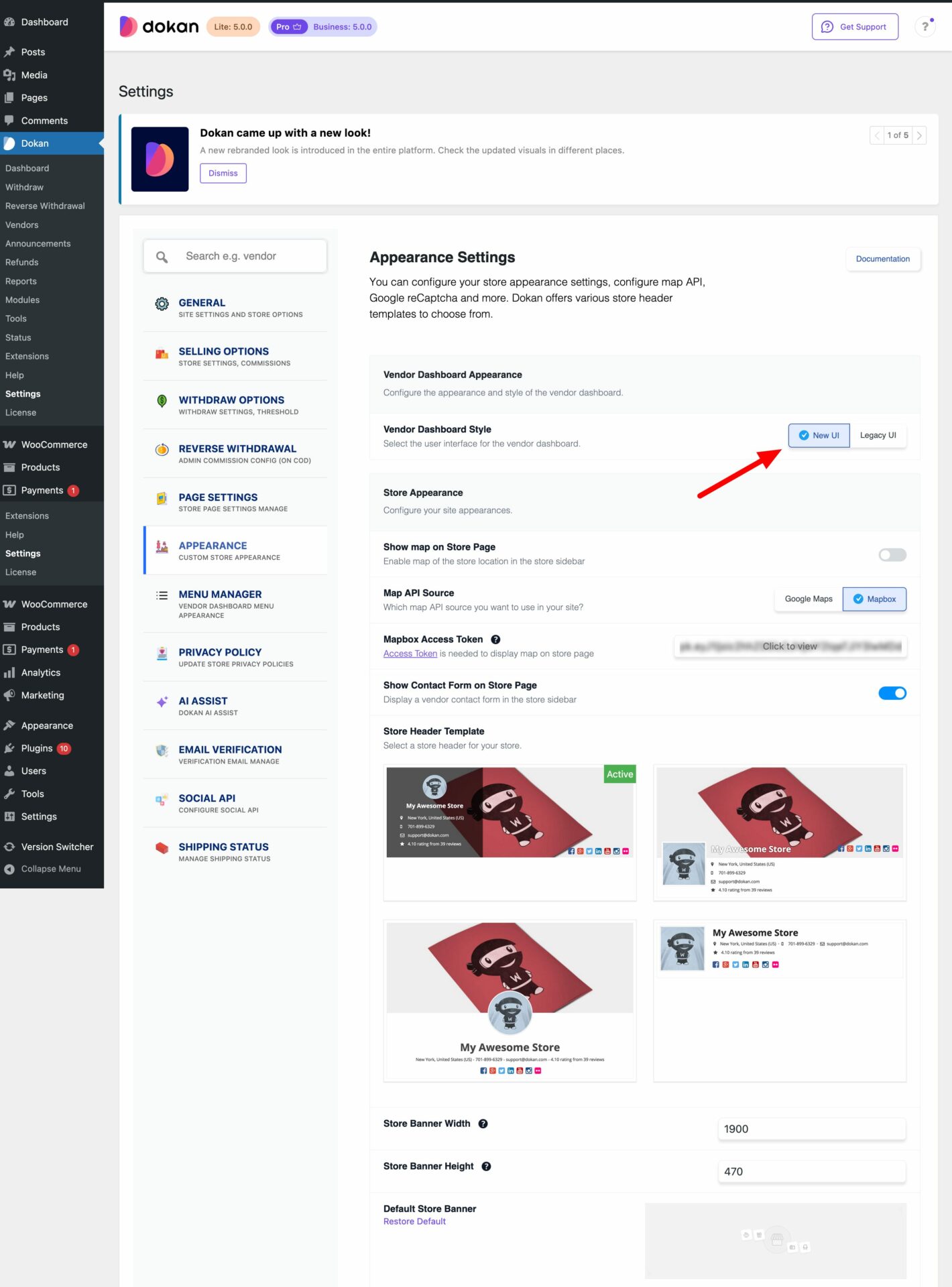
In the Dokan 5.0 verison, we have released a newly designed Vendor Dashboard. The vendor dashboard now offers a refreshed interface, improved list tables, and a React-based product add/edit experience. Vendors can manage inventory with a smoother workflow.
Vendors can now add, edit, and organize products faster during product uploads, especially useful for stores managing large catalogs.
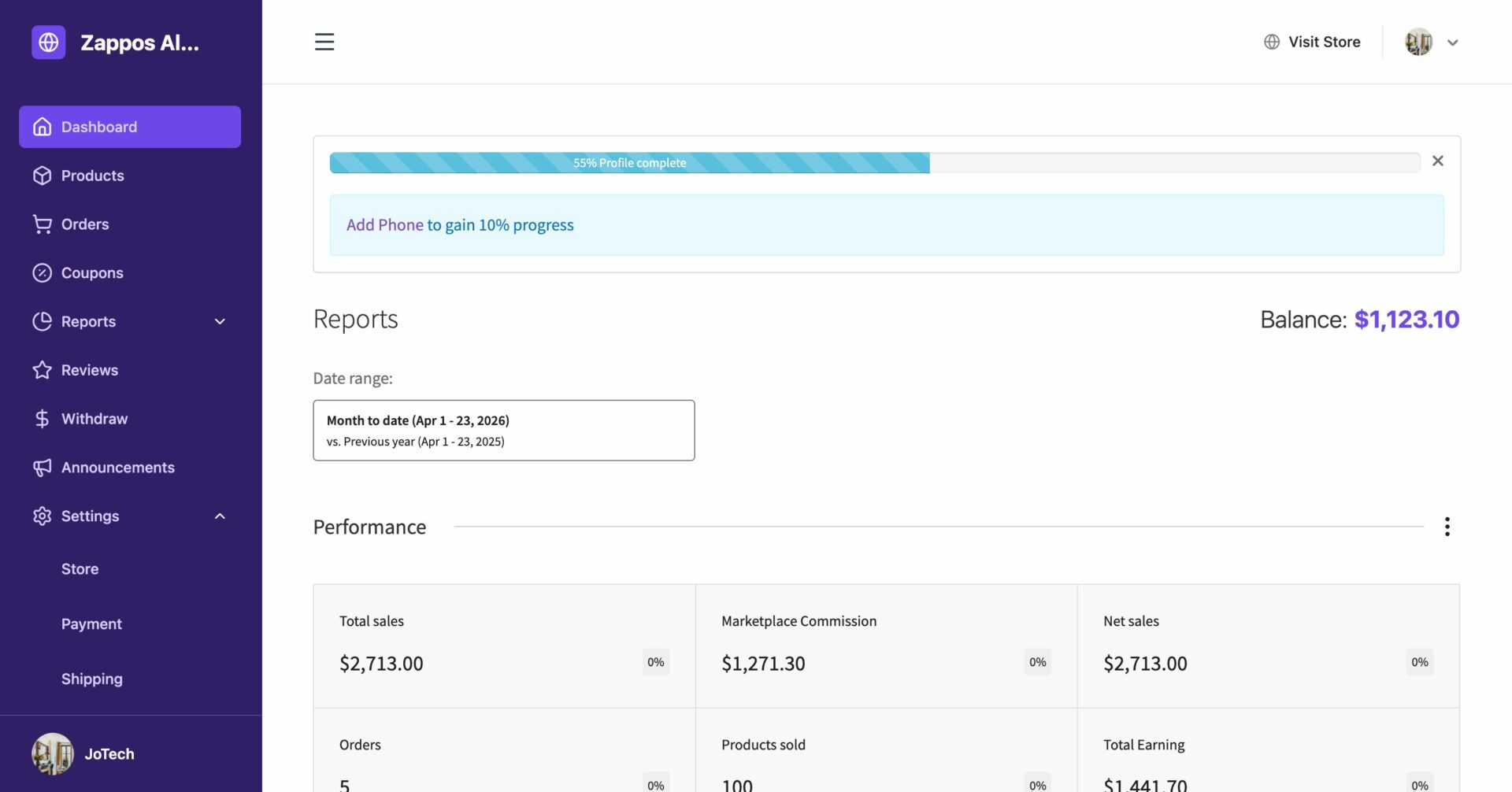
Here is how the new vendor dashboard looks-
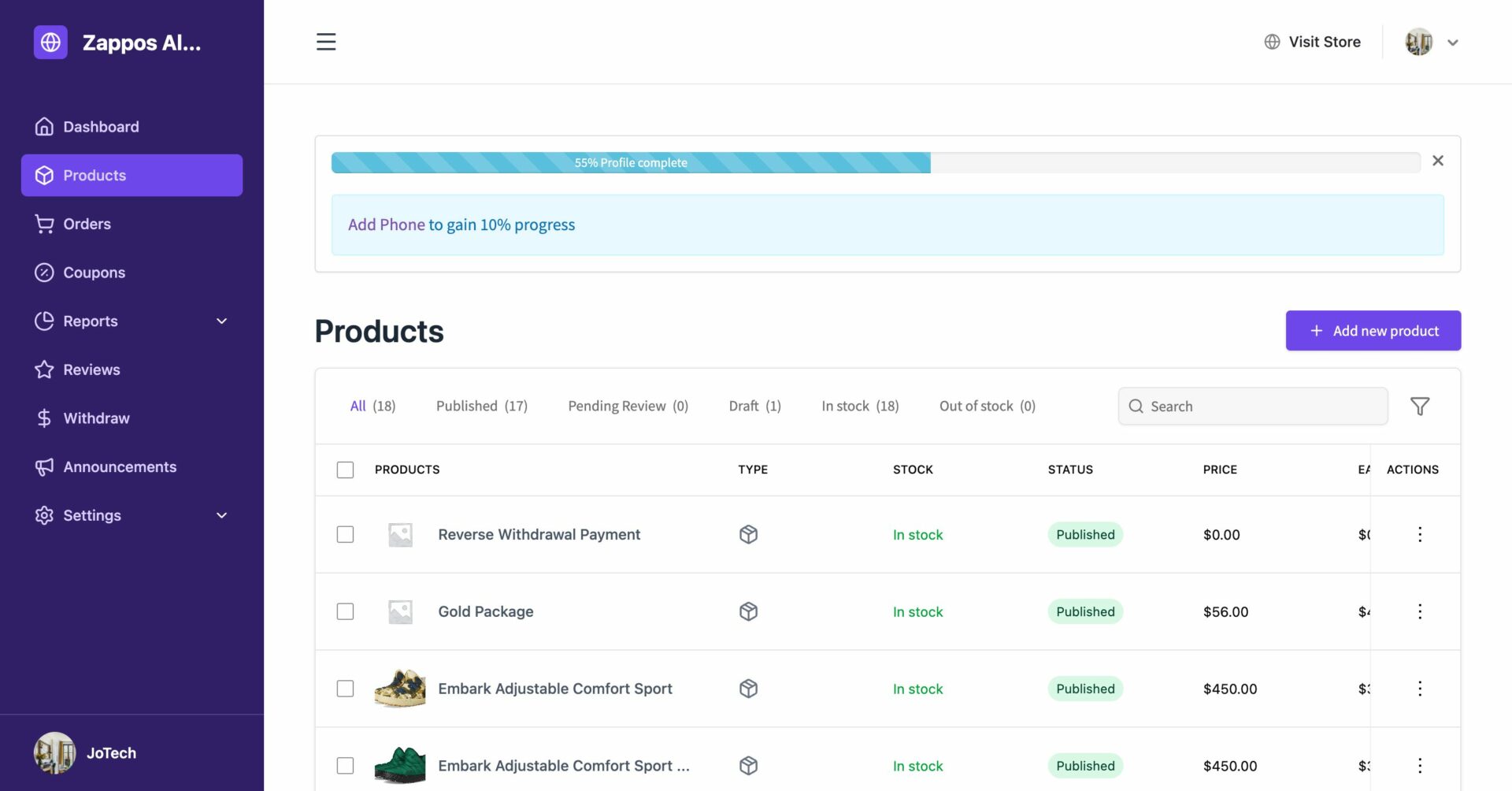
Here is how the product page will look like-
Note: For the old users of Dokan, they can switch to this setting by going to Dokan–> Settings–> Appearance and choosing the New UI option.
For the new users, the new vendor dashboard will be loaded by defualt.