



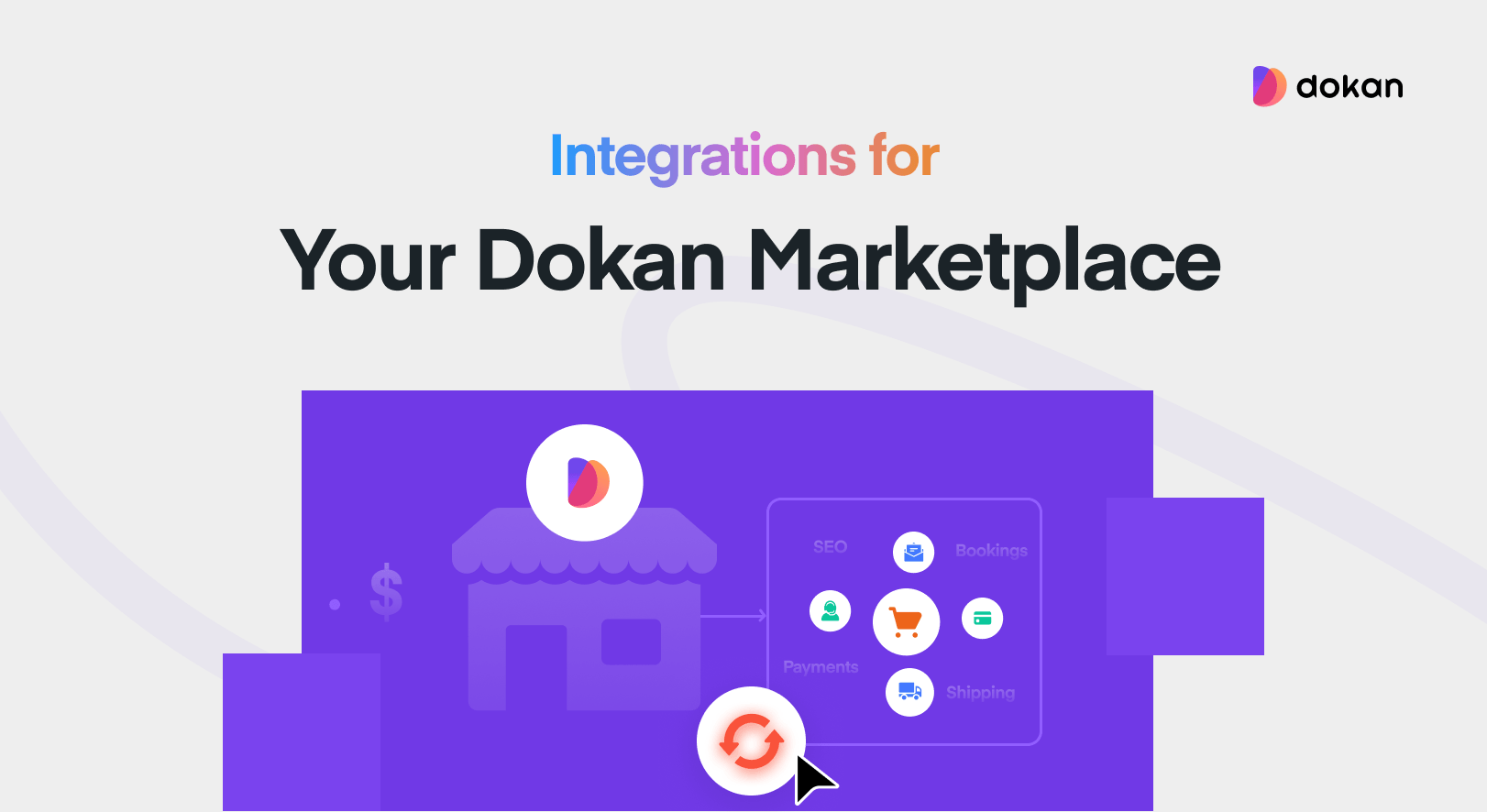
Why do some Dokan stores feel like Amazon and others feel like a garage sale?
The difference isn’t design. It isn’t traffic. It’s infrastructure. The stores that feel professional have built a plugin stack that handles payouts, shipping, bookings, fraud, and vendor management automatically. The ones that feel rough are trying to run a marketplace on Dokan’s core features alone.
Dokan is a powerful foundation – but the integrations you layer on top are what turn a WordPress installation into a marketplace business that scales.
This guide organizes those integrations by business outcome, not alphabetically. Because the real question isn’t ‘what plugins exist?’ It’s ‘what do I need to build the marketplace I have in mind?’
So instead of throwing every Dokan-compatible plugin into one giant list, we’ve grouped the most useful integrations based on what they actually help you achieve.
Payment Gateway Integrations
Every marketplace lives or dies by its payment infrastructure. Vendors won’t stay if payouts are slow, manual, or unpredictable. Customers won’t convert if checkout feels clunky or doesn’t support how they want to pay.

Stripe Connect powers split payments at Lyft, Shopify, and DoorDash. Dokan’s Stripe integration brings that same infrastructure to your marketplace – automated commission splits, vendor payouts on a schedule you control, and real-time processing.
Key Integrations
Editor’s Insight: Match your gateway to your vendor geography
Running Stripe, Razorpay, and Paystack simultaneously sounds flexible. In practice, it creates overlapping checkout fields, webhook conflicts, and payout confusion. Pick the gateway that fits your primary market. Expand to a second only when your vendor base makes it necessary — not before.

Shipping Integrations
Shipping is where most marketplaces quietly hemorrhage time and money. Without the right integrations, every label request, rate dispute, and tracking question lands in your inbox. The right plugins don’t just automate shipping — they hand accountability back to vendors, where it belongs.

Etsy’s sellers manage their own shipping profiles, rates, and labels through the seller dashboard. That self-service model is exactly what Dokan combined with ShipStation replicates. Frame it that way in your vendor onboarding — not as a feature, but as the operational standard your marketplace runs on.
Key Integrations
Operator Insight: Don’t stack shipping systems
Many operators install live shipping rates, table rate rules, a label system, and a carrier plugin simultaneously. The result is conflicting rate calculations and confused vendors. Choose one shipping workflow and build around it — either flat-rate simplicity, vendor-managed rates, or carrier-based automation.
Booking & Appointment Integrations
Most people think of Dokan as a marketplace for physical products. That’s a ceiling worth removing. With booking integrations in place, Dokan becomes the infrastructure for rental platforms, coaching marketplaces, hotel booking sites, and any appointment-based service.

WooCommerce Bookings combined with Dokan is how you build an Airbnb or Calendly-style marketplace. Vendors manage their own availability. Customers book and pay in real time. Automated confirmations go out without any manual coordination. No developer required.
Key Integrations
Market Opportunity
Booking and scheduling SaaS tools charge $50–$300/month per vendor. A Dokan-powered booking marketplace gives vendors equivalent functionality under your brand at a fraction of the cost — a compelling acquisition pitch for niche verticals where standalone SaaS is the only current alternative.
Product Customization Integrations
Personalized products command higher prices and generate stronger loyalty than their off-the-shelf equivalents. Customization integrations let vendors offer monogrammed goods, custom prints, and made-to-order items without any development work.
This is also the highest-leverage category for average order value. Product customization consistently lifts AOV by 15–35% in WooCommerce stores because customers price in the personal touch — and they’re right to.
Key Integrations
Revenue Framing for Vendor Recruitment
When pitching customization features to prospective vendors, lead with the revenue case: ‘Vendors who offer personalized products generate 28% higher revenue per order than those who don’t.’ Business case first, feature description second. That framing converts vendor sign-ups faster than a feature list ever will.
Membership & Subscription Integrations
Recurring revenue is the most defensible model in marketplace businesses. Subscription integrations let you monetize your vendor base directly — not just through commission cuts, but through tiered access plans that vendors pay month after month for the privilege of operating on your platform.
Etsy Plus and Fiverr Pro are both subscription upsells built into the marketplace itself. With WooCommerce Subscriptions and Dokan, you can run the same model: a free tier, a growth tier, a premium tier — each unlocking increasing product limits, analytics access, and promotional placement. That’s a revenue stream that compounds as your vendor base grows.
Key Integrations
SEO & Marketing Integrations
Here’s a framing shift that changes how you think about SEO on a Dokan marketplace: every vendor store is a mini-website. Each one is a distinct, indexable set of pages — product listings, store biography, customer reviews. Multiply that by 100 vendors, and you have a content machine that can rank for thousands of long-tail product searches. But only if the SEO foundation is solid.
Rank Math turns every vendor storefront into a search-optimized landing page. Schema markup on product pages, automatic XML sitemaps that include vendor store URLs, and per-page meta control that vendors manage themselves — it isn’t an optional feature, it’s infrastructure.
Key Integrations
SEO Opportunity Most Operators Miss
Build vendor store page templates optimized for searches like ‘[product type] seller near me’ or ‘buy [product] from independent makers.’ Each vendor storefront, properly structured with schema markup, can rank independently for these queries. That’s organic traffic your marketplace earns at scale — without paying for it.
Multilingual & Localization Integrations
Localization is often the difference between a $10,000/month marketplace and a $100,000/month one. The moment your marketplace supports a second language, you don’t just expand your audience — you enter markets with less competition and higher vendor loyalty, because fewer local alternatives exist.

WPML combined with Dokan allows vendors to manage their own translations from the frontend dashboard. That isn’t a minor detail — it means the translation burden doesn’t fall on your operations team. Vendors who want international buyers will handle it themselves.
Key Integrations
Vendor Workflow & Productivity Integrations
This is the section competitors consistently undervalue — and it’s the one that determines long-term marketplace health. Vendor churn is expensive. Every vendor who leaves takes their products, their SEO-indexed listings, and their customer relationships with them. The marketplaces with the strongest retention are the ones that make onboarding easy, support fast, and make daily operations frictionless.
Fluent Support isn’t just a ticket system. It’s the retention infrastructure that keeps vendors active and generating revenue. A vendor who gets a payout question resolved in two hours stays. One who waits three days opens a Shopify store instead.
Key Integrations
Operator Insight: Build the vendor experience before you recruit
Most marketplace operators build the customer experience first and address vendor tools after launch. The ones that scale fastest do it in reverse. Before recruiting your first vendor, have your onboarding documentation, support workflow, and frontend management tools fully in place. Vendors talk to each other. A smooth onboarding experience is your best vendor acquisition channel.
Trust & Fraud Prevention Integrations
Amazon didn’t build a trillion-dollar business on product selection alone. It built it on trust. Verified reviews, seller ratings, the A-to-Z guarantee, friction-free returns — every major feature Amazon added in its first decade was a trust signal. The products came second.

Most Dokan marketplace guides skip this section entirely. That’s a costly omission. For high-AOV products, service transactions, and any marketplace where buyers can’t physically inspect before purchasing, trust infrastructure is a conversion lever — and a pricing one. A marketplace with stronger trust signals than its competitors can charge higher commission rates and attract higher-quality vendors. That’s a compounding advantage.
Key Integrations
Trust as a Business Model Advantage
The moment your marketplace is known as the one where vendor identity is verified, reviews are real, and disputes are handled professionally — you stop competing on price and start competing on quality. Higher-caliber vendors follow verified platforms. So do premium buyers. That’s a positioning shift worth engineering deliberately.
Analytics & Reporting Integrations
You cannot scale what you cannot measure. In the early days of a marketplace, gut instinct is enough. Once you have 20 or more vendors and thousands of monthly orders, you need data — which vendors drive the most revenue, which categories are underperforming, where customers abandon checkout, and which acquisition channels are actually delivering ROI.
Analytics integrations also give you something valuable to offer vendors: visibility into their own performance. Vendors who can see their sales trends, conversion rates, and customer return rates become more invested in the marketplace’s success. Data creates accountability — and engagement.
Key Integrations
Operator Insight: Share data with your vendors
The highest-retention marketplace operators don’t keep analytics to themselves. They send vendors monthly performance summaries — top products, conversion rate trends, search impression data. Vendors who understand their own performance stay on the platform longer, invest more in their stores, and refer other vendors. Data sharing is your most underused retention tool.
Recommended Integration Stacks by Marketplace Model
Every marketplace is different. The integrations that drive a rental platform’s growth are not the same ones that matter for a digital goods store. Use these curated stacks as a starting point — build from the core and expand only as your model demands it.
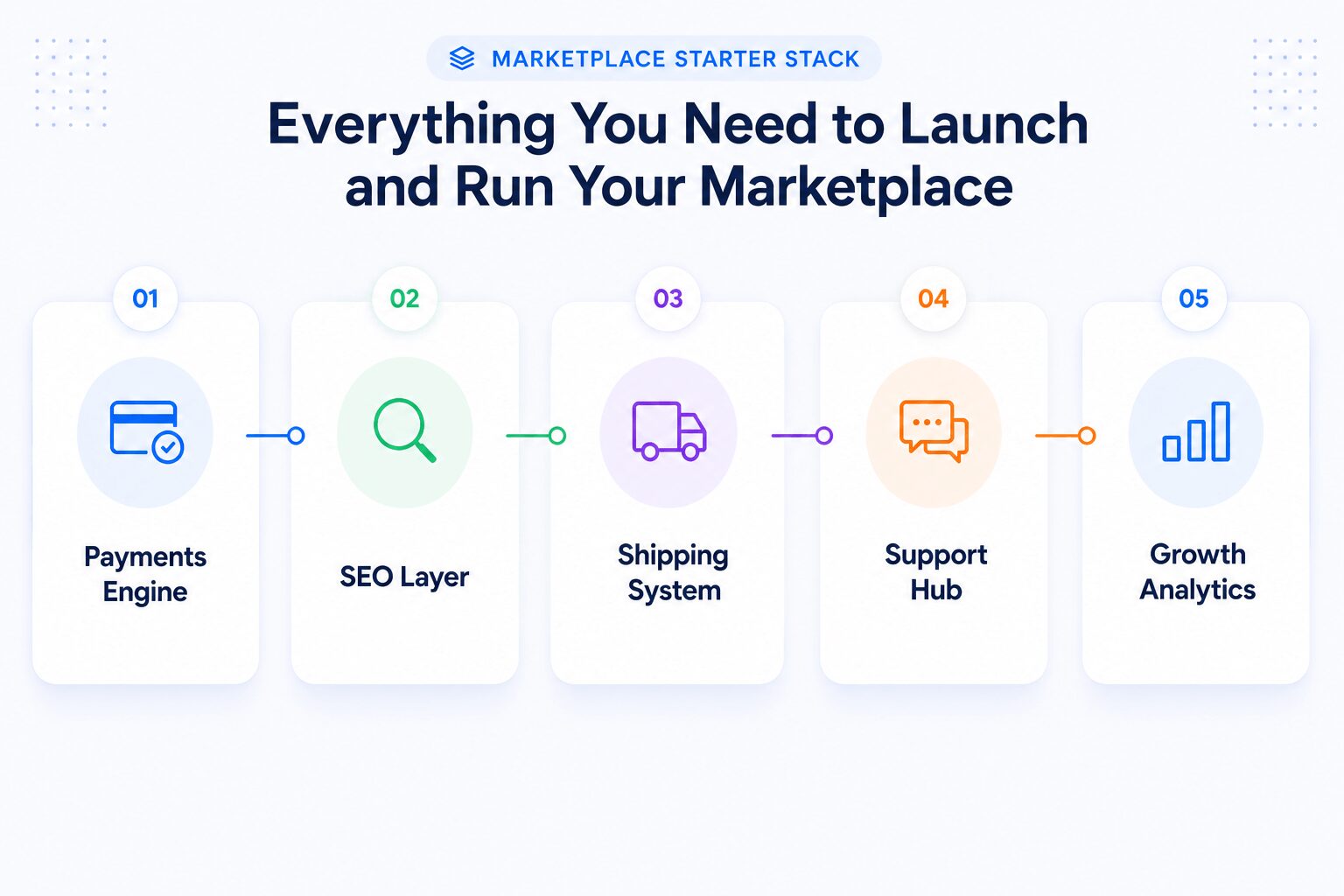
Starter Stack: Works for Most Marketplace Types
If you’re launching your first Dokan marketplace, begin here. Cover the operational fundamentals before adding anything else.
| Plugin / Integration | Why you need it |
|---|---|
| Stripe Connect | Automated vendor payouts and split payments — the foundation of marketplace trust |
| Rank Math SEO | Turns every vendor store page into a search-optimized asset |
| ShipStation or Table Rate Shipping | Puts shipping management in vendors’ hands, not yours |
| Fluent Support | Centralizes vendor and customer support with WooCommerce order context |
| Google Analytics 4 | Tracks marketplace growth, funnel performance, and vendor contribution |
Digital goods marketplace: Best for downloadable products, templates, courses, software, and memberships.
| Plugin / Integration | Why you need it |
|---|---|
| Stripe Connect | Instant payouts on digital sales with no shipping complexity |
| WooCommerce Subscriptions | Enables subscription product sales and tiered vendor access plans |
| MemberPress | Powers premium buyer memberships and content access tiers |
| Rank Math SEO | Schema markup for digital products and vendor store pages |
| HubSpot | Email automation for abandoned cart recovery and buyer re-engagement |
Booking and rental marketplace: Best for rentals, coaching, appointments, experiences, and service-based transactions.
| Plugin / Integration | Why you need it |
|---|---|
| WooCommerce Bookings | Core scheduling engine — vendor calendars, availability, and real-time booking |
| Dokan Booking Add-on | Bridges WooCommerce Bookings with Dokan’s vendor frontend |
| Stripe Connect | Handles deposits, full payments, and deferred payouts for bookings |
| WPML | Enables multilingual vendor stores for international rental markets |
Physical product marketplace: Best for handmade goods, niche ecommerce, and multivendor retail.
| Plugin / Integration | Why you need it |
|---|---|
| ShipStation | Self-service label generation and carrier management for vendors |
| Table Rate Shipping | Custom vendor shipping rules by weight, zone, and product category |
| WooCommerce Product Add-Ons | Personalization options that increase average order value |
| Rank Math SEO | Product schema markup and vendor store SEO infrastructure |
The Rule Before Every Plugin Decision
Before adding any new integration, ask: does this improve vendor operations, customer experience, or marketplace revenue? If you can’t answer that clearly, you don’t need it yet. A tight stack of 8 plugins that work well together will outperform 25 plugins that merely coexist.
Keeping Your Marketplace Fast as You Scale
The number one reason Dokan marketplaces slow down isn’t bad hosting. It’s redundant plugins doing the same job — multiple analytics scripts loading on every page, two SEO plugins fighting for control of meta tags, three shipping systems calculating rates simultaneously.
Performance degradation on multivendor sites is almost always a plugin architecture problem, not a server problem.
Every vendor action on a Dokan marketplace generates database queries, dashboard requests, and WooCommerce processes running in parallel. A lean plugin stack keeps that overhead manageable. A bloated one compounds it.
Principles for a Fast, Stable Stack:
Frequently Asked Questions About Dokan Integrations
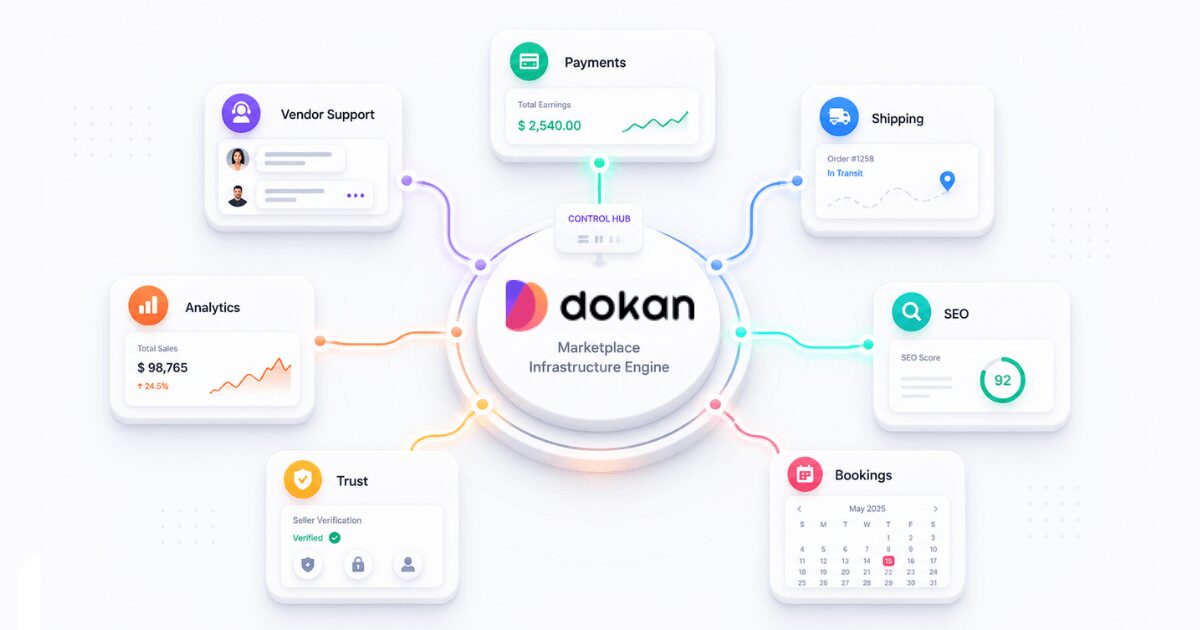
The most common questions from Dokan marketplace operators — answered with enough context to be useful, not just technically accurate.
Does Dokan work with Stripe?
Yes, via the Dokan Stripe Connect module. It handles automated split payments, vendor payouts on your chosen schedule, and commission processing. It’s the most battle-tested payment setup for Dokan marketplaces.
Is Dokan compatible with WPML?
Yes. WPML integrates at the vendor store level, meaning vendors can manage their own translations from the frontend dashboard. You don’t carry the translation burden — vendors who want international buyers will do the work themselves.
Can I use WooCommerce Bookings with Dokan?
Yes, through the Dokan Booking add-on. Each vendor gets their own availability calendar, while customers can book and pay in real time. It’s the core setup for Airbnb-style and coaching marketplaces built on Dokan.
Does Dokan support recurring payments?
Yes, via WooCommerce Subscriptions. You can run tiered vendor membership plans, subscription-based product sales, and premium buyer memberships — all billed automatically on monthly or annual cycles.
What is the best SEO plugin for Dokan?
Rank Math. It integrates more deeply with WooCommerce store pages, generates schema markup for product and vendor pages automatically, and allows per-vendor SEO control. Yoast SEO is a solid alternative if your team already knows it well.
How many plugins can I safely run with Dokan?
Aim for 8–12 active integrations. Beyond that, every addition increases database load, conflict risk, and maintenance overhead. A focused stack of 8 reliable plugins consistently outperforms a cluttered stack of 25.
Can vendors manage their own shipping?
Yes. With ShipStation or Table Rate Shipping, each vendor configures their own shipping zones, rates, and carrier preferences independently. That self-service model removes shipping admin from your plate entirely.
What hosting should I use for a Dokan marketplace?
Choose managed WooCommerce hosting with object caching, PHP workers, and database scaling — providers like Kinsta, WP Engine, or Cloudways. Or you can manage a VPS hosting with a server control panel like FlyWP.
Build Your Marketplace Stack
The integrations in this guide aren’t about adding features for their own sake. They’re about closing the gap between a WordPress site with Dokan installed and a marketplace that operates like a real business — one that retains vendors, converts buyers, and grows without requiring you to manually manage every moving part.
Start with the foundation: payments and shipping. A marketplace with reliable payouts and clean shipping workflows retains vendors longer than one with ten flashy features and a broken commission flow. Get those two right before anything else. Then build outward from your model.
Dokan’s advantage is its flexibility. You’re not locked into a rigid feature set — you’re building exactly the marketplace your vendors and customers need. The plugin ecosystem makes that possible. The discipline to use it selectively is what makes it work.
Subscribe to
Dokan blog
We send weekly newsletters, no spam for sure!



Leave a Reply