
If your vendor can’t find the registration form to register themselves as a vendor, then you might follow some basic rules to solve this out. So in this documentation, we’ll give you a guideline to fix this issue.
How to Fix
Basically, the registration functionality is controlled by WordPress core. So the in-build option could be turned off and on whenever you need it.
To do that navigate to WP-Admin→ Settings → General.
You will find an option named “Membership“. And then toggle check box to turn on registration and hit save.
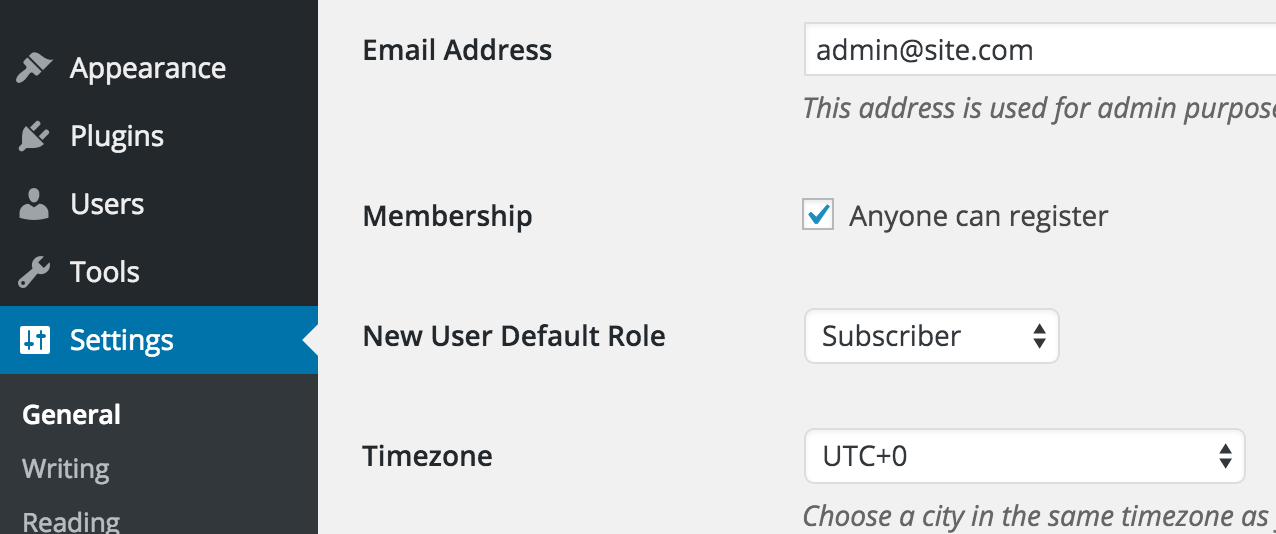
Now check the registration form again. The registration form should be visible now.